


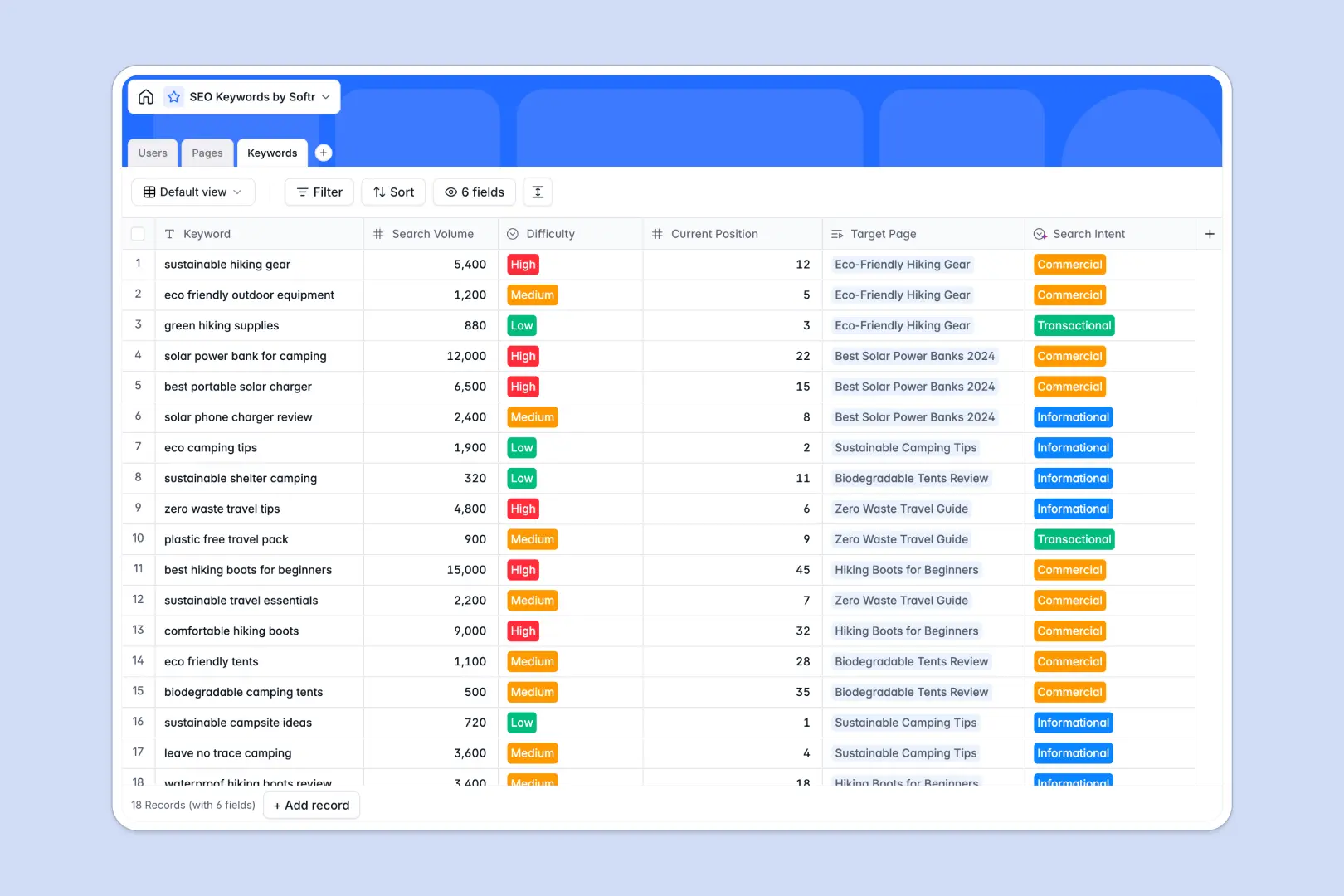
Your SEO Keywords database at a glance
This template keeps your entire content strategy aligned by linking individual search terms directly to the web pages they belong to. It eliminates the chaos of scattered tracking and keeps content teams focused on clear goals.
You can easily assign target keywords to specific pages, monitor drafting statuses, and track word count goals in one place. With interconnected tables, every assigned writer sees exactly what they need to optimize.
Built-in AI automatically classifies search intent, writes meta descriptions, and browses the web to generate structured content briefs. This means your team spends less time formatting and more time publishing high-quality assets.
Why managing SEO keywords in spreadsheets breaks down
Tracking search volumes and content assignments in flat spreadsheet rows quickly turns into a messy, unscalable task.
What a structured database changes
Instead of copying and pasting terms across different tabs, a relational system keeps everything perfectly connected. You can link multiple search terms to a single target page without breaking any fragile VLOOKUPs.
This is exactly what Softr Databases are designed for. Every column has a clear purpose, ensuring search volumes stay as numbers and publishing statuses remain strictly categorized.
What you can do with this template
Map out your entire organic strategy smoothly by tracking keyword difficulty and logging current ranking positions.
Leverage Database AI agents to automatically build comprehensive content outlines based on live web data the moment you log a new page.
-
Users
Manage SEO staff and writers with roles, contact info, and page assignments
-
Pages
Track website optimization using AI to generate content briefs and meta tags
-
Keywords
Monitor search terms while using AI to automatically classify search intent
Who is this SEO Keywords database for
This system is perfect for marketing teams ready to scale their organic growth pipeline.
- SEO Managers: Centralize your strategy and track keyword ranking positions without losing context.
- Content Writers: Access instant AI-generated briefs and see exact word count goals for assignments.
- Marketing Directors: Monitor the overall status of your content pipeline from draft to published.
How to take it further
Customize this framework immediately by adjusting the status labels or adding new fields for backlink tracking. Since it functions as a native Softr Database, renaming columns and updating difficulty choices takes just seconds.
Bring your existing strategy to life effortlessly by importing your current keyword lists and search volume data directly via CSV.
When your team grows, you can easily use the interface builder to turn this data into a complete content portal. By setting up proper users and permissions, writers will only see the specific pages assigned to them. A well-structured database makes building customized tracking apps entirely seamless.
-
1
-
2
-
3
-
4
Frequently asked questions
-
What is an SEO keywords database?
-
Why use a no-code database to build an SEO tracking tool?
-
How can AI help managing data for SEO?
-
Can I build an app with this SEO tracking database?
-
Is this SEO Keywords database free?
-
How is an SEO database different from Google Sheets?
Start building today. It's free!
Build and launch your first app in under 30 minutes.