


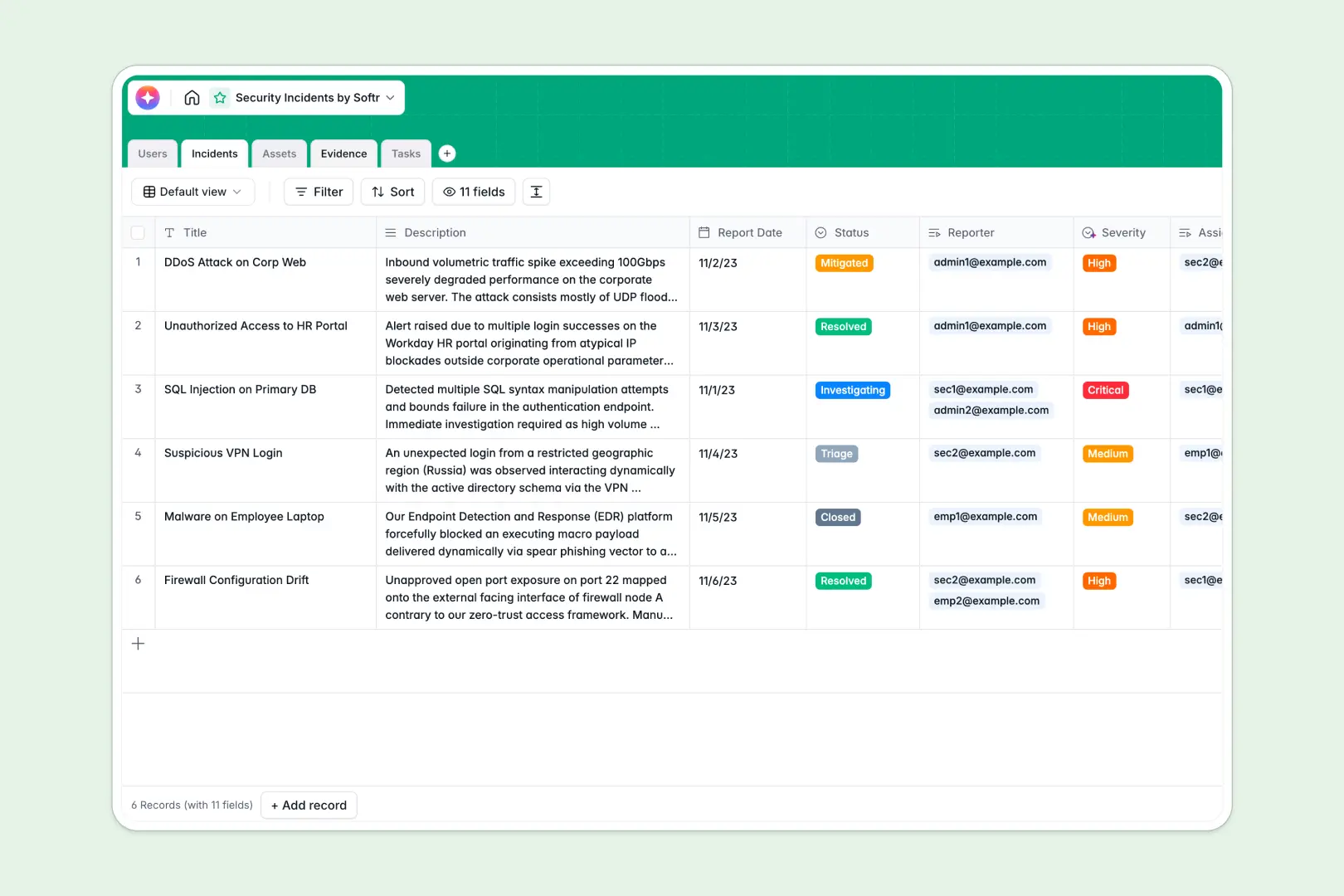
Your Security Incidents Database at a glance
This pre-built tracking system centralizes every threat, vulnerability, and breach so your security team can respond instantly. It eliminates fragmented spreadsheets and keeps mitigation efforts fully organized.
The database connects core components naturally without repetitive data entry. When a new threat is logged, it instantly links to the affected Assets, attaches necessary Evidence logs, and assigns remediation Tasks to specific Users.
Native database AI agents analyze incoming reports to automatically classify severity and generate concise executive summaries. The system even searches the live web to pull active vulnerability intelligence for your asset vendors.
Why tracking security incidents in spreadsheets breaks down
Managing critical security events across disconnected rows and sheets quickly becomes a liability. Crucial evidence logs get lost, mitigation tasks detach from their original tickets, and prioritizing urgent threats is purely manual.
What a structured database changes
A proper database enforces strict data integrity for every security event you record. Dates, status updates, file attachments, and severity levels stay uniform, ensuring nothing slips through the cracks during a fast-moving audit.
Instead of fragile VLOOKUPs, tables relate directly to one another. You can link a single data breach to multiple servers, attach screenshots, and assign a rapid response task—all without duplicating a single row of data.
This level of reliable architecture is exactly what Softr Databases are designed for. Your security infrastructure scales seamlessly without manual cleanup or broken formulas.
What you can do with this template
You can immediately log, assign, and track remediation tasks for any security event from triage to resolution. Every vulnerability connects perfectly to your affected hardware and software assets.
By engaging the built-in Database AI agents, you automatically summarize complex technical descriptions for non-technical stakeholders. You also instantly pull known vendor vulnerabilities straight from the web the moment a new asset is logged.
-
Users
Manage personnel profiles, roles, and their assignments to security activities
-
Incidents
Track security events using AI for severity classification and executive summaries
-
Assets
Inventory hardware and software with AI-powered web insights for vendor security
-
Evidence
Centralize log files, scripts, and screenshots linked to specific investigations
-
Tasks
Organize remediation actions and mitigation steps with status and due dates
Who is this Security Incidents database for
This template works best for technical teams and IT departments running fast-paced operations.
- IT System Admins: Keep track of affected servers, workstations, and network devices during an active threat.
- Security Analysts: Centralize your investigation notes, attached evidence, and mitigation steps in one clear view.
- CTOs & Executives: Review auto-generated, high-level summaries of critical breaches without parsing through complex server logs.
- Compliance Officers: Maintain a clean, immutable record of when issues were reported and strictly how they were resolved.
How to take it further
You can easily customize this database to match your exact internal security protocol. Rename the core asset categories, adjust the severity levels, or add new status choices to fit your unique triage reporting workflow.
Bring your historical security logs online effortlessly. You can bulk import CSVs of past vulnerabilities, or connect via API to sync real-time alerts automatically from your existing monitoring platforms.
When your team is ready, you can use the interface builder to create a custom internal portal for incident reporting. By setting up strict users and permissions, regular employees can securely log suspicious activity while only certified analysts can view sensitive investigation data. Starting with a secure database foundation makes building this employee portal incredibly simple.
-
1
-
2
-
3
-
4
Frequently asked questions
-
What is a security incidents database?
-
Why use a no-code database to build a security incidents system?
-
How can AI help managing data for security incidents?
-
Can I build an app with this security incidents database?
-
Is this Security Incidents Database free?
-
How does this template connect incidents and assets?
Start building today. It's free!
Build and launch your first app in under 30 minutes.