


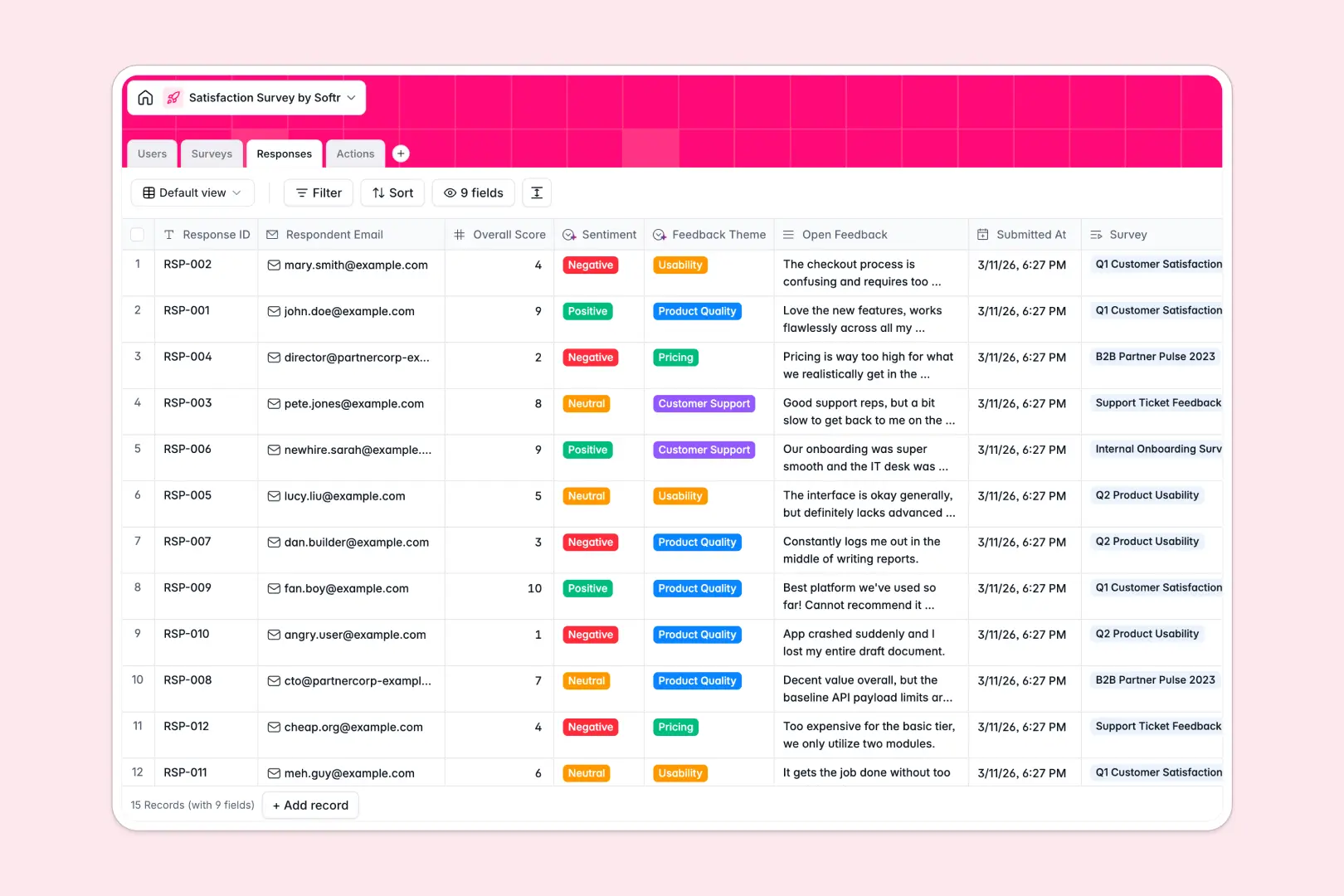
Your Satisfaction Survey database at a glance
This template lets you capture feedback, measure satisfaction scores across campaigns, and automatically turn negative responses into actionable tasks.
It connects four relational tables: Surveys, Responses, Actions, and Users. Feedback links directly to specific campaigns and automatically calculates response counts and average scores without messy formulas.
Built-in AI fields analyze sentiment on submission, categorize feedback into themes like pricing or usability, and even draft empathetic replies for follow-up actions.
Why feedback loops break across scattered rows
Collecting feedback in a disconnected sheet makes it nearly impossible to hold teams accountable for following up on unhappy customers.
What a structured database changes
In a raw spreadsheet, survey feedback gets dumped into isolated rows where negative ratings are easily missed and action items have no clear ownership.
A relational database connects every incoming response directly to its parent survey campaign and to assigned team members.
This is exactly what Softr Databases are designed for: giving you typed columns, native rollups for average scores, and clear links between feedback and resolution tasks.
What you can do with this template
You can launch targeted satisfaction campaigns, monitor live response rates, and assign follow-up tickets to team members instantly.
With native Database AI agents, the database classifies feedback tone, tags core themes, and summarizes campaign-wide sentiment automatically.
Everything is pre-configured and ready to use, helping you close feedback loops immediately without manual data sorting.
-
Users
Manage internal team members, roles, permissions, and assigned actions
-
Surveys
Deploy feedback campaigns and generate AI summaries of responses
-
Responses
Store individual feedback entries with AI sentiment and theme tagging
-
Actions
Track resolution tasks for feedback with AI-drafted reply emails
Who is this Satisfaction Survey database for
This system is designed for teams that need to turn feedback into concrete improvements:
- Customer Success Teams: Monitor satisfaction trends and resolve poor ratings before accounts churn.
- Product Managers: Categorize feature feedback and usability pain points to prioritize sprint backlogs.
- Operations Leads: Track campaign metrics and assign accountability for internal or partner sentiment.
- Support Managers: Review open feedback themes and draft standardized responses to resolve complaints.
How to take it further
1. Customize the database
Tailor the template to fit your operations by adding new feedback themes, modifying survey target audiences, or creating custom rating scales. You can rename fields or adjust action statuses in seconds within the visual database editor.
2. Import your existing data
Bring in historical survey data using a CSV upload or sync incoming responses automatically via API. Your past submissions will immediately populate linked views and roll up into existing campaign summaries.
3. Build a full app around it
When you are ready to give your team a dedicated workspace, you can generate an app with AI directly on top of this database. Use Softr's AI Co-Builder to create custom management dashboards, submission forms, and action portals in one step.
Set granular users and permissions so analysts see raw submissions, managers manage campaigns, and reps only edit their assigned follow-up actions.
-
1
-
2
-
3
-
4
Frequently asked questions
-
What is a satisfaction survey database?
-
Why use a no-code database to build a satisfaction survey tool?
-
How can AI help managing data for satisfaction surveys?
-
Can I build an app with this satisfaction survey database?
-
Is this Satisfaction Survey database free?
-
How do I import existing feedback into this database?
Start building today. It's free!
Build and launch your first app in under 30 minutes.