


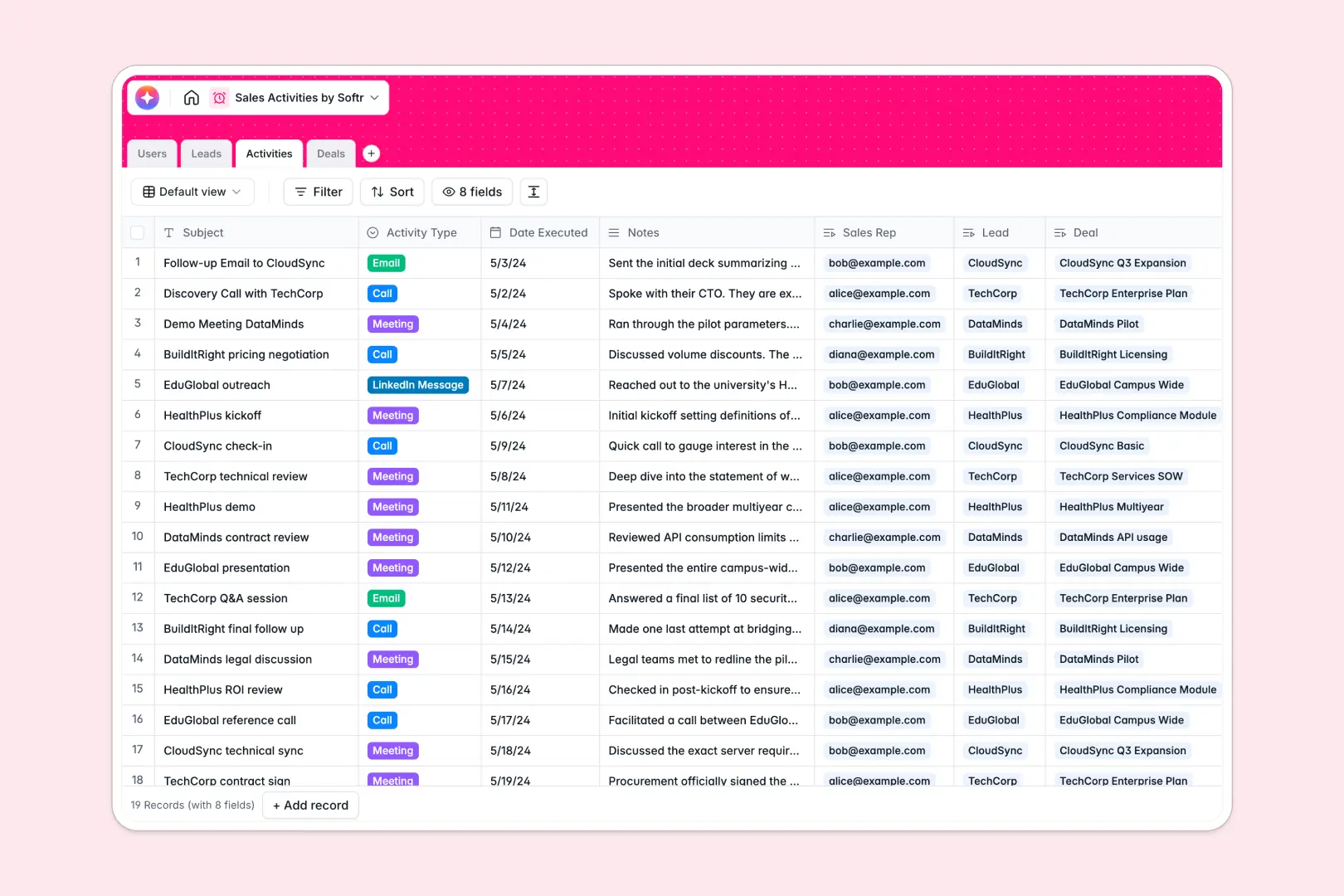
Your Sales Activities database at a glance
Track interactions, monitor deals, and keep your entire sales team aligned in one central system. This ready-to-use foundation ensures no lead slips through the cracks.
It stores your deals, leads, team members, and activities in separate tables that relate to each other natively. You can instantly see every call or email linked directly to a specific pipeline opportunity.
Built-in AI automatically researches websites to enrich lead profiles and summarizes lengthy call notes into bullet points. It even analyzes the pipeline context to recommend the smartest next step for active deals.
Why managing sales activities in spreadsheets breaks down
Tracking your busy sales pipeline across endless spreadsheet tabs quickly becomes a mess of overwritten data and lost context.
What a structured database changes
A structured database enforces rules so dates stay as dates and team ownership remains abundantly clear. You can link a logged activity directly to a closed deal without wrestling with fragile VLOOKUPs.
This architecture prevents data silos and messy columns as your sales force scales up. This is exactly what Softr Databases are designed for.
What you can do with this template
Log every client call, email, or meeting cleanly to instantly see the full communication history for any lead. You can monitor deal stages securely from discovery all the way to closed-won.
Plus, native Database AI agents act as your ultimate autonomous sales assistant. They research web pages to flesh out company profiles and extract key takeaways right inside your tables.
-
Users
Manage internal sales staff profiles with roles and linked performance data
-
Leads
Target potential companies and use AI to enrich business profile descriptions
-
Activities
Log sales interactions and use AI to generate concise activity summaries
-
Deals
Track pipeline revenue and use AI to suggest optimal next closing steps
Who is this Sales Activities database for
This template is built for teams ready to organize their pipeline effortlessly.
- Sales Managers: Monitor team performance and track high-value deals continuously.
- Account Executives: Keep interactions logged cleanly and visually manage pipeline stages.
- Business Development: Quickly log outbound activities and automatically structure daily call notes.
How to take it further
Customize the database entirely to fit your specific outbound sales motion. You can easily tweak the deal stage dropdowns or add new lead statuses in just a few clicks.
Import your existing pipeline data swiftly using a CSV upload or via API. Your team can transition from chaotic spreadsheets into a perfectly structured format immediately.
When you are ready, use our interface builder to create a custom CRM application on top of this exact data. You can completely configure how internal tracking tools and dashboards behave.
With native users and permissions, you can ensure sales reps only view their own assigned deals while managers see everything. Building powerful business software is remarkably simple when your data foundation is rock solid.
-
1
-
2
-
3
-
4
Frequently asked questions
-
What is a sales activities database?
-
Why use a no-code database to build a sales tracking system?
-
How can AI help managing data for sales activities?
-
Can I build an app with this sales activities database?
-
Is this sales activities database free?
-
How is a sales activities database different from Google Sheets or Excel?
Start building today. It's free!
Build and launch your first app in under 30 minutes.