


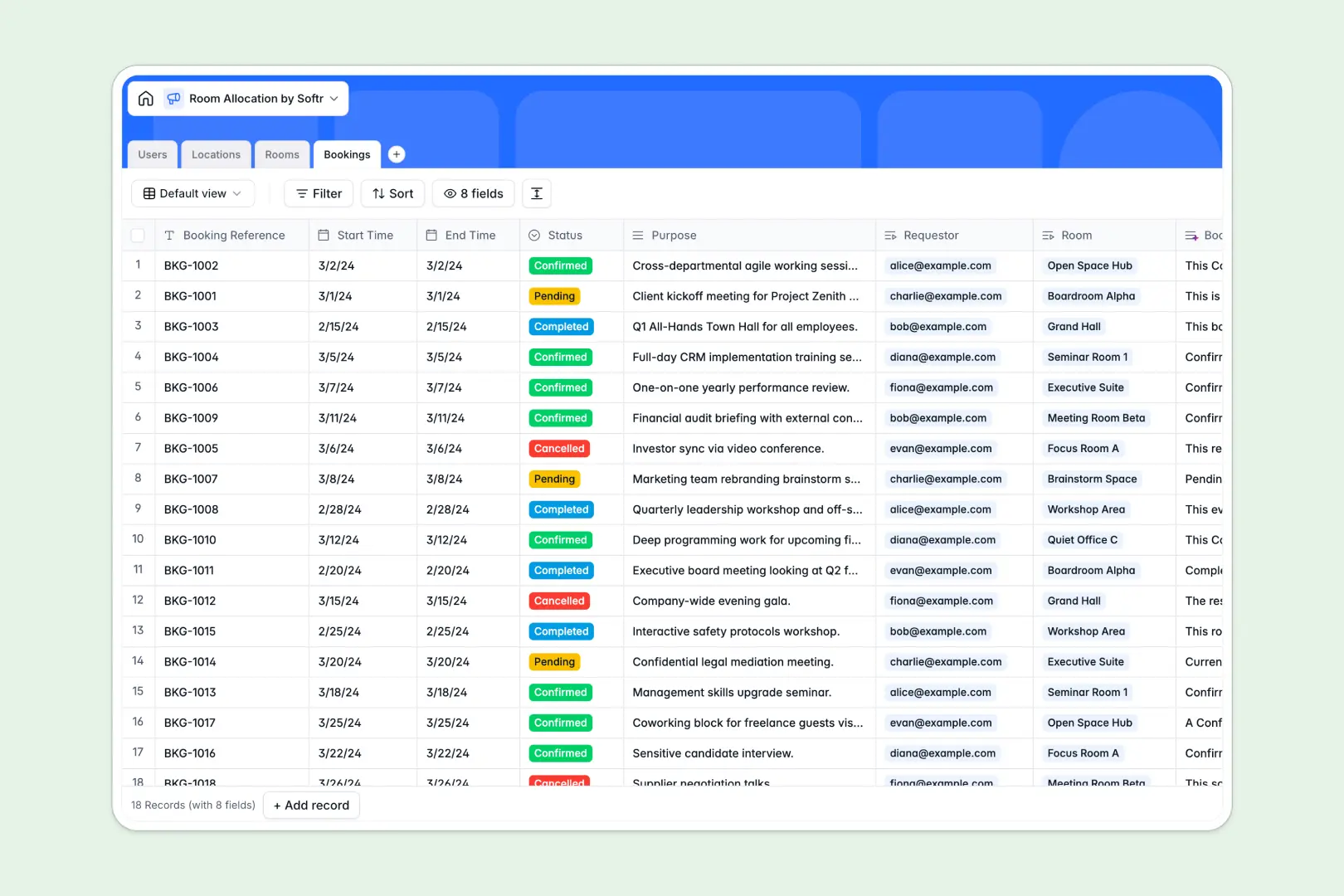
Your Room Allocation Database at a glance
This template organizes buildings, spaces, and reservations into one central system to eliminate scheduling conflicts. It gives your team a clear, real-time view of what is available and who booked it.
The database connects four dedicated tables: Users, Locations, Rooms, and Bookings. When a staff member requests a space, the booking automatically links to their profile and the specific room, keeping availability perfectly synced.
Built-in AI features handle the heavy lifting natively. The database automatically generates location overviews from the web and writes clean booking summaries based on the reservation's purpose.
Why managing room allocations in spreadsheets breaks down
Tracking workspaces and conference rooms across multiple buildings quickly turns into a tangled mess of overlapping rows and broken formulas.
What a structured database changes
A dedicated system ensures your data stays organized as your company grows. Every field has a strict rule—status dropdowns stay consistent, and capacity numbers never get incorrectly formatted.
Instead of manually copying data across multiple tabs, you can link a pending booking directly to a user and a room in one click. This is exactly what Softr Databases are designed for.
It enforces a single source of truth for your physical locations. Spaces cannot be double-booked, and capacity limits are naturally respected without complex scripting.
What you can do with this template
Instantly view all historical and upcoming usage for any private office, hot desk, or auditorium across your campuses.
Group and filter reservations by pending, confirmed, or cancelled statuses so facility managers know exactly what to prepare for on any given day.
Leverage built-in AI to summarize scheduling purposes and extract building data into clean text, drastically cutting down on manual admin reviews.
-
Users
Manage individuals with roles and contact info for room allocations
-
Locations
Organize buildings and use AI to generate facility overviews via web search
-
Rooms
Define available spaces with AI-generated summaries of room features
-
Bookings
Track room reservations using AI to summarize booking purposes and status
Who is this Room Allocation database for
This ready-to-use system is built for teams that need to coordinate physical workspaces efficiently and safely.
- Facility Managers: Monitor campus utilization and track every conference room reservation in one exact view.
- Office Administrators: Approve or cancel pending room requests instantly without navigating messy shared calendars.
- Event Coordinators: Match guest counts to room capacities like auditoriums to ensure safe, compliant events.
How to take it further
It is incredibly simple to tailor this relational structure to your exact workspace setup. You can easily edit the room type dropdowns to include labs or studios, and tweak the AI summary prompts to match your company's tone.
If you currently track spaces in CSV files, you can upload them instantly in bulk directly into the tables. You can also connect via API to sync upcoming reservations from your existing calendar tools into this centralized tracker.
When you are ready to open this up to the whole company, you can build an internal tool on top of this exact data. A well-structured database makes launching these custom experiences effortless.
By natively linking users and permissions, you can create an employee portal where staff only see their own requests while admins see the entire campus overview. Everything stays synced back to this original database.
-
1
-
2
-
3
-
4
Frequently asked questions
-
What is a room allocation database?
-
Why use a no-code database to build a space management system?
-
How can AI help managing data for room allocations?
-
Can I build an app with this room allocation database?
-
Is this room allocation database template free?
-
How is a room allocation database different from spreadsheets?
Start building today. It's free!
Build and launch your first app in under 30 minutes.