


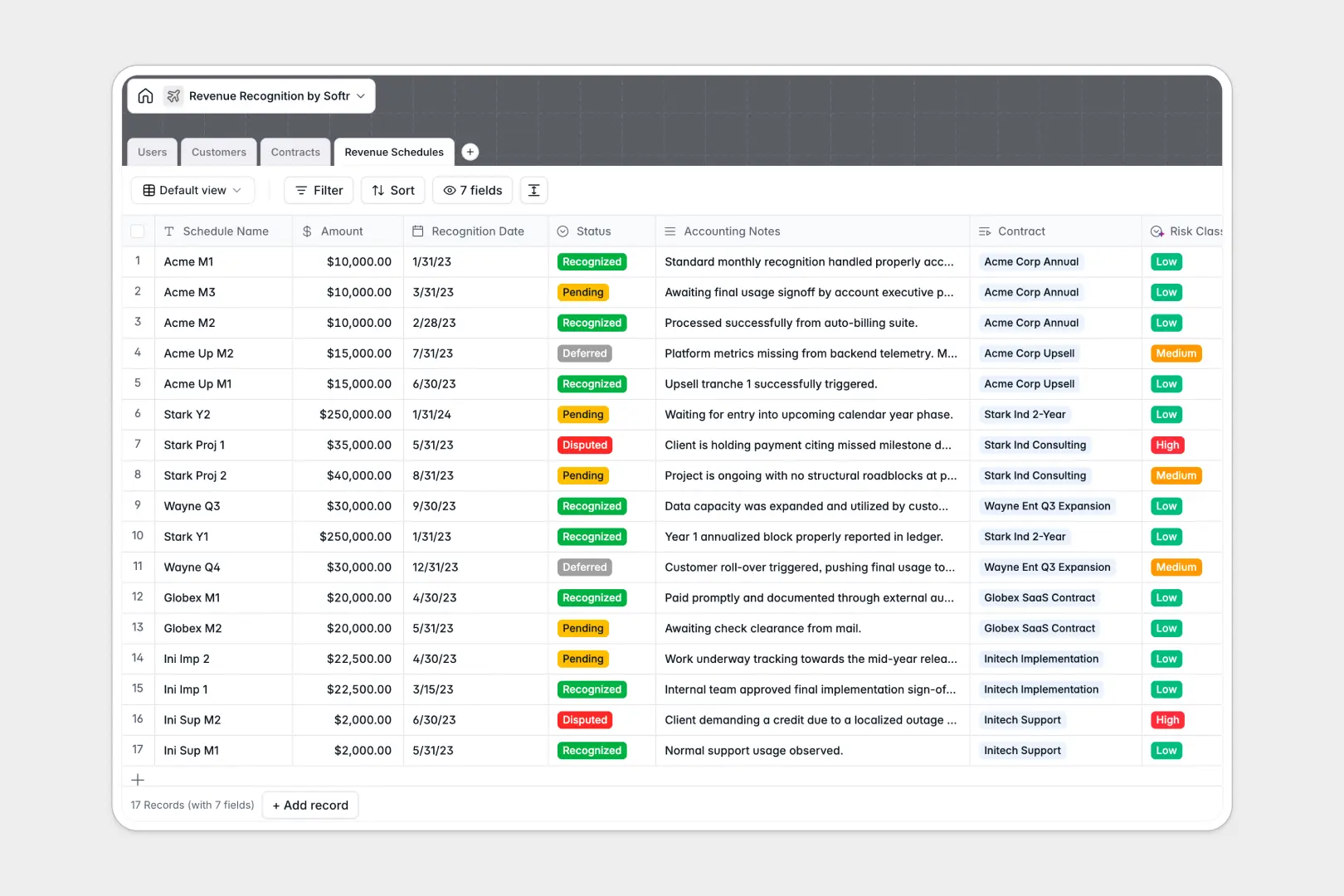
Your Revenue Recognition database at a glance
This template gives finance and operations teams a structured way to manage contracts, schedule deferred revenue, and track recognized amounts accurately.
Everything connects natively: Customers link directly to Contracts, which break down into individual monthly or milestone-based Revenue Schedules. Rollups calculate total contract value and recognized revenue automatically, eliminating manual math.
Built-in AI fields summarize complex contract terms, research customer profiles from their website URLs, and classify schedule risk levels based on accounting notes.
When revenue schedules outgrow disconnected rows
Revenue recognition requires strict audit trails and multi-period scheduling. When handled in static rows, split deliverables and amortized schedules quickly become prone to calculation errors and missed recognition dates.
What a structured database changes
A structured database enforces strict data types, relational links, and automated validation rules. By powering your workflows with Softr web app builder, you can transform your underlying data into a secure, collaborative portal.
-
Users
Manage internal staff roles, contact details, and contract oversight
-
Customers
Track client organizations, contract values, and AI web descriptions
-
Contracts
Oversee master agreements, timelines, and AI-summarized contract terms
-
Revenue Schedules
Track revenue tranches, dates, statuses, and AI risk classifications
Who is this for
- Finance Teams: Automate multi-period amortization and maintain audit-ready schedules without manual recalculations.
- Operations Managers: Align contract milestones with delivery timelines and customer billing milestones.
- Leadership: Gain immediate visibility into deferred versus recognized revenue across the entire portfolio.
How to take it further
Turn your backend database into a comprehensive internal tool using Softr's portal builder. You can set role-based permissions, allowing account managers to review contract details while restricting sensitive financial adjustments to the accounting department. Connect additional workflows with Softr integrations to automatically trigger notifications and invoice generation.
-
1
-
2
-
3
-
4
Frequently asked questions
-
What is revenue recognition and why is it important?
-
How does this template handle deferred revenue?
-
Can I share access securely with non-finance stakeholders?
-
Can I customize the schedule intervals for multi-year contracts?
-
Does this template integrate with other accounting software?
Start building today. It's free!
Build and launch your first app in under 30 minutes.