


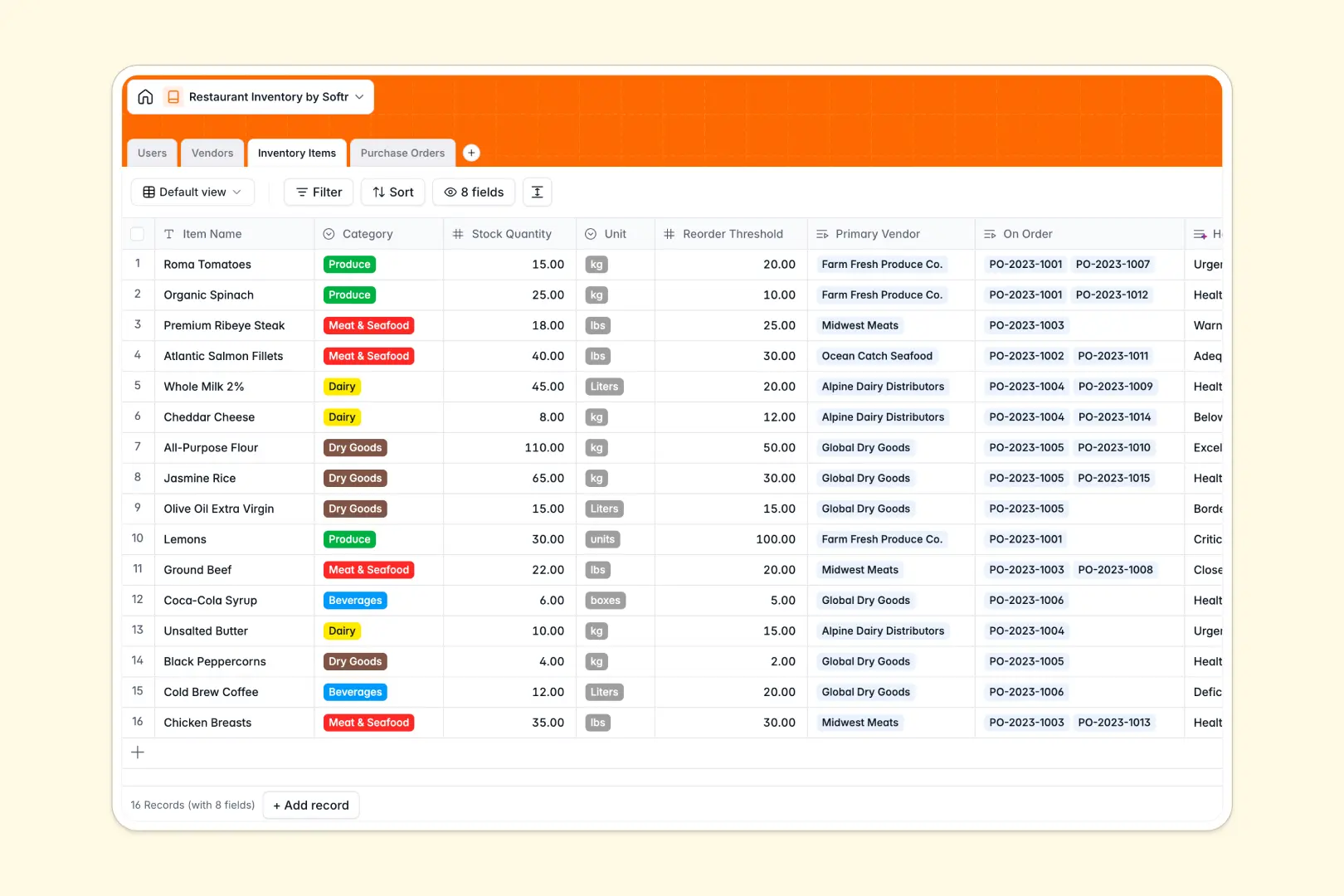
Your Restaurant Inventory database at a glance
This template gives your hospitality team a central hub to manage raw ingredients, monitor stock deficits, and coordinate vendor purchases. It eliminates the guesswork from kitchen prep and keeps your food costs under control.
Everything is connected across dedicated tables: Inventory Items link directly to Vendors and Purchase Orders, while the Users table tracks who placed each order. This structure ensures you always know which supplier fulfills each ingredient and what stock is currently in transit.
Built-in AI fields automatically evaluate stock health against reorder thresholds and research supplier profiles from their websites, keeping your records accurate with zero manual research.
Why separate ingredient lists and supplier sheets leave kitchens running blind
Managing a commercial kitchen across disconnected tabs means stockouts happen during rush hours while purchase orders get lost in email chains. A simple count error in your produce sheet quickly leads to 86'd menu items and wasted prep time.
What a structured database changes
In a structured database, every ingredient has a typed unit, stock quantity, and reorder point that connects directly to supplier records. When an item falls below threshold, you can generate a purchase order tied to that exact vendor without copy-pasting item codes.
Typed fields ensure quantities stay numerical, dates record accurately, and order statuses update reliably. This is exactly what Softr Databases are designed for.
What you can do with this template
With this database, you can monitor live stock levels across categories like Produce, Dairy, and Dry Goods while tracking incoming orders in real time.
Native Database AI agents analyze stock health automatically by comparing current quantities to reorder points, providing instant assessments on reorder urgency before you run out of essential supplies.
-
Users
Manage staff profiles, restaurant roles, and track order placements
-
Vendors
Track suppliers, items, and generate AI descriptions from websites
-
Inventory Items
Monitor ingredient stock levels with AI-driven reorder health assessments
-
Purchase Orders
Track vendor replenishment orders, receipts, delivery status, and costs
Who is this Restaurant Inventory database for
This database is built for food and beverage operations looking to streamline supply chains and prevent kitchen waste.
- Kitchen Managers: Track ingredient quantities and identify low-stock items before daily prep starts.
- Head Chefs: Monitor supplier reliability, ingredient quality, and incoming purchase orders in real time.
- Restaurant General Managers: Control food costs and oversee team purchasing across multiple supplier accounts.
- Bar Managers: Maintain beverage stock, track case quantities, and streamline liquor distributor orders.
How to take it further
Customize your inventory setup. Tailor the database to your kitchen by adding custom categories, updating measurement units (such as cases or ounces), or adjusting user roles. You can easily modify fields and options directly within your database workspace.
Import your existing ingredient lists. Bring in your current stock and supplier catalogs in minutes using CSV file uploads or sync live vendor data using the API.
Turn your database into a custom app. When your team is ready, use the AI app generator to generate a custom kitchen management portal with mobile-friendly stock counting forms. Set up granular users and permissions so line cooks only update counts while managers approve purchase orders.
-
1
-
2
-
3
-
4
Frequently asked questions
-
What is a restaurant inventory database?
-
Why use a no-code database to build a restaurant inventory system?
-
How can AI help managing data for restaurant inventory?
-
Can I build an app with restaurant inventory database?
-
Is this Restaurant Inventory template free?
-
Can I import existing supplier and item data into this database?
Start building today. It's free!
Build and launch your first app in under 30 minutes.