


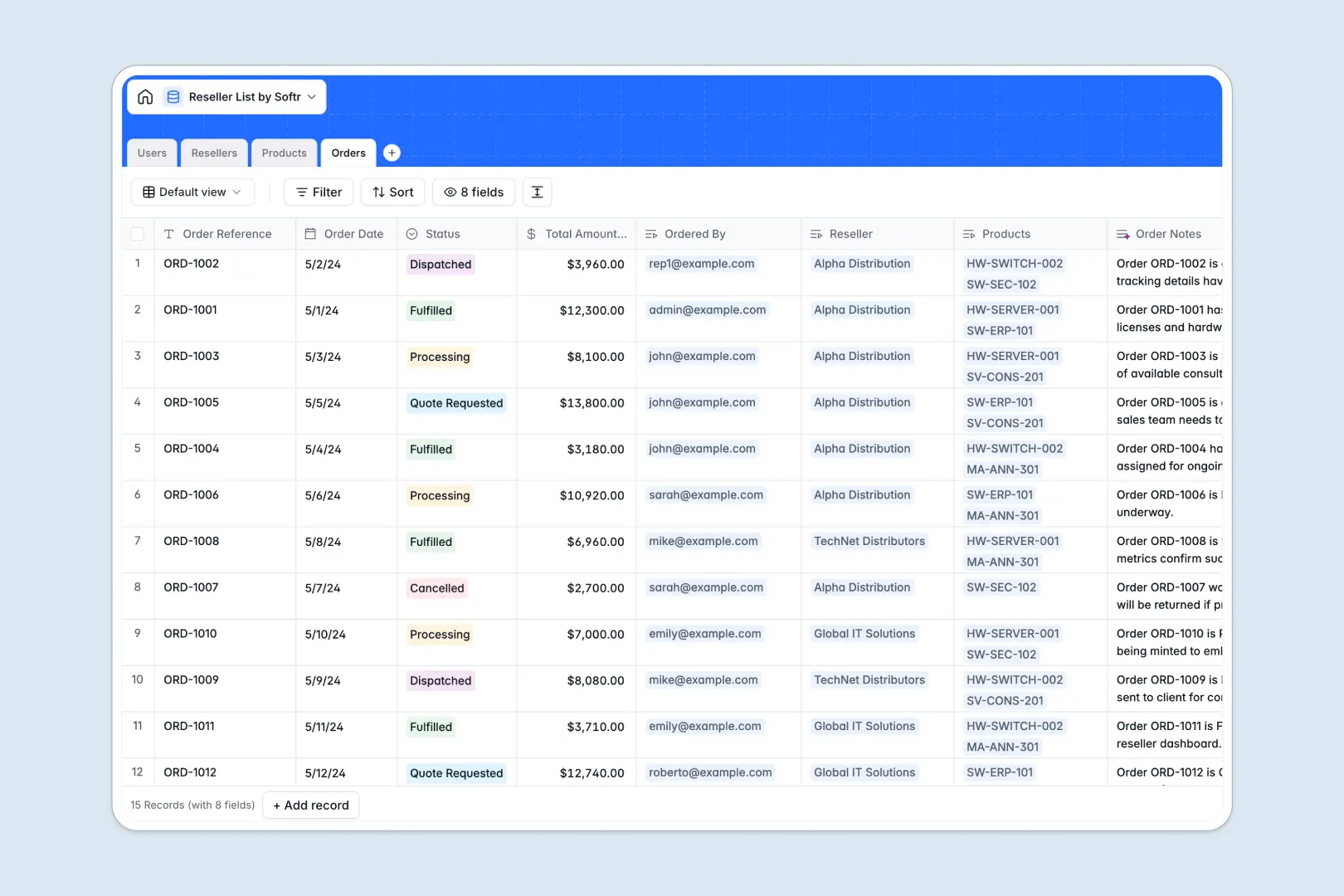
Your Reseller List database at a glance
This template gives you a complete operational view of your distribution partners, standardizing how you track authorized resellers, discount tiers, and order histories.
Instead of scattered data, four connected tables—Users, Resellers, Products, and Orders—work together seamlessly. When a reseller logs an order, it instantly links to their organizational profile, applying the correct discount tier and updating their total purchase count.
The database also maintains itself natively. Built-in AI agents automatically research and summarize partner company backgrounds, generate product taglines, and log order status notes without manual data entry.
Why managing partner networks in spreadsheets breaks down
Tracking a growing network of external distributors across multiple tabs quickly leads to broken formulas and isolated purchase data.
What a structured database changes
A rigid structure ensures information stays clean and actionable. Company details, discount tiers, and product SKUs remain exactly where they belong, preventing accidental row deletions or data formatting errors.
You can effortlessly link a specific order to both the individual partner rep and the broader reseller organization. This is exactly what Softr Databases are designed for, eliminating the fragile VLOOKUPs you'd rely on in a spreadsheet.
What you can do with this template
Instantly categorize your distributors by status and custom discount tiers, like Silver or Platinum. You can accurately track post-discount order amounts linked directly to your master product catalog.
You can also leverage Database AI agents to automate tedious partner research. Whenever a new reseller is added, the system actively searches their website and writes a customized company background summary.
-
Users
Manage internal staff and reseller staff with access roles and linked profiles
-
Resellers
Track authorized distributors using AI web-search to summarize company overviews
-
Products
Maintain service catalogs and utilize AI to generate marketing taglines for SKUs
-
Orders
Record purchase histories and use AI to auto-summarize logs based on order status
Who is this Reseller List database for
This database is built for teams managing external distribution channels, partner networks, and B2B wholesale operations.
- Channel Managers: Track authorized distributor statuses and automatically summarize partner company backgrounds.
- Sales Operations: Monitor individual partner discount tiers and roll up total order counts effortlessly.
- Fulfillment Teams: Process inbound quote requests and track the dispatch statuses of post-discount orders.
- Product Marketers: Maintain a clean product catalog with AI-generated marketing taglines for every SKU.
How to take it further
Start by customizing the database to match your exact channel strategy. You can easily adjust the predefined discount tiers, modify order status options, or add new columns for partner compliance documents.
Next, import your existing partner network. Use a quick CSV upload to bring in your current list of resellers, product SKUs, and historical order data so you can hit the ground running.
Finally, you can transform this database into a secure B2B partner portal. Using Softr's interface builder, you can create an external app where internal reps manage approvals, while resellers log in to place orders themselves.
Because this is built cleanly from the start, setting up proper users and permissions takes minutes. Resellers will only see their own company's specific discount tiers and order history, while your internal team sees the full administrative overview.
-
1
-
2
-
3
-
4
Frequently asked questions
-
What is a reseller list database?
-
Why use a no-code database to build a partner management system?
-
How can AI help manage data for partner networks?
-
Can I build an app with this reseller list database?
-
Is this reseller list template free?
-
How does this template handle different reseller discount tiers?
Start building today. It's free!
Build and launch your first app in under 30 minutes.