


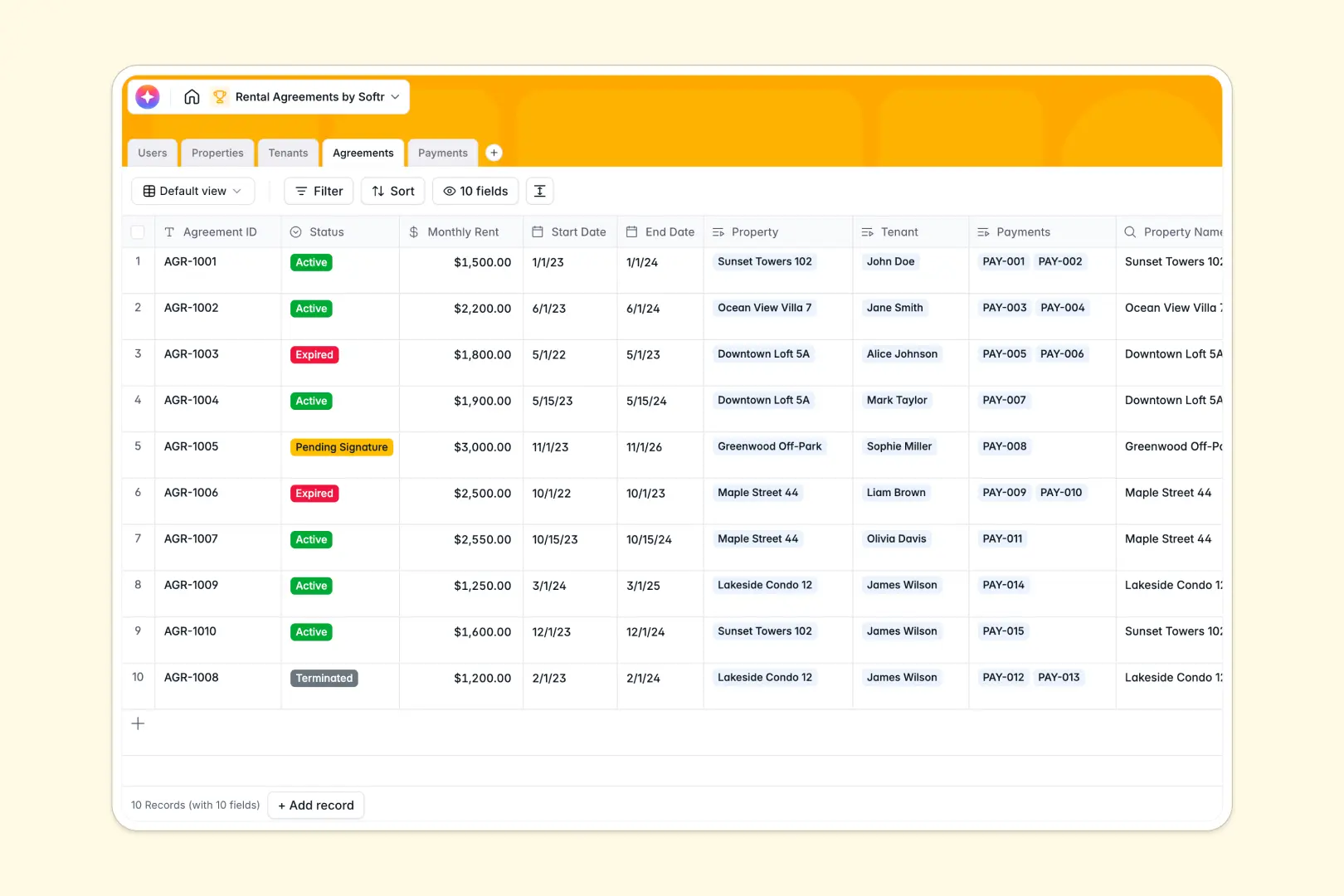
Your Rental Agreements database at a glance
This template gives property managers and landlords a single place to track properties, tenant profiles, lease contracts, and payment histories. It eliminates disjointed records and ensures lease terms and payment schedules stay accurate.
Five structured tables connect your day-to-day operations: Properties link to assigned Users (property managers) and active Agreements, which connect directly to Tenants and logged Payments.
Built-in AI fields draft compelling property descriptions and generate contract summaries automatically, saving time during tenant onboarding.
What happens when leases outgrow basic rows
Tracking lease agreements in disconnected rows makes it nearly impossible to see which tenant belongs to which unit, or whether a scheduled payment was actually received.
What a structured database changes
A relational system separates units, renters, contracts, and payments into dedicated tables while keeping them linked natively.
You can connect an agreement to a specific unit and renter without retyping names or copying rates across rows. This is exactly what Softr Databases are designed for.
Every field enforces clean data, ensuring payment dates stay dates, monthly rents remain formatted currency, and background checks follow consistent status tags.
What you can do with this template
Track upcoming lease expirations, monitor pending background checks, and review received rent receipts across your entire portfolio in real time.
Native Database AI agents instantly generate short lease term summaries and listing copy directly inside your records.
You can start tracking contracts immediately, adjusting property types and lease terms to fit your specific portfolio.
-
Users
Manage property managers and internal staff roles, contact info, and units
-
Properties
Catalog rental units and auto-generate listing descriptions using AI
-
Tenants
Track applicant profiles, contact details, and background check statuses
-
Agreements
Oversee rental lease terms, active dates, and AI contract summaries
-
Payments
Record rent transactions, payment statuses, dates, and receipts
Who is this Rental Agreements database for
This template is designed for real estate operators managing multi-unit portfolios, residential rentals, or commercial spaces.
- Property Managers: Keep units, tenant applications, and active leases organized across multiple locations.
- Independent Landlords: Track rent collections, security deposits, and contract renewal dates without manual paperwork.
- Real Estate Agencies: Maintain a clean directory of managed properties and assign them to specific agents.
- Co-living Operators: Link individual tenant profiles to specific rooms and track recurring monthly payments.
How to take it further
Customize your database in seconds by adding custom fields such as utility allowances, key codes, or security deposit amounts, and adjust property type categories to match your business model.
Import your current tenant lists and unit records instantly using a CSV upload or sync them directly via API.
When your team is ready, build an app on top of this database. Use Softr to generate tenant portals where renters view contract terms, or create a private dashboard for property managers with granular users and permissions.
-
1
-
2
-
3
-
4
Frequently asked questions
-
What is a rental agreements database?
-
Why use a no-code database to build a rental management system?
-
How can AI help managing data for rental agreements?
-
Can I build an app with this rental agreements database?
-
Is this Rental Agreements database free?
-
How do I import existing lease and tenant data into this template?
Start building today. It's free!
Build and launch your first app in under 30 minutes.