


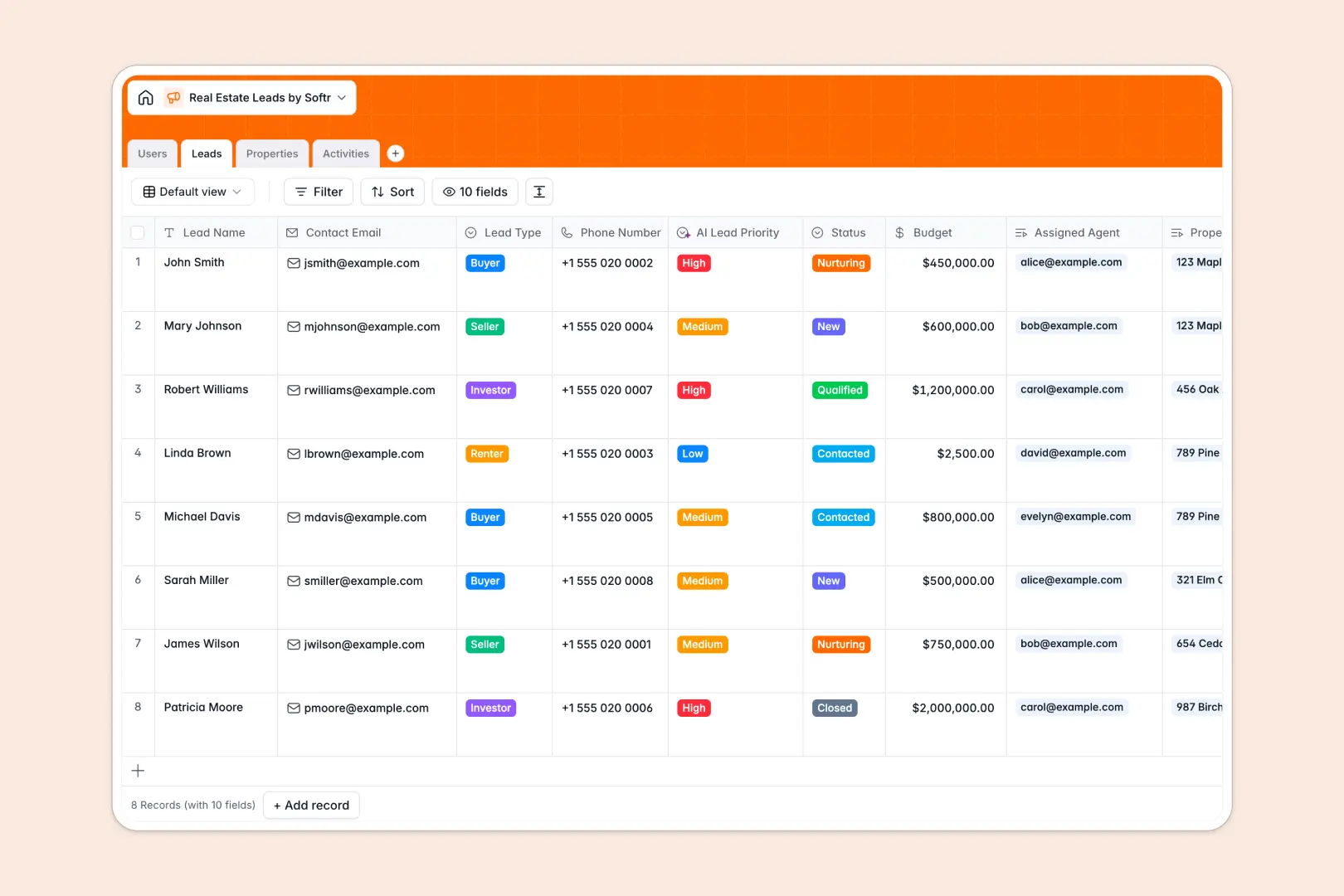
Your Real Estate Leads database at a glance
This template centralizes your entire real estate pipeline so you can seamlessly manage clients, property listings, and team activities. It gives you immediate visibility into where every buyer, seller, and renter stands in their journey.
It works by connecting information natively without messy formulas. You can link a prospective lead directly to the specific properties they are interested in, assign them to an agent, and track every call or showing in a single workflow.
It also features powerful automation to save your agents time. AI automatically evaluates lead priority based on budgets, generates local neighborhood profiles for your listings using web search, and extracts follow-up tasks from your meeting notes.
Why managing real estate leads in spreadsheets breaks down
When your agency pipeline grows, tracking buyer budgets, property details, and agent activities across spreadsheet tabs quickly becomes chaotic. Formulas break, data gets duplicated, and important follow-ups slip through the cracks.
What a structured database changes
A structured database prevents this mess by keeping your data cleanly categorized and connected. Dates stay format-locked, budgets remain consistent currencies, and you can link a buyer to an agent without tedious copy-pasting.
This is exactly what Softr Databases are designed for. As your real estate portfolio scales, client details stay perfectly organized, and every interaction is reliably logged for the long term.
What you can do with this template
Easily organize every client based on their status and instantly see which properties match their specific needs and budget. Your team can confidently track their daily activities and schedule immediate follow-ups.
With native Database AI agents, you also strip away manual data entry. The system dynamically scores leads so you know who to call first, and automatically structures the next steps right from your showing notes.
-
Users
Manage real estate agents and brokers with roles and contact details
-
Leads
Track prospective clients using AI to prioritize leads by qualification
-
Properties
List inventory using AI to generate location profiles and amenity data
-
Activities
Log interactions with AI to extract action items from meeting notes
Who is this Real Estate Leads database for
This template provides a reliable, connected system for real estate professionals who want to eliminate administrative busywork.
- Real Estate Agencies: Keep all brokers, assigned leads, and property portfolios aligned in a single source of truth.
- Independent Brokers: Track client interactions, future follow-ups, and listing statuses easily.
- Property Managers: Centralize renter inquiries, open properties, and showing logs without relying on unorganized notes.
How to take it further
1. Customize the database
Easily rename lead status options, add custom property types (like commercial or land), or create new dropdowns to fit your sales pipeline. Because this is a native database structure, editing fields and columns takes just a few clicks.
2. Import your existing data
Upload your current client list or property inventory instantly via a CSV file. You can also leverage the API to sync new leads directly from your website contact forms into your pipeline.
3. Build a full app around it
When your real estate team is ready, you can seamlessly turn this foundation into a custom CRM app or an internal portal using Softr's interface builder.
By leveraging granular users and permissions, you can ensure agents only see their assigned leads and listings while admins oversee the entire agency portfolio. Starting with a cleanly structured database makes scaling up to a fully functional app completely effortless.
-
1
-
2
-
3
-
4
Frequently asked questions
-
What is a real estate leads database?
-
Why use a no-code database to build a real estate pipeline?
-
How can AI help managing data for real estate leads?
-
Can I build an app with this real estate leads database?
-
Is this Real Estate Leads database free?
-
How is a real estate database different from spreadsheets?
Start building today. It's free!
Build and launch your first app in under 30 minutes.