


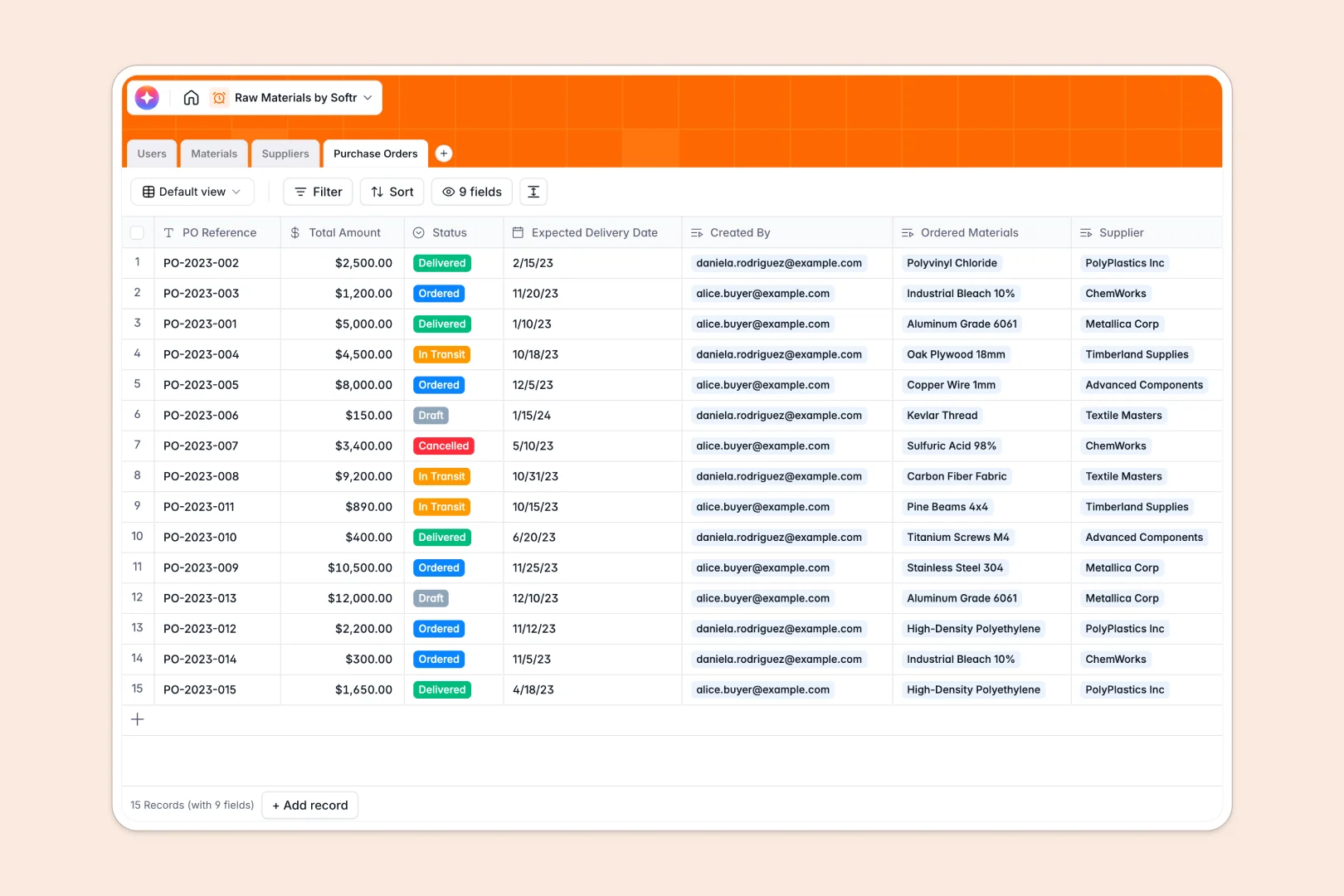
Your Raw Materials Database at a glance
This template makes it easy to centralize raw material inventory, coordinate purchases, and manage vendor details in one structured workspace.
Native relationships connect materials directly to their respective suppliers, active purchase orders, and team managers for seamless visibility.
Built-in AI workflows automatically research supplier profiles, write precise material specifications, and summarize complex order logs without manual entry.
Why tracking raw materials in blueprints gets messy in spreadsheets
Spreadsheets quickly lose integrity when multiple managers update stock quantities, edit purchase order lines, and modify vendor contact details simultaneously. Broken lookups and corrupted dates delay orders, impacting production timelines and leading to inventory discrepancies.
What a structured database changes
A database enforces rigid field structures, ensuring date formats, currency values, and stock counts remain reliable. You can link a material table directly to suppliers and orders, preventing accidental duplicates and keeping variables connected automatically.
This is exactly what Softr Databases are designed for. They help teams preserve data integrity and prevent errors while executing material movements.
What you can do with this template
Log real-time stock level updates, track shipment delivery windows, and associate incoming purchase orders with distinct suppliers naturally.
Utilize intelligent Database AI agents to extract key vendor data from business websites and generate production logs instantly.
-
Users
Manage system accounts, material inventory responsibilities, and procurement staff
-
Materials
Track stock levels and use AI to generate technical specifications for inventory
-
Suppliers
Centralize vendor data with AI-generated profiles based on web research
-
Purchase Orders
Oversee procurement cycles using AI to summarize order status and materials
Who is this Raw Materials Database for
This database template is built for teams looking to bring structure and reliability to physical resource tracking.
- Procurement Managers: Track open purchase orders, log expected delivery dates, and coordinate supplier outreach effortlessly.
- Inventory Specialists: Manage current stock counts, classify chemical or mechanical items, and map storage locations instantly.
- Operations Directors: Audit supplier dependency details, analyze procurement budgets, and monitor global stock variations from one source.
How to take it further
Customize the database
Tailor select choices like categories or units of measure (kg, tons, meters) to fit your factory specifications. The native database editor allows you to add or modify custom fields at any point.
Import your existing data
Bring in existing tracking lists without rewriting them. Simply upload a CSV file or map APIs to import your existing inventory items and partner details.
Build a full app around it
Turn raw datasets into user-friendly internal portals as your production lines and operational scale demand it. Use Softr’s interface builder to generate secure layouts for different team members.
Set granular users and permissions so that warehouse workers can modify inventory levels while denying them editing access to procurement order budgets.
-
1
-
2
-
3
-
4
Frequently asked questions
-
What is a raw materials database?
-
Why use a no-code database to build a raw materials tracking system?
-
How can AI help managing data for raw materials?
-
Can I build an app with raw materials database?
-
Is this raw materials database template free?
-
How is a raw materials database better than Excel or Google Sheets?
Start building today. It's free!
Build and launch your first app in under 30 minutes.