


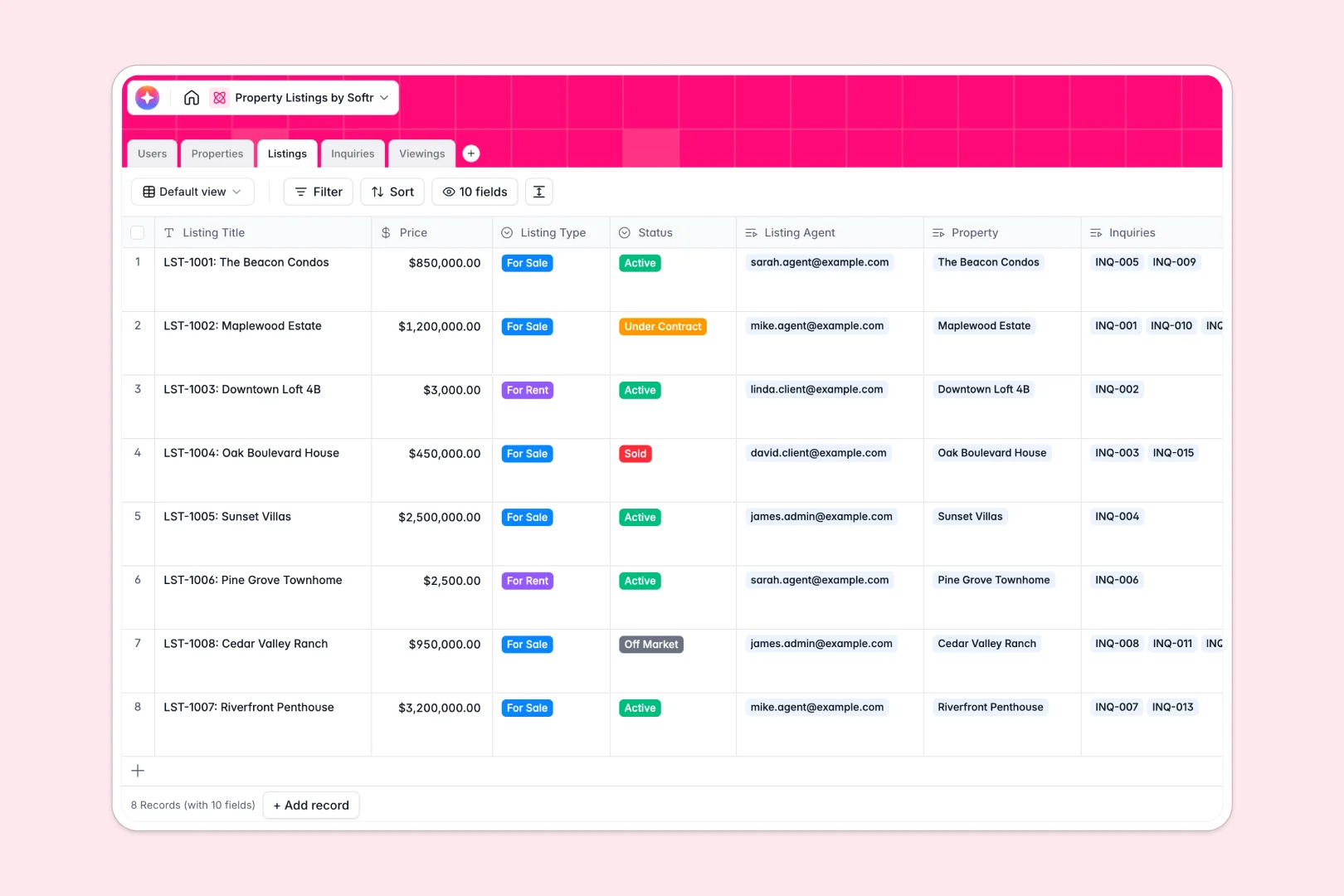
Your Property Listings database at a glance
This ready-to-use template helps real estate teams track properties, manage active listings, and organize client viewings in one place. It eliminates the chaos of scattered information so agents can focus on closing deals.
The database connects specialized tables for Users, Properties, and Inquiries using native relations. When a viewing is scheduled, it automatically links the specific client, agent, and listing together seamlessly.
Built-in AI features automatically draft compelling marketing descriptions and research neighborhood overviews instantly. They also classify inquiry urgency and summarize viewing feedback so you never miss a priority lead.
Why managing property listings in spreadsheets breaks down
Real estate moves fast, but tracking complex property details, viewings, and leads across endless spreadsheet rows quickly creates a mess. Fragile formulas simply cannot handle the relationships between physical properties, active marketplace listings, and demanding clients as your portfolio scales.
What a structured database changes
A structured database gives every piece of data a specific home and format. Price fields stay as currency, statuses update cleanly, and viewings attach directly to the property record.
Instead of duplicating rows for every client inquiry, tables link natively to each other. This is exactly what Softr Databases are designed for.
What you can do with this template
You can instantly track the full lifecycle of a property from initial listing to finalized sale. Every client inquiry and scheduled viewing connects back cleanly to the core property.
You can also leverage Database AI agents to automatically pull local neighborhood insights from the web. This turns a simple tracking board into a self-updating property engine.
-
Users
Manage agents, clients, and admins with contact info and system roles
-
Properties
Store real estate assets and use AI to research neighborhood insights
-
Listings
Track market status and use AI to generate compelling marketing copy
-
Inquiries
Manage client leads and use AI to classify message urgency levels
-
Viewings
Schedule tours and use AI to synthesize visitor feedback summaries
Who is this Property Listings database for
This system is designed for real estate professionals who need a reliable way to organize their portfolio seamlessly.
- Real estate agencies: Track all agency listings, assign agents, and monitor active pipelines effortlessly.
- Independent brokers: Keep client communication, scheduled viewings, and listing statuses perfectly organized.
- Property managers: Maintain accurate records of physical assets, addresses, and ongoing inquiries in real time.
How to take it further
Customize the database. You can easily tweak this native database to fit your local market by adding new property amenities or editing the listing status dropdowns. It arrives completely ready to adapt to your specific workflow.
Import your existing data. Add your current inventory in minutes via CSV upload for immediate value. You can also use the API to sync live properties directly from your existing software.
Build a full app around it. When your team is ready, you can seamlessly turn this database into a complete client or agent portal. Just use Softr's interface builder to snap an easy app front-end onto your data. Add specific users and permissions to ensure agents only see their assigned properties and clients track their own viewings.
-
1
-
2
-
3
-
4
Frequently asked questions
-
What is a property listings database?
-
Why use a no-code database to build a real estate system?
-
How can AI help manage data for property listings?
-
Can I build an app with this property listings database?
-
Is this Property Listings database free?
Start building today. It's free!
Build and launch your first app in under 30 minutes.