


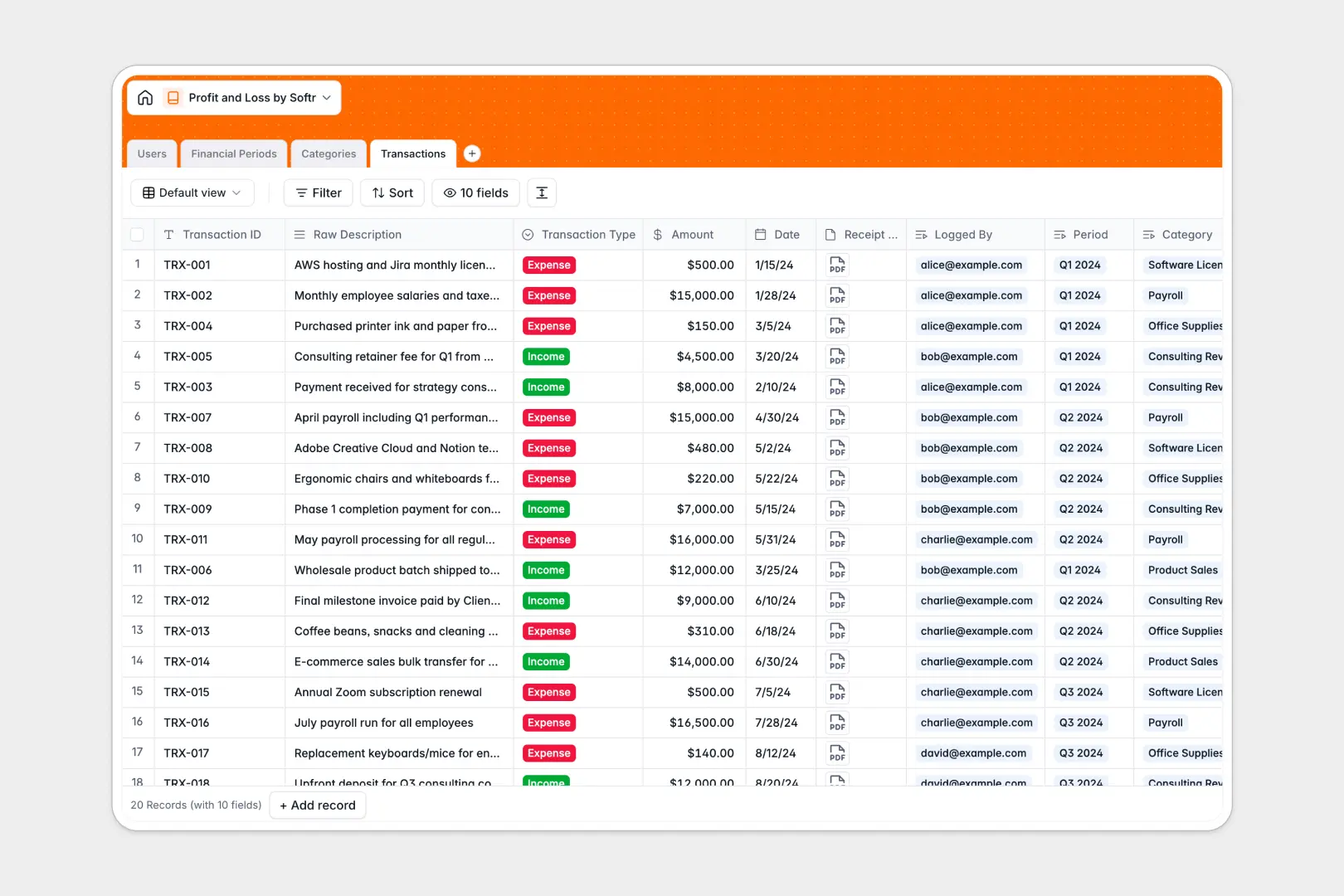
Your Profit and Loss Database at a glance
This template logs every transaction, categorizes costs, and calculates your net profit automatically across different financial periods.
It connects individual transactions to defined categories (like Payroll or Software) and groups them by month or quarter to track precise total income and expenses.
Built-in AI automatically standardizes messy transaction descriptions and generates clear executive summaries for each financial period based on your live data.
Why managing profit and loss in spreadsheets breaks down
Tracking financial records in basic spreadsheets quickly becomes chaotic as transactions multiply and cell formulas break.
What a structured database changes
Spreadsheets force you to rely on fragile tabs and VLOOKUPs to calculate monthly totals correctly.
A structured approach links transactions directly to defined categories and time periods, strictly keeping dates as dates and currencies as currencies.
This exact stability is what Softr Databases are designed for. Your income, expenses, and net profit roll up automatically and safely as your business scales.
What you can do with this template
You can log categorized transactions, attach exact raw receipts, and instantly see aggregated financial totals for any given month or quarter.
You can also rely on Database AI agents to automatically reformat messy bank descriptions into clean titles and draft executive summaries based on your net profit. Everything calculates in real time as new logs are added.
-
Users
Manage financial staff with specific roles like Admin or Accountant
-
Financial Periods
Group profit and loss metrics using AI to create executive summaries
-
Categories
Organize chart of accounts to group income and expense transactions
-
Transactions
Record all financial logs using AI to generate standardized data titles
Who is this Profit and Loss database for
This database provides a clean, automated financial tracking foundation for growing teams.
- Founders & CEOs: Monitor high-level net profit and read AI summaries without digging into raw receipts.
- Accountants & Finance Leads: Maintain an organized chart of accounts and log expenses in an error-free environment.
- Department Heads: Track specific category spending, such as operational software or marketing, directly and clearly.
How to take it further
You can fully customize this tracking system immediately. Add your own transaction categories, adjust internal user roles, or tweak the financial period dates to match your company's fiscal calendar.
To get up to speed quickly, export your past transaction logs via CSV from your bank and import them bulk. You will instantly populate your categorized totals and see historic net profits.
When your team grows, you can seamlessly build an app on top of this data to serve as an internal financial portal.
By configuring users and permissions, you can allow department heads to submit expenses securely while restricting their view of the wider company revenue. Starting with a properly structured table makes generating these front-end internal dashboards incredibly straightforward.
-
1
-
2
-
3
-
4
Frequently asked questions
-
What is a profit and loss database?
-
Why use a no-code database to build a financial tracking tool?
-
How can AI help managing data for profit and loss?
-
Can I build an app with this profit and loss database?
-
Is this Profit and Loss Database free?
-
How does this template calculate net profit?
Start building today. It's free!
Build and launch your first app in under 30 minutes.