


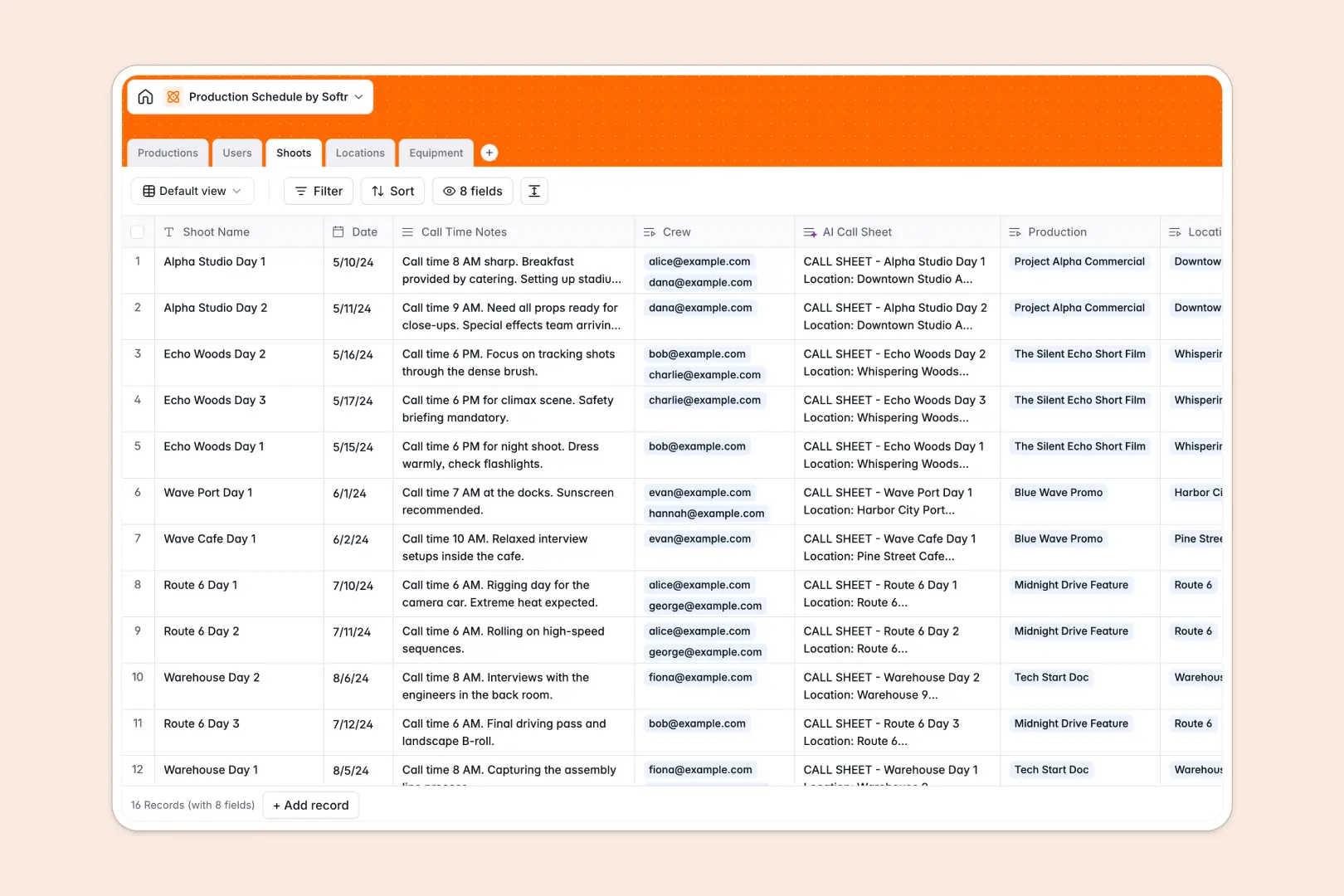
Your Production Schedule database at a glance
This template organizes every stage of your shoots and projects in one central hub. It keeps your crew, filming locations, and equipment aligned to prevent overlapping bookings and communication gaps.
Built across five dedicated tables, it connects Productions directly to specific Shoots, assigned Crew, reserved Equipment, and designated Locations. Rolling up shoot counts and linking assets ensures no gear or staff member is double-booked.
Integrated AI fields generate call sheets from your notes, summarize production briefs, and automatically pull logistical insights for filming locations.
Why separate tables beat isolated shoot logs
Managing complex schedules across disconnected sheets makes tracking shared gear and crew availability difficult. When dates shift, manual updates across different tabs lead to missed call times, conflicting equipment reservations, and stale project overviews.
What a structured database changes
In a structured system, each entity lives in its own table with enforced field types. Dates stay formatted, team roles remain defined, and equipment inventories link directly to shoot dates.
Updating a shoot date automatically updates the timeline for every assigned producer, camera package, and location. This reliable architecture is exactly what Softr Databases are designed for, giving you a dependable source of truth for every project.
What you can do with this template
Assign crew members, reserve cameras or lighting packages, and track production statuses from pre-production through completion. Rollup fields keep an accurate count of total shoots linked to each master project.
With built-in Database AI agents, you can instantly generate complete call sheets from shoot notes and research location logistics without leaving your database.
-
Productions
Manage media projects and generate automated AI brief summaries
-
Users
Directory of staff, crew members, managers, and system administrators
-
Shoots
Schedule shoot dates, crew, and draft AI-powered call sheets
-
Locations
Manage filming venues and generate AI-researched logistical details
-
Equipment
Track production gear, maintenance conditions, and shoot assignments
Who is this Production Schedule database for
This template is tailored for creative teams and operational managers coordinating complex shoot logistics.
- Film and video production companies: Coordinate multi-day shoot schedules, assigned directors, and specialized gear packages.
- Creative agencies: Keep client deliverables, production phases, and team assignments on track.
- In-house media teams: Manage studio bookings, internal crew availability, and equipment condition.
- Event videographers: Schedule individual project dates, track call times, and prepare location notes.
How to take it further
Customize your database structure. Add custom select options for specific departments, include extra gear categories like drone packages, or add budget fields to track project expenses. Every table and field can be adjusted visually in seconds.
Import your existing schedule. Bring in current crew directories, past shoot logs, and equipment inventories using CSV upload. You can also sync live operational data via API to keep your asset records up to date.
Build a full app around it. When you are ready to share schedules securely, use the AI app generator to turn your database into a custom production portal. Set granular users and permissions so crew members view only their upcoming call sheets while producers manage schedules and equipment approvals.
-
1
-
2
-
3
-
4
Frequently asked questions
-
What is a production schedule database?
-
Why use a no-code database to build a production schedule tool?
-
How can AI help managing data for a production schedule?
-
Can I build an app with this production schedule database?
-
Is this Production Schedule database free?
-
Can I track equipment availability with this template?
Start building today. It's free!
Build and launch your first app in under 30 minutes.