


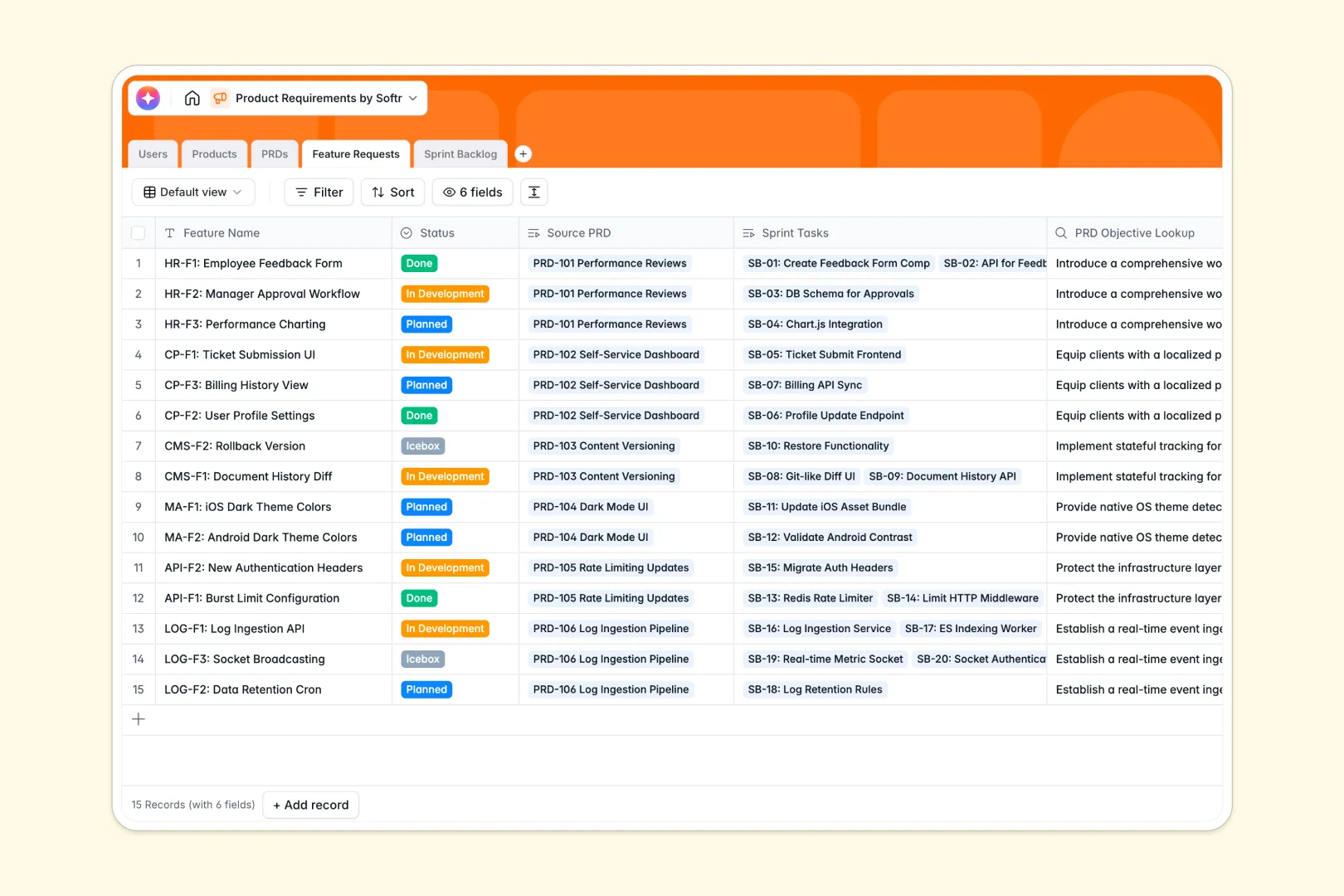
Your Product Requirements database at a glance
This template serves as your product team's central source of truth for definitions, feature requests, and engineering task execution. It organizes and tracks everything needed to bring concepts into production.
The setup seamlessly connects your Users, Products, PRDs, Feature Requests, and Sprint Backlogs. This native connection makes it simple to trace a high-level product strategy down to daily backlog items.
With built-in AI fields, you can generate comprehensive executive summaries and draft detailed feature criteria automatically. It keeps product managers, engineers, and designers aligned without manual status syncs.
Why managing product requirements in spreadsheets breaks down
Spreadsheets inevitably fail when teams attempt to track complex product development cycles. Cells get overwritten, design assets go missing, and tracking sprint backlog dependencies across disparate sheets quickly becomes impossible.
What a structured database changes
Databases establish absolute clarity and strict column types, meaning statuses, assignees, and dates stay highly organized. You never have to worry about mixed field types or broken formulas again.
Furthermore, native relational connections link individual product features directly to active PRDs and target assignees. This keeps the entire system robust as you scale.
This is exactly what Softr Databases are designed for.
What you can do with this template
Eliminate execution delays by tracking each specific feature from ideation straight through to active development QA and release. Keep everyone updated instantly as feature states change.
Generate brief, digestible executive summaries effortlessly on your PRDs using built-in AI actions. This helps stakeholders assess requirements without reading massive pages of documentation.
Empower engineering and development teams by assigning tasks directly from the sprint backlog. This keeps deliverables organized and ensures clear workflow ownership.
-
Users
Manage team roles, contact information and linked product assignments
-
Products
Define high-level product modules, categories and designated owners
-
PRDs
Outline specifications with AI-powered executive summary generation
-
Feature Requests
Decline PRDs into deliverables using AI for technical requirements
-
Sprint Backlog
Execute development tasks with AI-generated acceptance criteria
Who is this Product Requirements database for
This template is tailor-made for product-driven development organizations striving to build and ship software quickly.
- Product Managers: Streamline specification drafting, track active feature requests, and maintain clean product definitions easily.
- Engineering Leads: Link task assignments in the sprint backlog and track effort estimates alongside active specifications.
- Design Teams: Easily see active PRD statuses and prepare high-fidelity prototypes aligned with scheduled product milestones.
- Startup Founders: Keep all technical documentation and execution tracks unified under one centralized repository from day one.
How to take it further
Customize the database structures to align with your team's specific lifecycle stages. You can easily add priorities, modify category tags, or append new fields to capture mockups.
Import your historic product roadmap and features list in bulk using clean CSV uploads or API integrations. This lets you resume active development on a single screen within minutes.
When you are ready to expand, easily build an app on top of this structured database to share specs with partners. Creating secure, customized spaces makes collaboration effortless for everyone.
-
1
-
2
-
3
-
4
Frequently asked questions
-
What is a product requirements database?
-
Why use a no-code database to build a product requirements system?
-
How can AI help managing data for product requirements?
-
Can I build an app with this database?
-
Is this product requirements database free?
-
How is a database better than spreadsheets for tracking product requirements?
Start building today. It's free!
Build and launch your first app in under 30 minutes.