


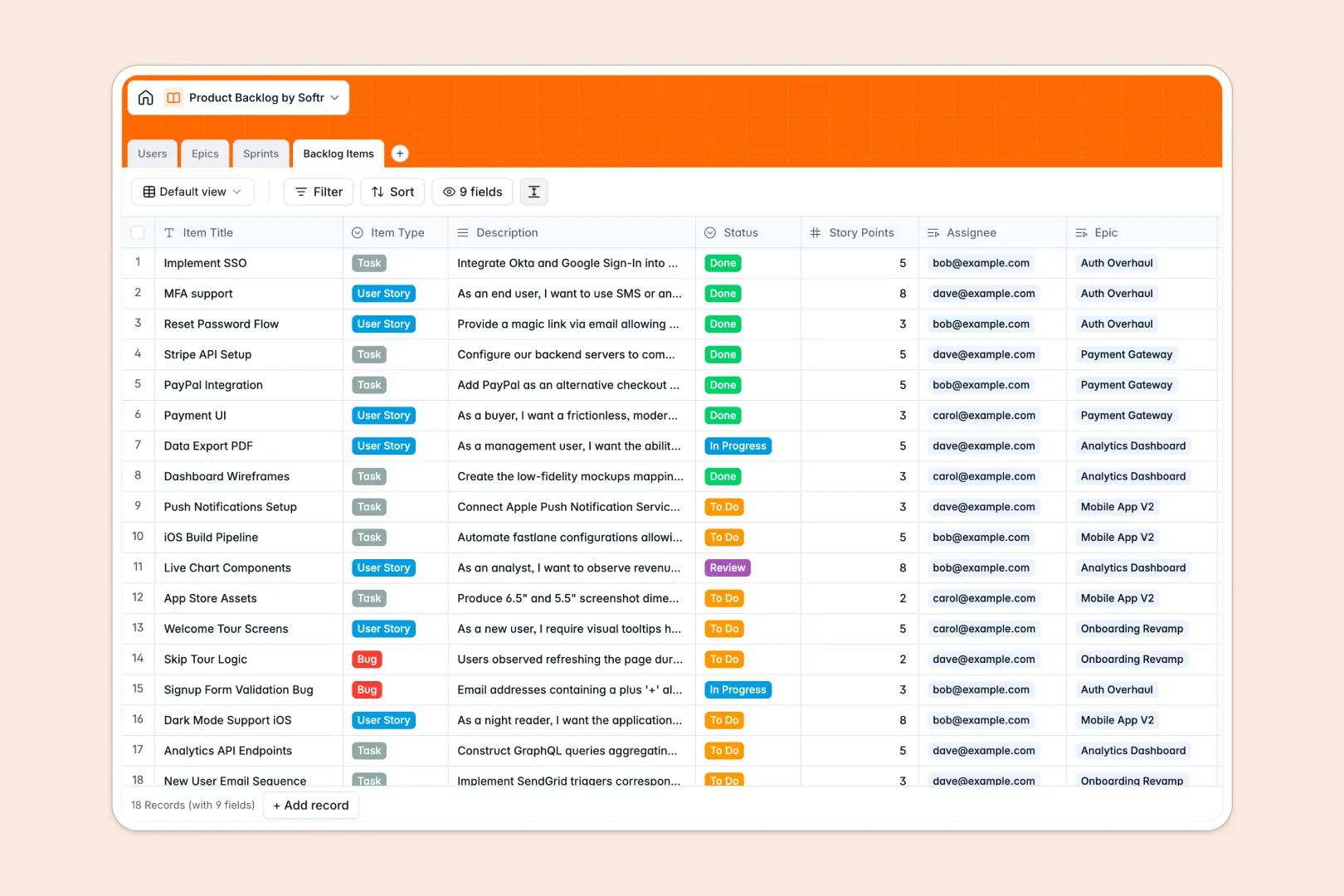
Your Product Backlog database at a glance
This template centralizes your product roadmap, backlog items, and sprint cycles in one structured system. It gives engineering and product teams total clarity on priorities without maintaining disconnected task lists.
Four dedicated tables for Users, Epics, Sprints, and Backlog Items connect your work automatically. When you assign a user story to a sprint or link a task to an epic, story point rollups and progress indicators update instantly across your entire backlog.
Built-in AI fields draft testable acceptance criteria directly from story descriptions and generate executive summaries for epics, keeping technical specifications crisp and up to date.
Why a flat list breaks your sprint planning
A blank spreadsheet cannot handle the relational hierarchy that modern agile product management requires. When user stories, epics, and sprint assignments live in unstructured rows, story points drift, owners get confused, and sprint capacity calculations break.
What a structured database changes
A relational database enforces clean data types so story points stay numeric, dates remain structured, and owners link directly to real team profiles.
Instead of copy-pasting epic titles into every task row, native record links automatically calculate total items count and sprint velocity across tables.
This is exactly what Softr Databases are designed for: giving your product team structured data integrity without needing database administrators.
What you can do with this template
Organize bugs, user stories, and technical tasks while connecting them directly to timeboxed development cycles. Track overall epic completion in real time as developers complete individual sub-tasks.
Use native Database AI agents to turn messy feature requests into standardized acceptance criteria and concise epic bullet points on autopilot.
-
Users
Manage product team members, job roles, and assigned backlog work
-
Epics
Track high-level initiatives and generate concise AI bullet summaries
-
Sprints
Plan development cycles with timelines, goals, and story point rollups
-
Backlog Items
Track stories and tasks with AI-generated acceptance criteria drafts
Who is this Product Backlog database for
This system helps software and product teams streamline planning, prioritization, and execution.
- Product Managers: Plan epics, define clear acceptance criteria, and balance sprint capacity seamlessly.
- Engineering Leads: Track team workload, assign user stories, and monitor active sprint velocity.
- Designers & Developers: View assigned tasks, understand scope requirements, and update statuses in real time.
- Agile Scrum Masters: Run efficient backlog grooming sessions with accurate story point rollups.
How to take it further
Customize your backlog structure by adding custom tags, sprint retrospectives, or priority rankings like MoSCoW and RICE scores. You can adjust select choices, add QA validation fields, or create new views in seconds.
Import your existing product tasks in bulk using CSV uploads or connect your live engineering pipelines via API to keep your database synchronized.
Build a full product portal around it whenever you are ready. Use the AI app generator to describe your ideal internal PM portal or stakeholder dashboard, and Softr will generate the user interface, workflows, and users and permissions directly on top of this database.
-
1
-
2
-
3
-
4
Frequently asked questions
-
What is a product backlog database?
-
Why use a no-code database to build a product backlog system?
-
How can AI help managing data for product backlog?
-
Can I build an app with this product backlog database?
-
Is this Product Backlog database free?
-
Can I customize the fields and sprint settings in this template?
Start building today. It's free!
Build and launch your first app in under 30 minutes.