


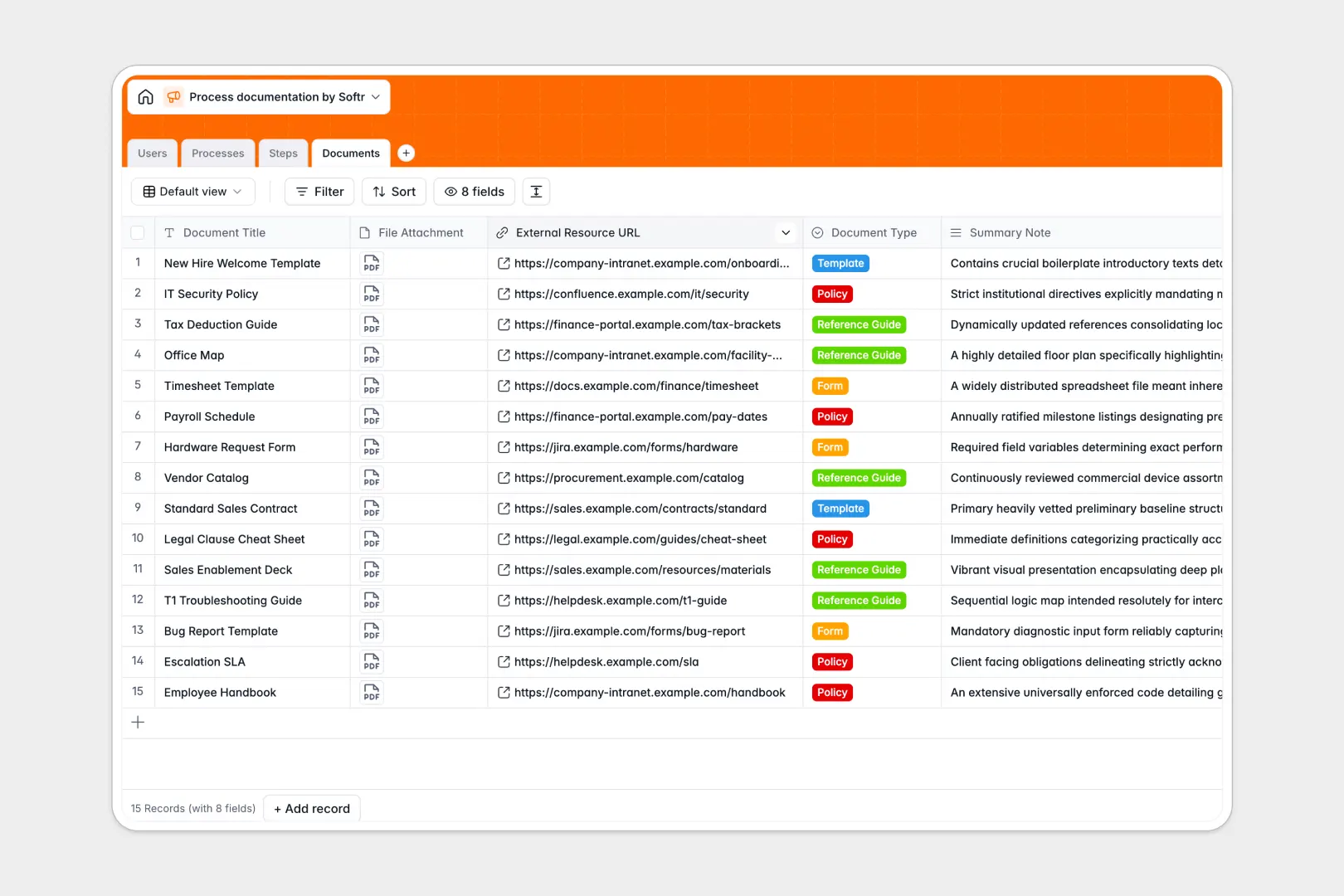
Your Process Documentation Database at a glance
This template centralizes your standard operating procedures, guidelines, and execution steps in one secure place. It ensures every team member knows exactly how to perform their tasks without hunting for scattered docs.
It works by connecting structured tables for Users, Processes, Steps, and Documents. When you map out a new process, you can easily link it to specific sequential execution steps, required attachments, and assigned owners.
Built-in AI capabilities automatically categorize your procedures and synthesize full process manuals from simple objectives. They even rewrite your rough step descriptions to ensure perfect clarity and grammar across all documentation.
Why managing process documentation in spreadsheets breaks down
Keeping standard operating procedures in spreadsheets quickly becomes a messy nightmare of broken links and outdated versions. As your company grows, tracking who owns what procedure and which step comes next gets entirely lost in rows and columns.
What a structured database changes
Relational structure completely replaces fragile spreadsheet formulas. You can link a massive company process directly to its individual sequential steps, required forms, and assigned team members without ever duplicating data.
Every piece of information stays securely in its designated lane. File attachments, status dropdowns, and automatically tracked update dates remain clean and reliable as your organization scales.
This robust organization is exactly what Softr Databases are designed for. You get a production-ready, highly connected backend that enforces clean data structure from day one.
What you can do with this template
Map out entire workflows by breaking down high-level processes into individual, trackable execution steps with estimated durations. Instantly see which standard documents belong to which procedure so nothing gets overlooked during onboarding or compliance reviews.
Eliminate manual writing bottlenecks natively with Database AI agents. These built-in automations will generate complete manual drafts and automatically polish the tone of your step-by-step instructions in real time.
-
Users
Manage team members, roles, and their assignments in the documentation workflow
-
Processes
Index SOPs using AI for automated categorization and manual drafting
-
Steps
Define execution instructions enhanced by AI for clarity and tone optimization
-
Documents
Centralize templates and reference files linked to specific process steps
Who is this Process Documentation database for
This system provides clarity and structured alignment for any team relying on standardized workflows.
- Operations Managers: Standardize complex routines and ensure cross-departmental alignment without friction.
- HR Teams: Keep onboarding manuals, compliance policies, and training steps securely organized and up to date.
- Department Leads: Track the exact sequence of operational tasks and assign clear ownership to individual team members.
How to take it further
It is incredibly easy to adapt this database to your exact organizational needs. You can quickly rename status options, add new document types to the library, or modify the AI prompts to better match your company's unique tone.
Bring your existing SOPs in immediately through a simple CSV file upload. You can also connect via API to sync documentation automatically from other workspace tools your team already uses.
Once your procedures are organized in this foundation, you can easily build an app to serve as a company-wide intranet or employee portal. Full-stack apps combine this database, custom interfaces, and workflows directly inside the same platform.
By configuring specific users and permissions, you can ensure that junior staff only view approved manuals while department heads have access to edit drafts. A well-structured database makes launching these custom internal portals entirely friction-free.
-
1
-
2
-
3
-
4
Frequently asked questions
-
What is a process documentation database?
-
Why use a no-code database to build a process documentation system?
-
How can AI help managing data for process documentation?
-
Can I build an app with this process documentation database?
-
Is this Process Documentation database free?
-
How is this better than tracking standard operating procedures in spreadsheets?
Start building today. It's free!
Build and launch your first app in under 30 minutes.