


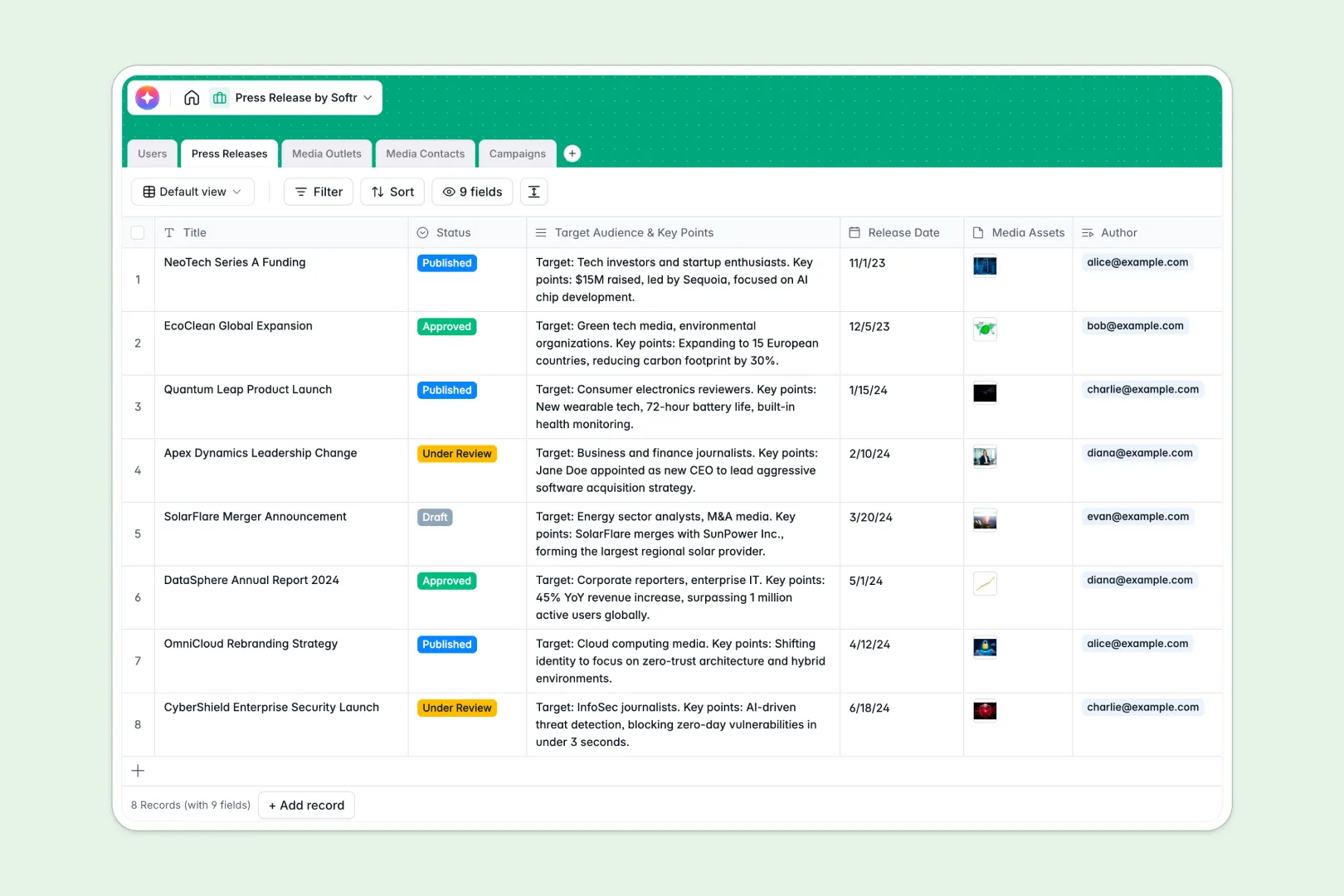
Your Press Release Database at a glance
Organize your public relations strategy from draft to distribution. This pre-built structure keeps your media campaigns, outlet directories, and release statuses aligned and accessible to your whole team.
The template links your media contacts directly to their publisher profiles and connects drafts to active outreach campaigns. This stops you from losing contact details or pitching the wrong person.
With smart automation steps built natively into your tables, you can generate complete announcement copy and summarize pitches immediately.
Why managing press releases in spreadsheets breaks down
Using spreadsheets to organize PR efforts eventually leads to mismatched templates, legacy file versions, and scattered contacts across multiple tabs.
What a structured database changes
Databases enforce clean, structured entries so release dates stay formatted, documents remain attached to correct records, and media lists stay accurate. You can link contacts directly to media outlets without copy-pasting information across rows.
This is exactly what Softr Databases are designed for. As your outreach grows, your workspace scales clean details across all coordinated teams.
What you can do with this template
Manage your public directory, map topics to specific journalists, and record past pitches in real time.
You can run automated cycles inside each field to translate raw data inputs into clean deliverables. Build complete drafted stories, analyze editorial focus areas, and create communication pathways from one dashboard.
-
Users
Manage internal PR team roles, contact information, and project assignments
-
Press Releases
Draft releases with AI-generated professional content and concise summaries
-
Media Outlets
Catalog publications with AI web-search powered focus and niche analysis
-
Media Contacts
Organized list of journalists featuring AI-generated pitching personas
-
Campaigns
Execute distribution strategies using AI to draft catchy email subjects and pitches
Who is this Press Release Database for
This database is engineered for professionals who need to manage fast-moving public relations pipelines.
- PR Agencies: Organize multiple client announcement schedules, coordinate pitches, and track editorial calendars cleanly.
- In-House Marketing Teams: Align product updates, draft releases with team collaboration tools, and map key journalists.
- Startup Founders: Keep outreach targets in order and execute automated announcement plans independently.
How to take it further
1. Customize the database
Tailor this PR layout to your ongoing operational requirements. Modify the status fields, add columns for tracking feedback, or define custom media outlet formats like newsletters.
2. Import your existing data
Bring your current spreadsheets into your new, clean setup instantly. Upload a CSV file of media archives directly to start organizing your contacts.
3. Build a full app around it
When you are ready to expand your workflow, easily connect this database to an external or internal app. You can deploy custom interfaces where writers and executives log in to track tasks.
Through granular users and permissions, control editing access so writers only edit drafts while managers oversee active outreach campaigns.
-
1
-
2
-
3
-
4
Frequently asked questions
-
What is a press release database?
-
Why use a no-code database to build a press release tracking system?
-
How can AI help managing data for public relations?
-
Can I build an app with a press release database?
-
Is this Press Release Database free?
-
How is a database better than Google Sheets for managing media contacts?
Start building today. It's free!
Build and launch your first app in under 30 minutes.