


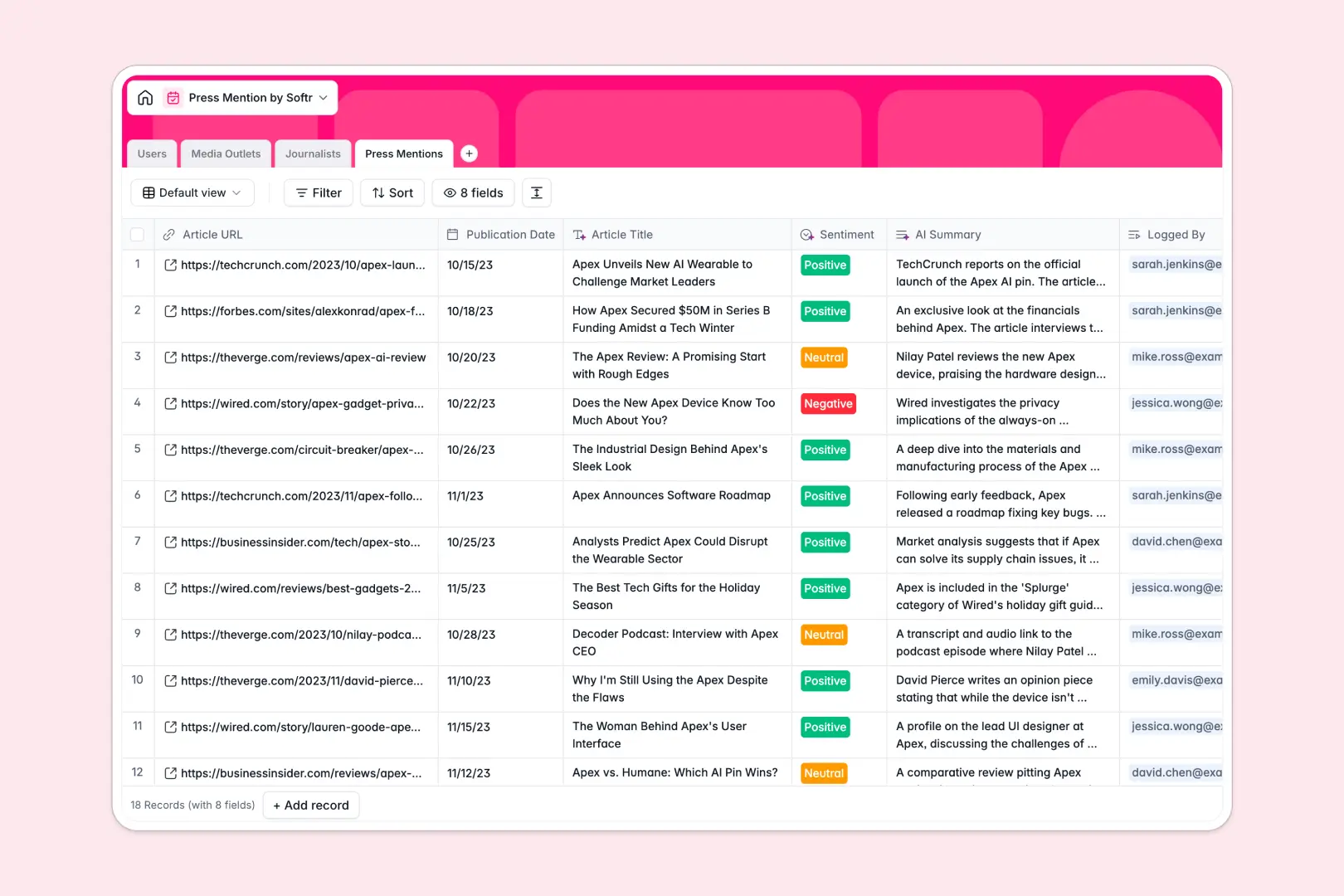
Your Press Mention Database at a glance
This template gives your PR team a centralized hub to track brand coverage, monitor article sentiment, and build stronger media relationships. It moves your outreach efforts out of scattered notes and into a clean, actionable system.
The database neatly connects your media outlets, journalists, and individual press mentions. When you log a new article, it automatically ties back to the author and the publication, creating a complete history of your media relationships.
Native AI features handle the heavy lifting of manual data entry. Simply drop in an article URL, and the database automatically extracts the title, generates a concise summary, and analyzes the sentiment in real time.
Why managing press tracking in spreadsheets breaks down
Keeping tabs on PR coverage in a spreadsheet quickly becomes a frustrating mess of broken links, duplicate journalist names, and scattered notes. When columns get mixed up and data isn't structured, analyzing your overall media impact becomes nearly impossible.
What a structured database changes
Unlike flat spreadsheets, a proper database allows you to link records natively. You can connect a specific journalist to their media outlet and easily view all the articles they've written about you—without constantly copy-pasting details across rows.
This creates a single source of truth that keeps your outreach team perfectly aligned. This is exactly what Softr Databases are designed for, ensuring your PR data stays structured securely as your media lists grow.
What you can do with this template
Drop in an article link and let built-in Database AI agents do the reading for you. They automatically scan the web to write publication descriptions, summarize lengthy articles, and categorize sentiment as positive, neutral, or negative.
You can also actively track where you stand with key writers. Update relationship statuses from "New" to "Friendly," allowing your outreach specialists to know precisely who is most likely to answer your next pitch.
-
Users
Manage internal team members, PR roles, and their linked media contacts
-
Media Outlets
Catalog publications with AI-generated descriptions and automated categorization
-
Journalists
Track writer profiles using AI to research professional bios and history
-
Press Mentions
Monitor coverage with AI-powered summaries, sentiment analysis, and title extraction
Who is this Press Mention Database for
This template provides an immediate, ready-to-use foundation for any team that handles public relations and media outreach.
- PR Managers: Track media sentiment trends over time and measure the success of specific announcement campaigns.
- Outreach Specialists: Maintain warm relationships with journalists and easily track past conversations and targeted publications.
- Founders & Execs: Get quick, AI-generated summaries of complex press coverage without having to read every full article.
How to take it further
Start by customizing the database structure to mirror your exact PR strategy. You can instantly modify the relationship status dropdowns, rename fields, or tweak the AI prompts to extract highly specific data from the articles you log.
When you are ready to scale, easily migrate your existing media contacts by uploading a CSV file. If your team uses media monitoring tools, you can even connect via API to sync new mentions automatically without lifting a finger.
Eventually, you can transform this database into a fully operational application. Using the interface builder, you can create a branded PR portal for your team or agency clients.
You can implement precise users and permissions to ensure that executives can only view the high-level press summaries, while specific PR agents retain the ability to edit journalist records and log new mentions.
-
1
-
2
-
3
-
4
Frequently asked questions
-
What is a press mention database?
-
Why use a no-code database to build a PR tracking tool?
-
How can AI help managing data for press mentions?
-
Can I build an app with this press mention database?
-
Is this Press Mention Database free?
-
How is a press mention database different from spreadsheets?
Start building today. It's free!
Build and launch your first app in under 30 minutes.