


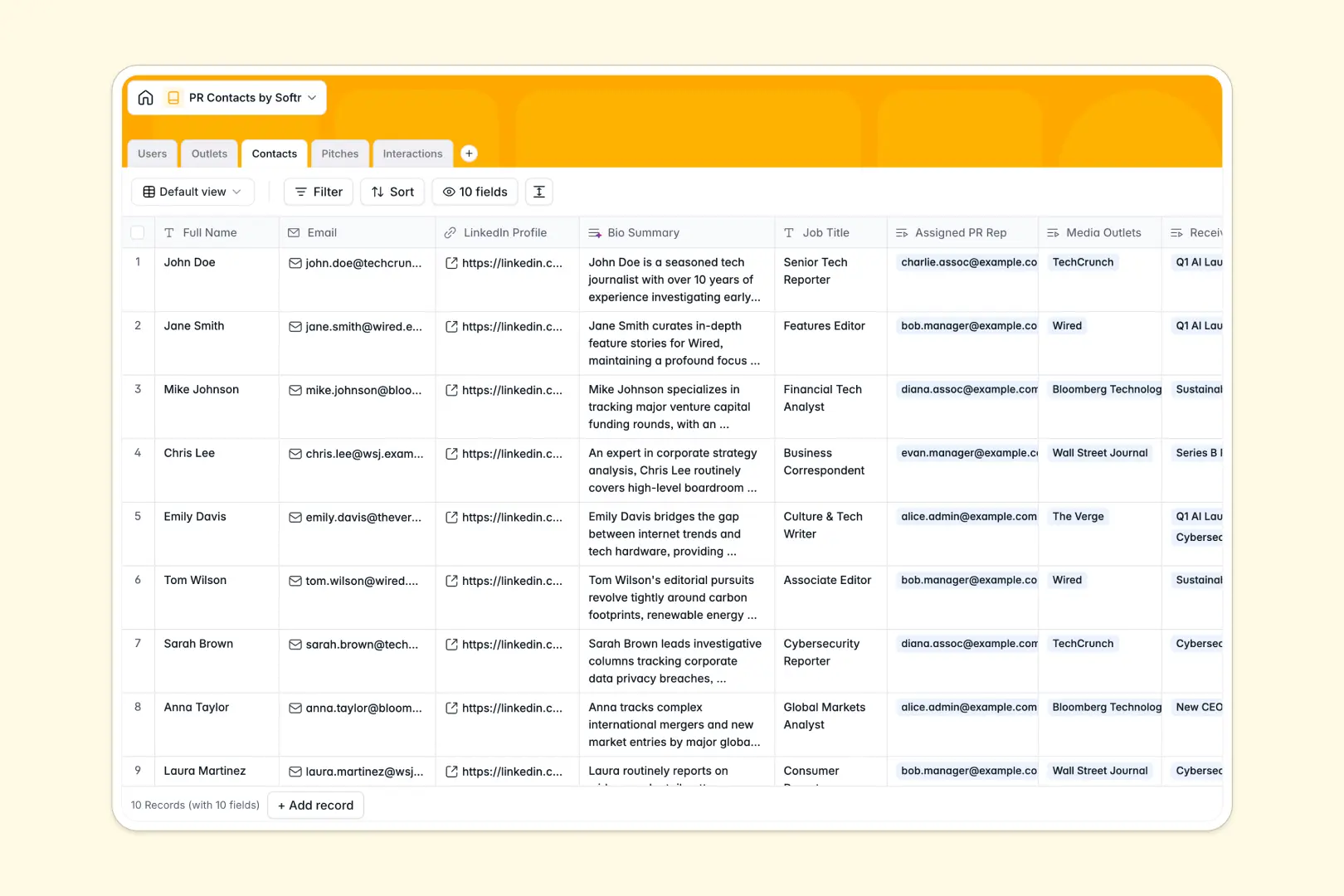
Your PR Contacts database at a glance
This template gives your public relations team a centralized hub to manage media lists, coordinate press campaigns, and maintain clear communication histories with journalists.
Everything connects natively: Contacts belong to Outlets, link to your specific Pitches, and connect to real-time interaction logs so multiple team members never pitch the same editor twice.
Built-in AI fields automatically research publication overviews, generate concise journalist bios from LinkedIn URLs, draft tailored email copy, and classify interaction sentiment from your notes.
Why media lists collapse without clear relations
A simple contact sheet fails as soon as a journalist writes for three publications or covers four distinct beats. When outreach logs live across disjointed rows, PR reps duplicate pitches, miss crucial follow-ups, and lose track of existing press relationships.
What a structured database changes
A dedicated relational system separates your core objects: contacts, outlets, pitch campaigns, and interaction logs each get their own table. When an editor moves to a new publication or a teammate logs a phone call, that change updates across every campaign and contact record instantly.
Typed fields keep deadlines, attachments, and URLs organized without formatting errors. This structured foundation is exactly what Softr Databases provide right out of the box.
What you can do with this template
You can track campaign progress across custom stages like drafting or active outreach while keeping pitch collateral attached directly to the record. Every logged call or email links back to both the assigned PR representative and the targeted journalist.
With native Database AI agents, your team can instantly generate targeted email subject lines, draft outreach emails, and categorize press sentiment directly within the database.
-
Users
Manage PR team members with assigned roles, pitches, and activity logs
-
Outlets
Organize media outlets with AI-generated publication overviews from the web
-
Contacts
Track journalists and media contacts with AI-summarized LinkedIn bios
-
Pitches
Draft PR campaigns and generate email copy and subject lines using AI
-
Interactions
Log communications and analyze outreach response sentiment with AI
Who is this PR Contacts database for
This template helps PR professionals and communications teams manage media relationships without messy spreadsheets:
- PR Agencies: Coordinate media outreach across multiple client campaigns without overlapping contacts.
- In-house Comms Teams: Maintain an organized, up-to-date registry of industry journalists, analysts, and publications.
- Startup Founders: Manage launch announcements and track press outreach systematically in one view.
- Media Relations Leads: Monitor team pitch workloads, outreach history, and follow-up requirements across reps.
How to take it further
1. Customize the database
Tailor the database to your workflow by adding custom fields like publication tier, geographic market, or specific beat categories. You can also adjust select options for outreach types or pitch statuses in seconds.
2. Import your existing data
Upload your current media lists via CSV to populate contacts and outlets in bulk. You can also connect external forms or tools via API to capture new inbound press inquiries automatically.
3. Build a full app around it
When your team is ready, turn this database into a complete internal PR portal. Using an AI app generator, you can describe what you need in plain language and generate custom dashboards, outreach submission forms, and media directories instantly.
Configure granular users and permissions to control what external clients, internal PR managers, and associates can view or edit, keeping private notes and client records completely secure.
-
1
-
2
-
3
-
4
Frequently asked questions
-
What is a PR contacts database?
-
Why use a no-code database to build a PR contacts tool?
-
How can AI help managing data for PR contacts?
-
Can I build an app with this PR contacts database?
-
Is this PR Contacts template free?
-
How do I import my existing media list into this database?
Start building today. It's free!
Build and launch your first app in under 30 minutes.