


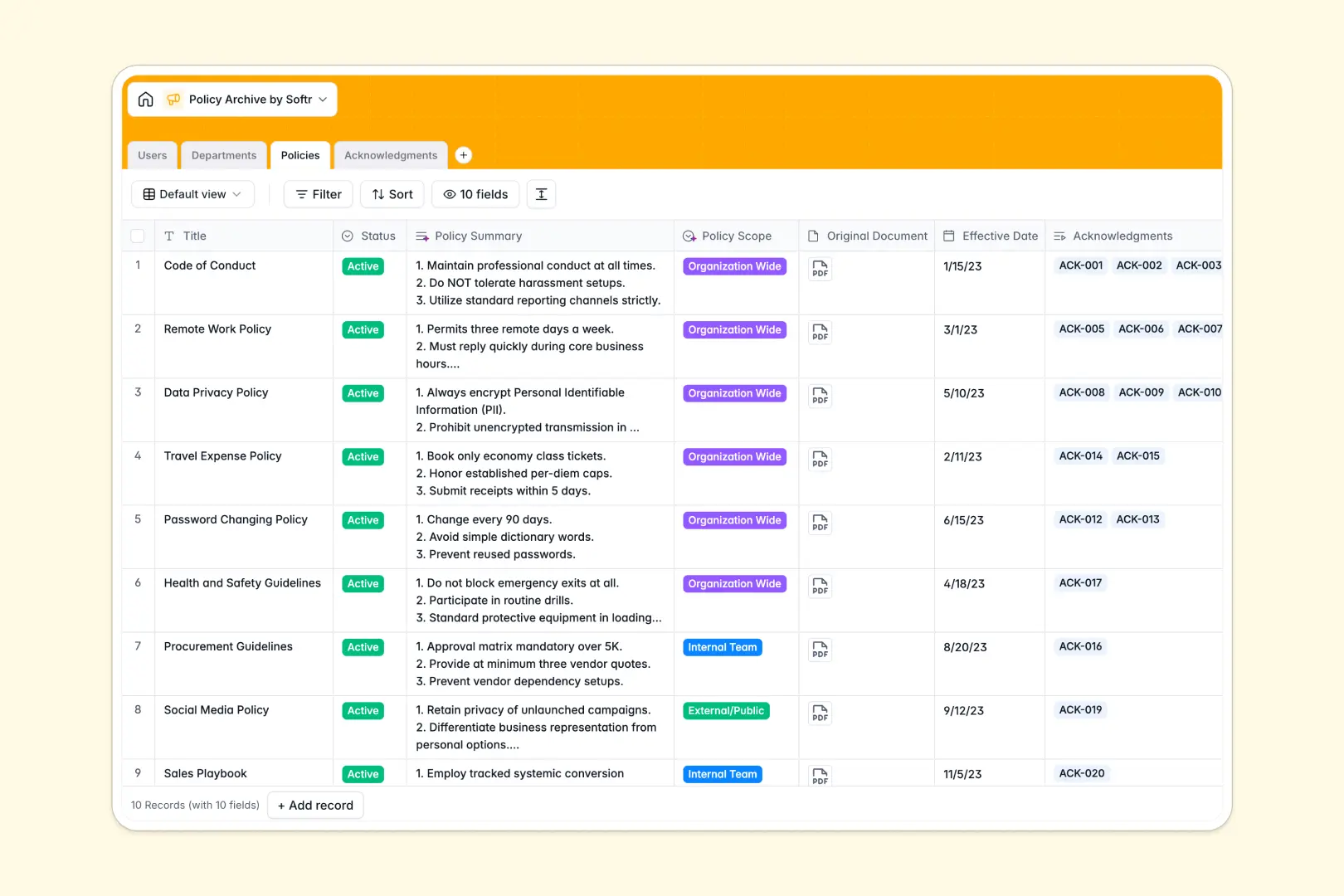
Your Policy Archive database at a glance
This template provides a structured repository to store, organize, and track internal policies, standard operating procedures, and compliance documents across your organization.
It connects four dedicated tables: Policies, Departments, Users, and Acknowledgments. Linking policies directly to departments and individual employee records gives you immediate visibility into which team members have reviewed and signed mandatory documentation.
Built-in AI fields automatically draft concise policy summaries, categorize organizational scope, and generate personalized reminder messages based on signature status.
Why folders and shared drives fail compliance audits
Storing critical guidelines across scattered folders or static spreadsheets makes it impossible to know who has read which version of a document.
What a structured database changes
A dedicated relational database replaces disconnected files with structured, typed fields for status tags, effective dates, document attachments, and user associations.
Instead of managing separate tracking sheets, each policy record links directly to audit-ready acknowledgment logs, ensuring signature statuses stay accurate without manual data entry.
This is exactly what Softr Databases are designed for, giving you a dependable source of truth that scales with your team.
What you can do with this template
Maintain active guidelines alongside version histories, assign authors, and link documents to specific organizational departments.
Use Database AI agents to summarize lengthy policy text into quick bullet points and automatically generate tailored follow-up notices for overdue acknowledgments.
Filter instantly by department or signature status to spot compliance gaps before audits happen.
-
Users
Manage personnel profiles, access roles, and departmental associations
-
Departments
Organize business units, team members, and department leadership
-
Policies
Store company policies with AI-driven summarization and scope tagging
-
Acknowledgments
Track policy sign-offs with AI-generated status reminder messages
Who is this Policy Archive database for
This database helps operations and compliance teams centralize company documentation and track mandatory acknowledgments.
- People Operations & HR: Track employee handbook sign-offs and onboarding compliance across departments in real time.
- Compliance Officers: Maintain audit-ready verification logs linking signed records directly to active policy versions.
- Department Heads: Organize team-specific standard operating procedures and verify staff reviews without back-and-forth emails.
- Operations Managers: Centralize internal operational manuals and distribute critical updates to the right teams automatically.
How to take it further
1. Customize the database
Adjust the schema to fit your company structure by adding custom policy categories, modifying role definitions in the Users table, or setting custom acknowledgment reminder schedules.
2. Import your existing data
Quickly migrate current policy inventories and employee rosters using CSV import, or use the API to sync user records directly from your HRIS.
3. Build a full app around it
When you need an interactive portal for staff, you can build an app on top of your data. Softr lets you generate employee self-service hubs or compliance dashboards by describing what you need in a single prompt.
With granular users and permissions, employees only see the policies relevant to their role and sign off on pending items directly, while managers access dedicated compliance reporting.
-
1
-
2
-
3
-
4
Frequently asked questions
-
What is a policy archive database?
-
Why use a no-code database to build a policy archive system?
-
How can AI help managing data for policy archives?
-
Can I build an app with policy archive database?
-
Is this Policy Archive database free?
-
How do I import existing policy documents into this template?
Start building today. It's free!
Build and launch your first app in under 30 minutes.