


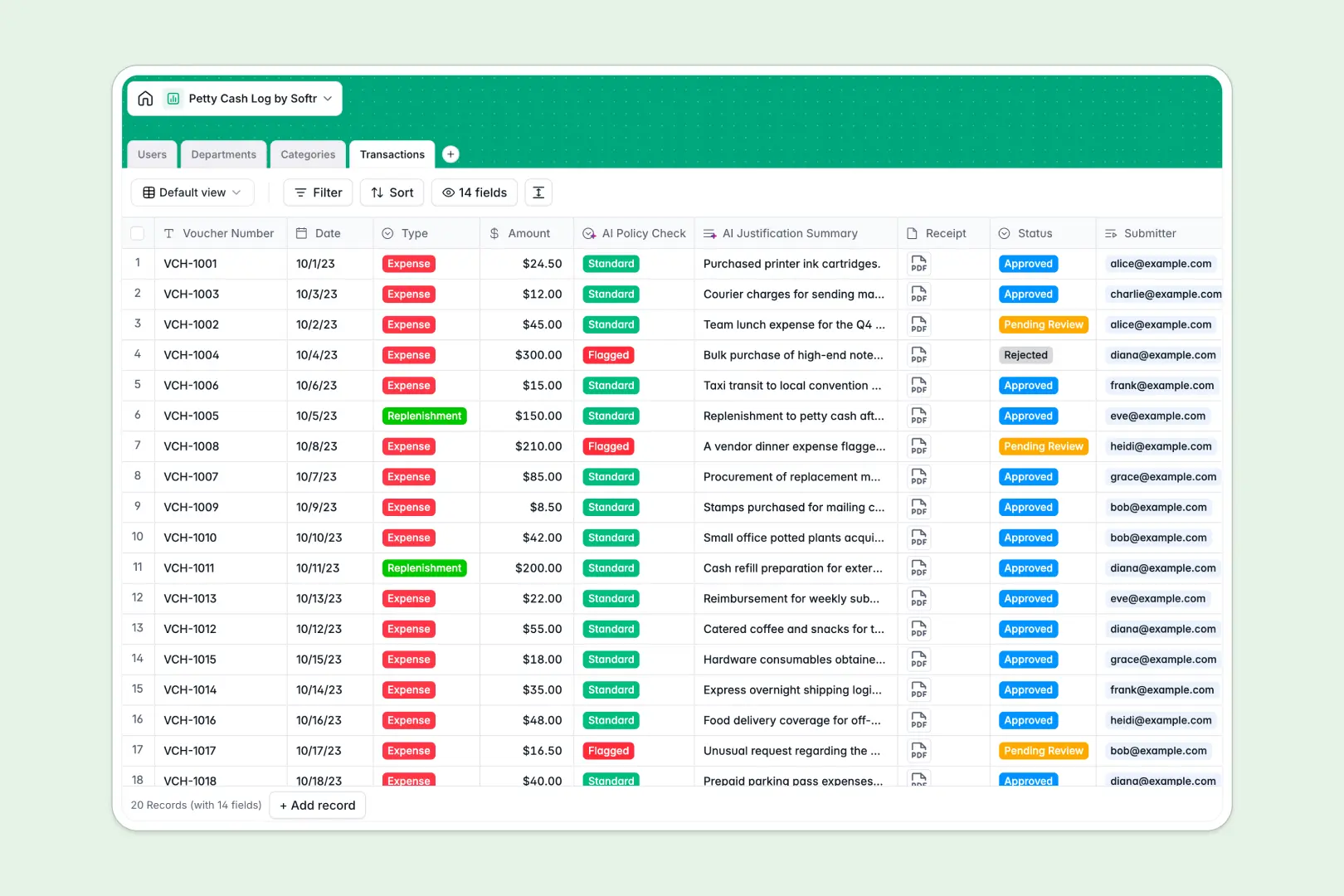
Your Petty Cash Log Database at a glance
This petty cash template centralizes every voucher, receipt, and reimbursement in one secure place. It helps finance teams maintain total visibility over company cash flow without chasing down paper logs.
The system organizes data across connected tables for Users, Departments, Categories, and Transactions. When an employee logs a cash expense, it automatically links to their department and rolls up into the total monthly spend.
Built-in AI operates as a smart auditor, automatically flagging suspicious transactions if they exceed budgets and summarizing long expense justifications for faster finance reviews.
Why managing petty cash in spreadsheets breaks down
Tracking cash disbursements in spreadsheets quickly becomes chaotic when loose receipts go missing and complex formulas break.
What a structured database changes
A structured database ensures every entry has exactly what it needs before saving. It enforcing mandatory receipt file attachments, strict currency formats, and standardized predefined expense categories.
Instead of relying on fragile copy-paste functions to verify department limits, every new transaction naturally links to the latest allocated budget. This is exactly what Softr Databases are designed for—keeping financial records clean and auditable as your tracking needs scale.
What you can do with this template
Instantly visualize real-time budget rollups for every active department without doing manual math. You can track exactly who submitted and approved each voucher using a clear, multi-step status workflow.
Thanks to native Database AI agents, the template acts automatically to evaluate risk levels based on an expense's amount and description. It prevents errors and policy breaches before a manager even reviews the record.
-
Users
Manage employee profiles, contact details and system roles for petty cash
-
Departments
Track organizational units with specific monthly budget limits and spend logs
-
Categories
Organize expense types for streamlined accounting and financial reporting
-
Transactions
Log cash outlays with AI policy risk checking and automated summary generation
Who is this Petty Cash Log Database for
This system is built for teams that need strict control and effortless visibility over miscellaneous daily expenses.
- Finance Managers: Track department budgets in real time and eliminate end-of-month paper reconciliation headaches.
- Office Administrators: Easily log daily replenishable funds and securely digitize physical cash receipts instantly.
- Department Heads: Monitor team spending limits reliably and approve pending transactions with full context.
How to take it further
Easily modify the database to match your exact corporate expense policies. You can add new accounting categories, adjust department budget limits, or tweak the transaction approval statuses in seconds.
Bring your current expense tracking up to speed quickly in a few clicks. You can bulk upload historical logs via CSV or use the API to continually sync existing employee directories into the system.
Once your expense data is structured, you can build an app to turn this database into a company-wide tool. Employees can submit new vouchers via customized forms while the finance team processes them via a secure dashboard.
By leveraging granular users and permissions, you can ensure employees only see their own submissions, while department heads view their specific team's spend. A fully structured database makes developing this kind of custom tool fast and simple.
-
1
-
2
-
3
-
4
Frequently asked questions
-
What is a petty cash log database?
-
Why use a no-code database to build a petty cash system?
-
How can AI help managing data for a petty cash log database?
-
Can I build an app with this petty cash log database?
-
Is this Petty Cash Log database free?
-
How is a petty cash database different from standard spreadsheets?
Start building today. It's free!
Build and launch your first app in under 30 minutes.