


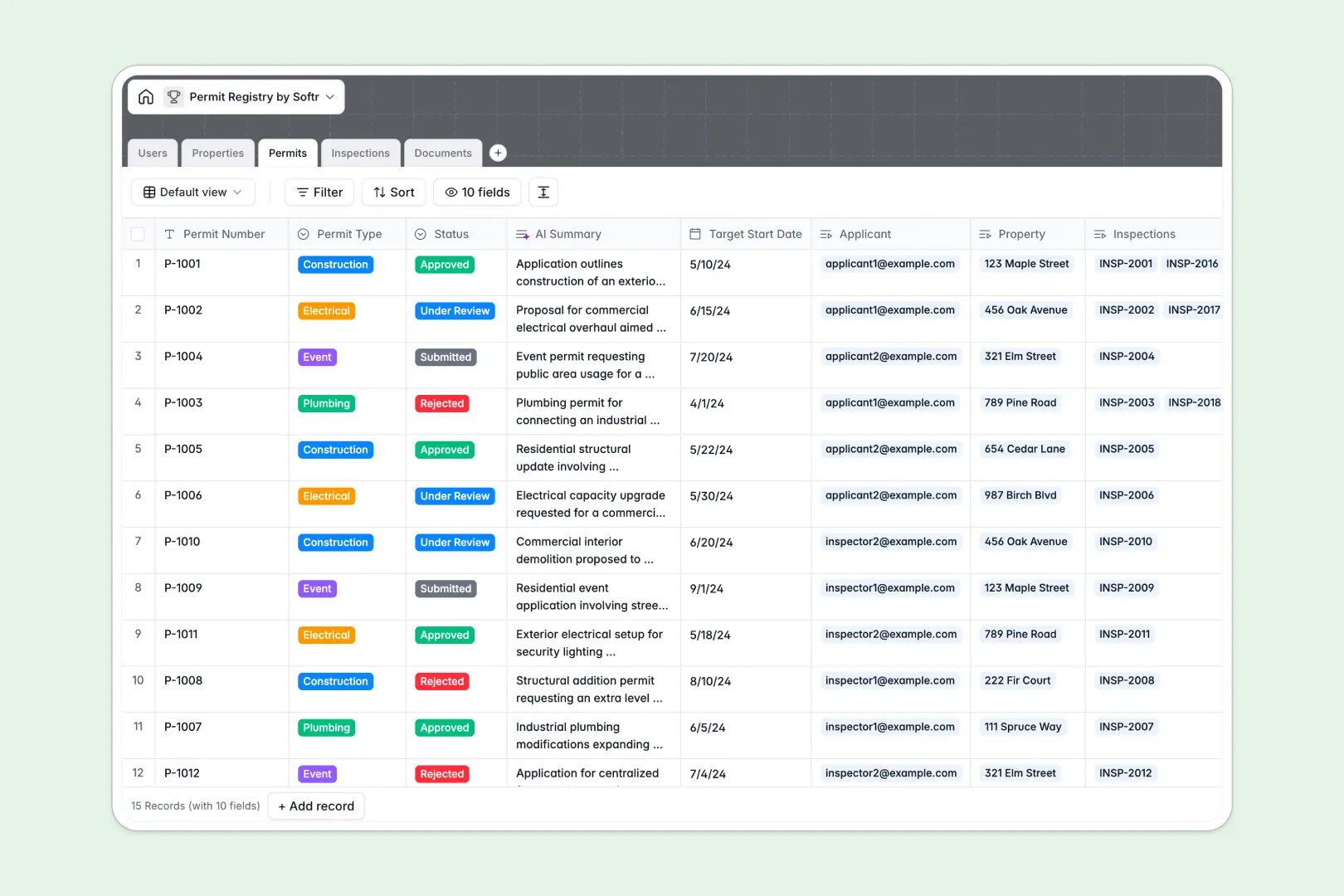
Your Permit Registry Database at a glance
This template gives you a centralized system to track applications, manage inspections, and maintain compliance records in one place.
It works by connecting dedicated tables for your Users, Properties, Permits, Inspections, and Documents. This means you can view a property and immediately see all its historical requests and blueprint attachments without digging through folders.
Built-in AI features automatically research local zoning rules for new addresses and summarize complex inspector notes into simple safety findings.
Why managing permit applications in spreadsheets breaks down
When you track applications, safety certificates, and inspector notes across different spreadsheet tabs, data quickly becomes messy and impossible to verify.
What a structured database changes
In a true database, every column has a strict format—dates remain dates, and statuses like "Under Review" remain consistent.
You can link an inspection directly to an applicant and a property without relying on fragile formulas that break when someone deletes a row. This is exactly what Softr Databases are designed for.
What you can do with this template
With this template, you can easily filter records by status, track target start dates, and securely tie safety certificates directly to specific construction projects.
You also get native Database AI agents that automatically read lengthy inspector notes and rapidly extract the main compliance issues into bullet points.
-
Users
Manage platform stakeholders and staff with roles and contact details
-
Properties
Log physical locations using AI to research zoning and land use rules
-
Permits
Track application status with AI-generated project scope summaries
-
Inspections
Record field audits using AI to extract key safety and compliance issues
-
Documents
Store blueprints and safety certificates linked to specific permits
Who is this Permit Registry database for
This ready-to-use system is designed for teams that need strict oversight of applications and safety compliance.
- City Planners: Track zoning compliance and neighborhood requirements across different municipal regions effortlessly.
- Construction Managers: Keep track of electrical, plumbing, and building requests along with their scheduled inspection dates.
- Compliance Officers: Maintain a clean log of pending, passed, and failed inspections without losing context or attachments.
How to take it further
Because this template is fully customizable, you can easily modify it to match your specific workflow. Add new permit types, adjust inspection outcome statuses, or create completely new fields to track local ordinance codes.
If you already have historical property records or an existing list of applicants, you can import them instantly via CSV. You can also connect via API to sync data with other software your team already uses.
When your team is ready, you can build an app directly on top of this structure. Turn this internal system into a secure portal where applicants can log in to check the status of their requests directly.
By setting up proper users and permissions, you ensure that applicants only view their own submissions while inspectors have full access to update field notes.
-
1
-
2
-
3
-
4
Frequently asked questions
-
What is a permit registry database?
-
Why use a no-code database to build a permit tracking system?
-
How can AI help managing data for permit applications?
-
Can I build an app with this permit registry database?
-
Is this Permit Registry database template free?
-
How is a permit registry database different from spreadsheets?
Start building today. It's free!
Build and launch your first app in under 30 minutes.