


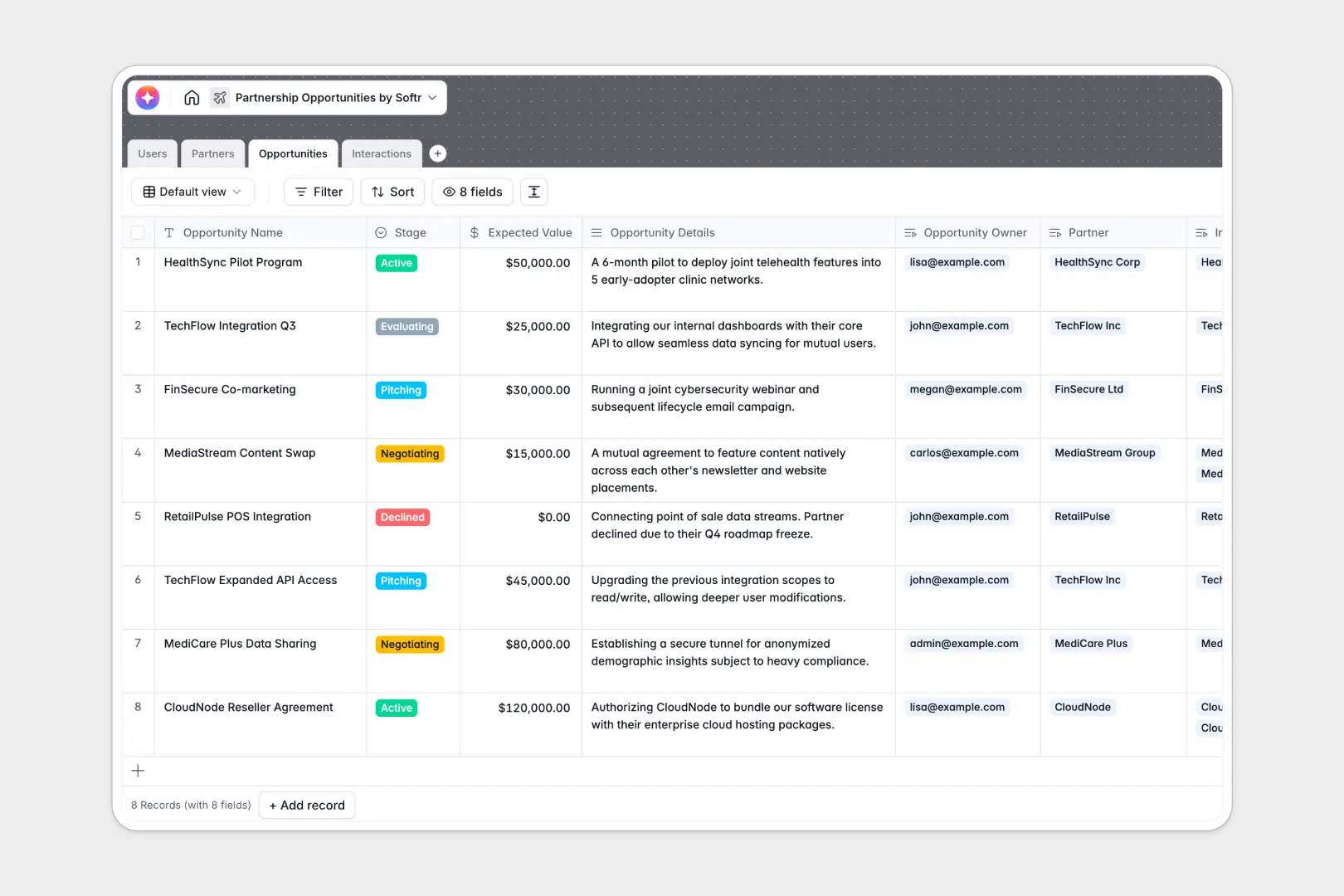
Your Partnership Opportunities Database at a glance
This ready-to-use template helps you track external collaborations, evaluate incoming deals, and log every crucial interaction in one central hub. It ensures your account managers never drop the ball on high-value prospects.
It connects four dedicated tables—Users, Partners, Opportunities, and Interactions—so everything works together. When you look at a specific partner, you instantly see exactly which deals are active and every recent meeting or call associated with them.
Built-in AI agents automatically search the web to summarize a partner's core mission directly from their website. It even generates three-bullet executive pitches for deals and instantly extracts action items from your meeting notes.
Why managing partnership deals in spreadsheets breaks down
Tracking external relationships and shifting deal stages in a standard spreadsheet quickly becomes a chaotic mess of excessive scrolling and scattered meeting notes.
What a structured database changes
Instead of duplicating rows just to add a new meeting summary, a relational structure keeps your records tied together. Every deal naturally connects to the right partner and internal account manager without fragile, frustrating formulas.
This is exactly what Softr Databases are designed for. As your target list grows, your data stays perfectly organized, and every field type—from expected deal value to partner logos—remains strictly formatted and reliable.
What you can do with this template
You can immediately start logging new prospects, properly ranking deal stages from "Evaluating" to "Active," and assigning precise ownership. The system keeps your expected revenues and executive pitches cleanly separated but easily accessible.
Thanks to integrated Database AI agents, you can stop doing manual research. The database actively reads URLs to summarize external companies and automatically pulls next steps from your call notes so your team can act faster.
-
Users
Manage internal managers and admins overseeing partnership networks
-
Partners
Store external organizations with AI-powered web research for mission summaries
-
Opportunities
Track partnership deals using AI to generate concise executive pitches
-
Interactions
Log communications and use AI to extract action items from meeting notes
Who is this Partnership Opportunities database for
This template is perfectly suited for teams leading external growth, integrations, and collaborative market initiatives.
- Partnership Managers: Effectively oversee multiple active deals and keep a detailed log of every email and meeting.
- Business Development Leads: Instantly generate executive pitches to review expected deal values and prioritize active negotiations.
- Account Executives: Keep track of exactly which external organizations they own without stepping on colleagues' toes.
How to take it further
You can easily customize this template by adding new deal stages or tweaking the industry options to match your exact market. Because it operates cleanly out of the box, adjusting columns or changing AI prompt instructions takes just a few clicks.
Upload your current contact lists and ongoing pipeline via a simple CSV import to get started instantly. If you use other specialized tools to collect leads, you can even connect them via API to sync your latest deals automatically.
When your team is ready to scale, you can build an app safely on top of this exact structure. This allows you to create a personalized dashboard for your internal managers or even a private, professional portal for external agencies to submit their own deal requests directly.
By setting up granular users and permissions, you guarantee that internal staff only see the deals they own. Starting with a clean, well-structured table system makes building these secure, powerful interfaces completely effortless.
-
1
-
2
-
3
-
4
Frequently asked questions
-
What is a partnership opportunities database?
-
Why use a no-code database to build a partnership opportunities system?
-
How can AI help managing data for partnership opportunities?
-
Can I build an app with this partnership opportunities database?
-
Is this Partnership Opportunities template free?
-
How does a structured database beat managing partners in Google Sheets?
Start building today. It's free!
Build and launch your first app in under 30 minutes.