


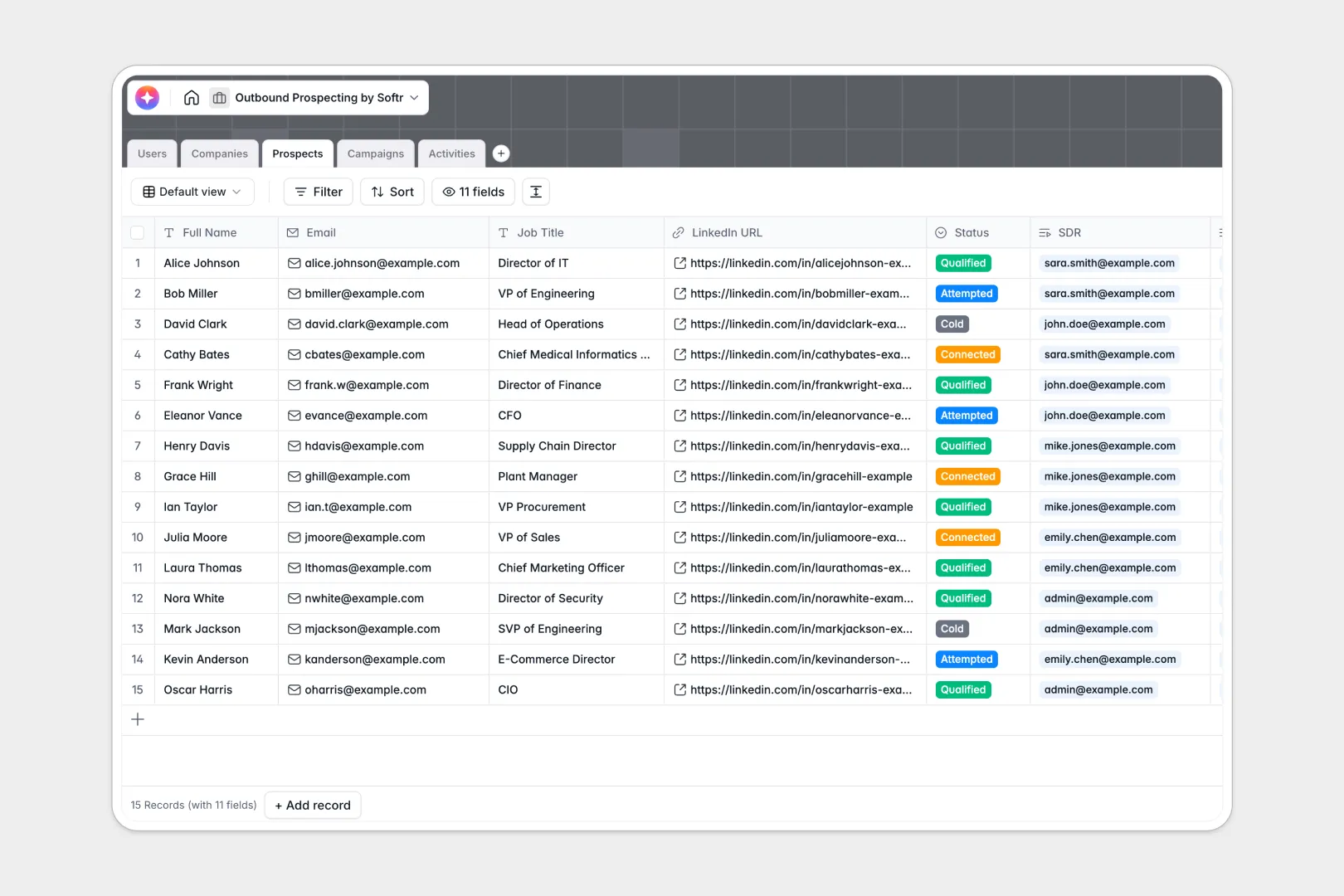
Your Outbound Prospecting Database at a glance
This template tracks target company accounts, individual prospects, outbound campaigns, and all logged communication touchpoints in one seamless system. Sales development reps can manage their daily outreach, while sales leaders gain complete visibility into pipeline progress.
The structure links leads directly to target accounts and marketing flows. It keeps contact details, LinkedIn links, and communication logs connected without messy duplicate tables.
Built-in AI features pull instant company summaries directly from the live web and generate tailored icebreakers based on job titles. This eliminates hours of manual lead research, helping reps personalize emails in seconds.
Why managing outbound prospecting in spreadsheets breaks down
Spreadsheets get incredibly messy as your contact directory grows out of control. Different reps enter data in inconsistent formats, cells with critical notes are overwritten by mistake, and email histories quickly disappear inside isolated text fields.
Even worse, syncing contacts to their parent companies requires manual copy-pasting or fragile lookup formulas that constantly break. This lack of structure leads to redundant follow-ups and missed pipeline opportunities.
What a structured database changes
A relational system organizes all sales outreach natively around reliable, structured fields. Every sales activity links directly to specific targets and users, ensuring that date formats stay consistent, email statuses never get confused, and your pipeline metrics remain clean.
This is exactly what Softr Databases are designed for. You get clean table relationships, dropdown menus, Rollups, and calculation fields that let you count total company accounts and enrolled targets automatically.
What you can do with this template
Instantly map target industries, assign companies to specific SDRs, and monitor current outreach campaigns from a single dashboard. You can segment contacts by status—from cold to qualified—and easily track which channels secure the highest response rates.
Leverage native Database AI agents to automate lead profiling and draft deep personalizations. Your tables can search company websites, extract backgrounds, and write customized icebreakers to boost your warm-reply rates right out of the box.
-
Users
Manage internal sales staff, including SDRs and managers with assignments
-
Companies
Store target accounts with web-powered AI summaries of their missions
-
Prospects
Track leads using AI to generate personalized outreach icebreakers
-
Campaigns
Organize outreach sequences and track enrollment across sales cycles
-
Activities
Log interactions using AI to summarize notes and define action items
Who is this Outbound Prospecting Database for
This template is built specifically for growing sales departments looking to escape manual tracker spreadsheets.
- Sales Development Teams: Reps who need a structured hub to find personalized hooks, contact direct targets, and log interaction history.
- Sales Operations Managers: Operators looking to clean up rep assignments, analyze campaign success, and scale out structured data processes.
- Agency Founders & B2B Startups: Small teams needing an immediate, AI-powered system to drive pipeline and revenue without complex enterprise CRM costs.
How to take it further
Customize the database
Tailor the database schema to match your business rules by renaming tables or adding new select values. You can easily introduce custom fields, modify user roles, or add visual attachment files for lead assets.
Import your existing data
Bring your legacy target lists directly into this setup with a rapid CSV upload. You can also configure APIs to automatically pass leads from live web forms or scraper engines directly into your tables.
Build a full app around it
When your sales engine is ready to scale, transform your direct data view into a secure, intuitive sales dashboard. Using the Softr interface builder you can quickly turn your core lists into beautiful custom views for your team.
Configure precise users and permissions to control security across your workspace. Reps will only view their assigned prospects, while team managers retain admin oversight of all pipeline activities and campaign summaries.
-
1
-
2
-
3
-
4
Frequently asked questions
-
What is an outbound prospecting database?
-
Why use a no-code database to build an outbound prospecting system?
-
How can AI help managing data for outbound prospecting?
-
Can I build an app with this outbound prospecting database?
-
Is this Outbound Prospecting Database template free?
-
How is this template different from using a Google Sheets spreadsheet?
Start building today. It's free!
Build and launch your first app in under 30 minutes.