


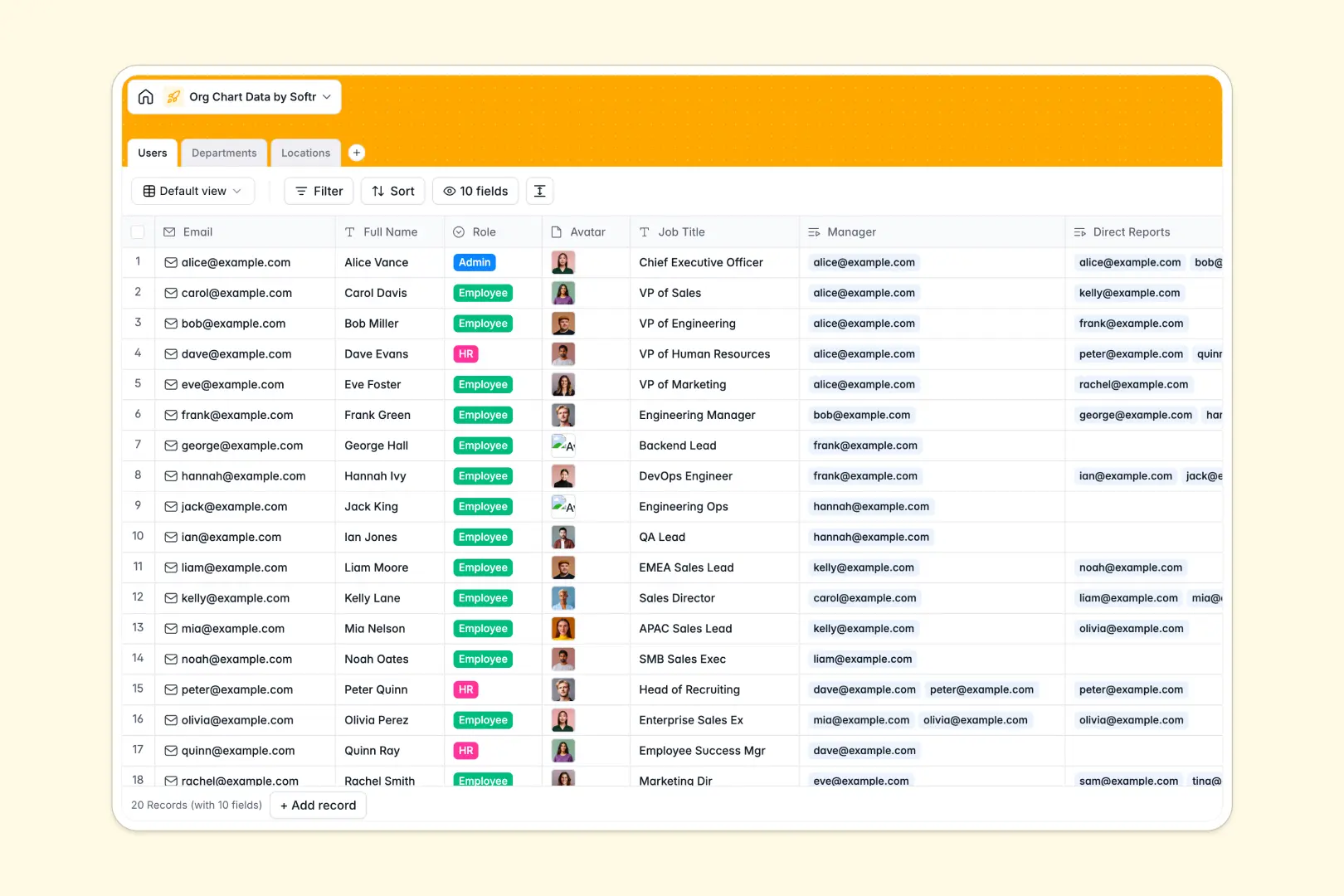
Your Org Chart Data database at a glance
This template gives you an interconnected directory to map your entire organizational hierarchy. It keeps employee roles, direct reports, and functional departments aligned across all office locations.
Everything links together cleanly across three core tables: Users, Departments, and Locations. A direct self-link on the Users table connects employees directly to their managers and direct reports, while department heads and team sizes calculate automatically.
Built-in AI fields auto-generate employee bios, craft standard department descriptions, and pull live city overviews for each office address without manual research.
Why reporting lines break in flat tables
Mapping manager-to-report relationships in flat grids requires constant copy-pasting that breaks the moment someone changes teams or gets promoted.
What a structured database changes
A structured setup handles hierarchies natively by linking records back to themselves. When an employee's manager changes, their reporting line updates everywhere instantly without broken formulas.
Columns strictly enforce data types so email addresses stay valid, profile avatars stay attached, and team counts rollup accurately. This structured foundation is exactly what Softr Databases provide out of the box.
What you can do with this template
You can track global office locations, monitor department head counts, and see full reporting chains in one unified view.
Embedded Database AI agents automate your directory maintenance by generating professional staff bios and researching neighborhood logistics for new office locations automatically.
-
Users
Manage employee directory, hierarchy and auto-generate AI staff bios
-
Departments
Structure company departments with AI-generated functional descriptions
-
Locations
Track office branches with AI-powered web summaries of city logistics
Who is this Org Chart Data database for
This database helps operations and people teams maintain transparent company structures.
- HR Leaders: Maintain accurate reporting lines, manager assignments, and department leadership records easily.
- People Operations: Track global office allocations and monitor real-time headcount rollups across departments.
- Team Managers: Clarify team structures, direct reports, and cross-functional department roles instantly.
- Company Leadership: Access a clean source of truth for organizational planning and restructuring.
How to take it further
Customize fields to match your company taxonomy in seconds. Add custom role levels, track remote work statuses, or introduce new department categories directly in the visual editor.
Import your existing team list via CSV upload or sync data programmatically using the native API to populate the directory immediately.
When you need an interactive internal portal, you can build an app on top of this data in minutes. Configure granular users and permissions so employees can update their personal bios while sensitive administrative roles remain protected.
-
1
-
2
-
3
-
4
Frequently asked questions
-
What is an org chart data database?
-
Why use a no-code database to build an org chart system?
-
How can AI help managing data for an org chart?
-
Can I build an app with this org chart data database?
-
Is this Org Chart Data database free?
-
How does this database handle complex manager reporting lines?
Start building today. It's free!
Build and launch your first app in under 30 minutes.