


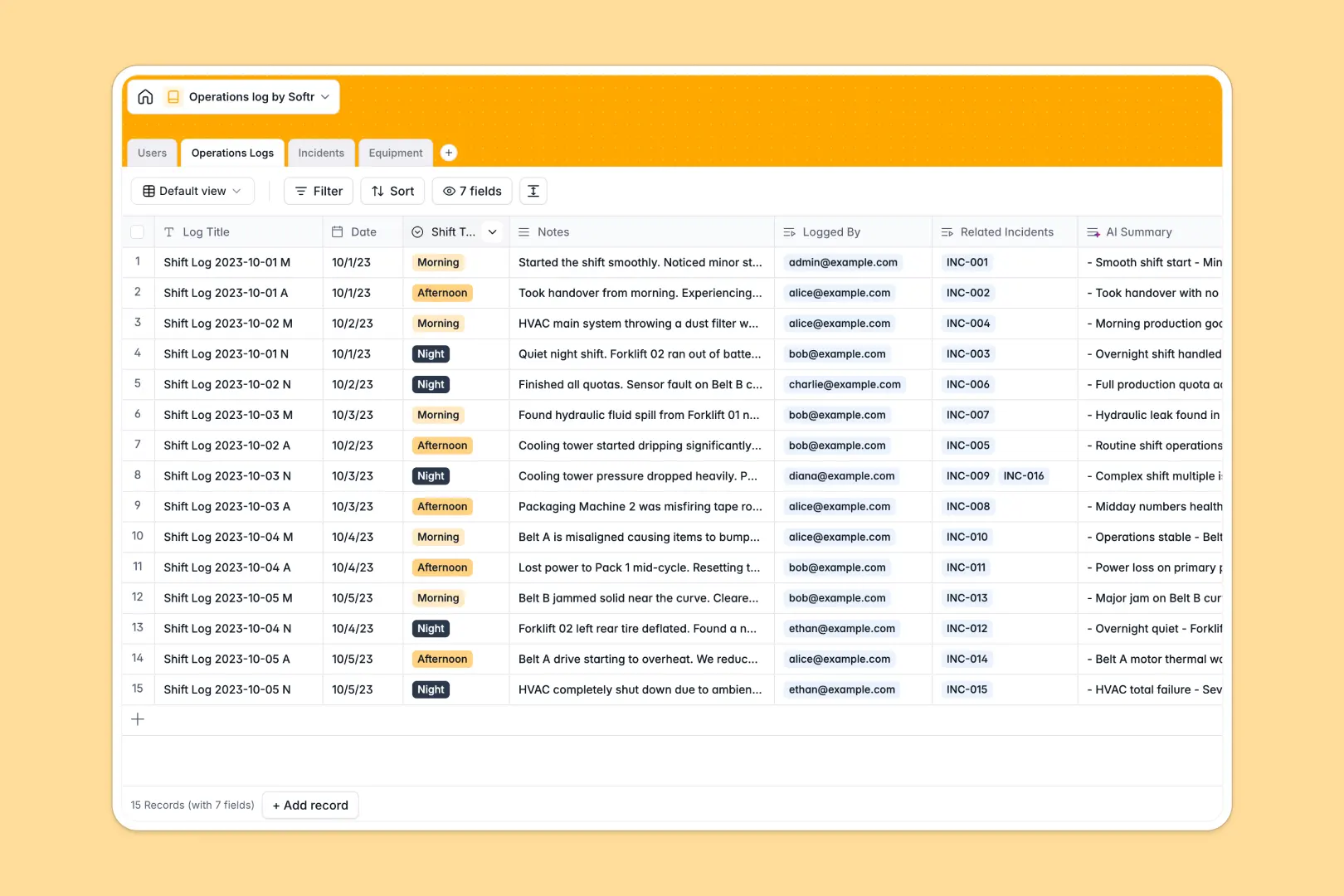
Your Operations Log database at a glance
This template gives your team a reliable system to record shift activity, track disruptions, and maintain equipment visibility without gaps in communication.
Connected tables link daily logs directly to reported incidents, affected equipment, and responsible operators. When a shift manager flags an issue, incoming crews see the exact context immediately.
Built-in AI automatically condenses detailed shift notes into three quick bullet points for fast handovers and categorizes incident severity instantly.
When shift notes separate from incident reports
Operational issues compound when daily handover notes live in one document while equipment breakdowns and safety incidents are logged elsewhere. Critical context gets buried, and the incoming shift has to guess what went wrong.
What a structured database changes
In a structured setup, every object has its own dedicated table with typed fields. Timestamps, shift types, and user assignments remain consistent across every entry.
Linked records connect an incident directly to the specific equipment involved and the shift log where it occurred. You can count total breakdowns per machine automatically without writing complex formulas.
This is exactly what Softr Databases are designed for, giving operations teams clean data structure out of the box.
What you can do with this template
Log morning, afternoon, or night shifts with structured handover notes and clear ownership. Track equipment status in real time and see incident histories rollup instantly per asset.
Native Database AI agents analyze incident descriptions to assign severity levels and browse manufacturer websites to pull technical equipment overviews automatically.
-
Users
Manage operational staff, shift managers, and user system permissions
-
Operations Logs
Record daily shift handovers with automated AI-generated summary bullet points
-
Incidents
Track operational anomalies with AI-powered severity and urgency classification
-
Equipment
Monitor physical machinery health and retrieve AI summaries from web sources
Who is this Operations Log database for
- Operations Managers: Maintain complete visibility over multi-shift workflows, facility incidents, and asset uptime.
- Shift Supervisors: Run structured handovers, assign team tasks, and review AI summaries of previous shifts.
- Plant & Facility Operators: Log daily equipment checks and report safety disruptions in seconds.
- Maintenance Teams: Track recurring machinery failures and access manufacturer documentation directly from incident logs.
How to take it further
Customize this database in seconds by adding shift categories, adjusting severity tags, or creating fields for specific compliance checklists. You can modify table schemas and select options directly in the visual editor.
Import your historical machinery logs or staff lists using a standard CSV upload. You can also connect external sensors or ticketing systems via API for continuous data syncing.
When your team needs dedicated portals, generate an app with AI directly on top of this database. Set up role-based users and permissions so operators log entries on mobile while managers access high-level operational dashboards.
-
1
-
2
-
3
-
4
Frequently asked questions
-
What is an operations log database?
-
Why use a no-code database to build an operations log?
-
How can AI help managing data for operations logs?
-
Can I build an app with an operations log database?
-
Is this Operations Log database free?
-
How do I import existing shift data into this template?
Start building today. It's free!
Build and launch your first app in under 30 minutes.