


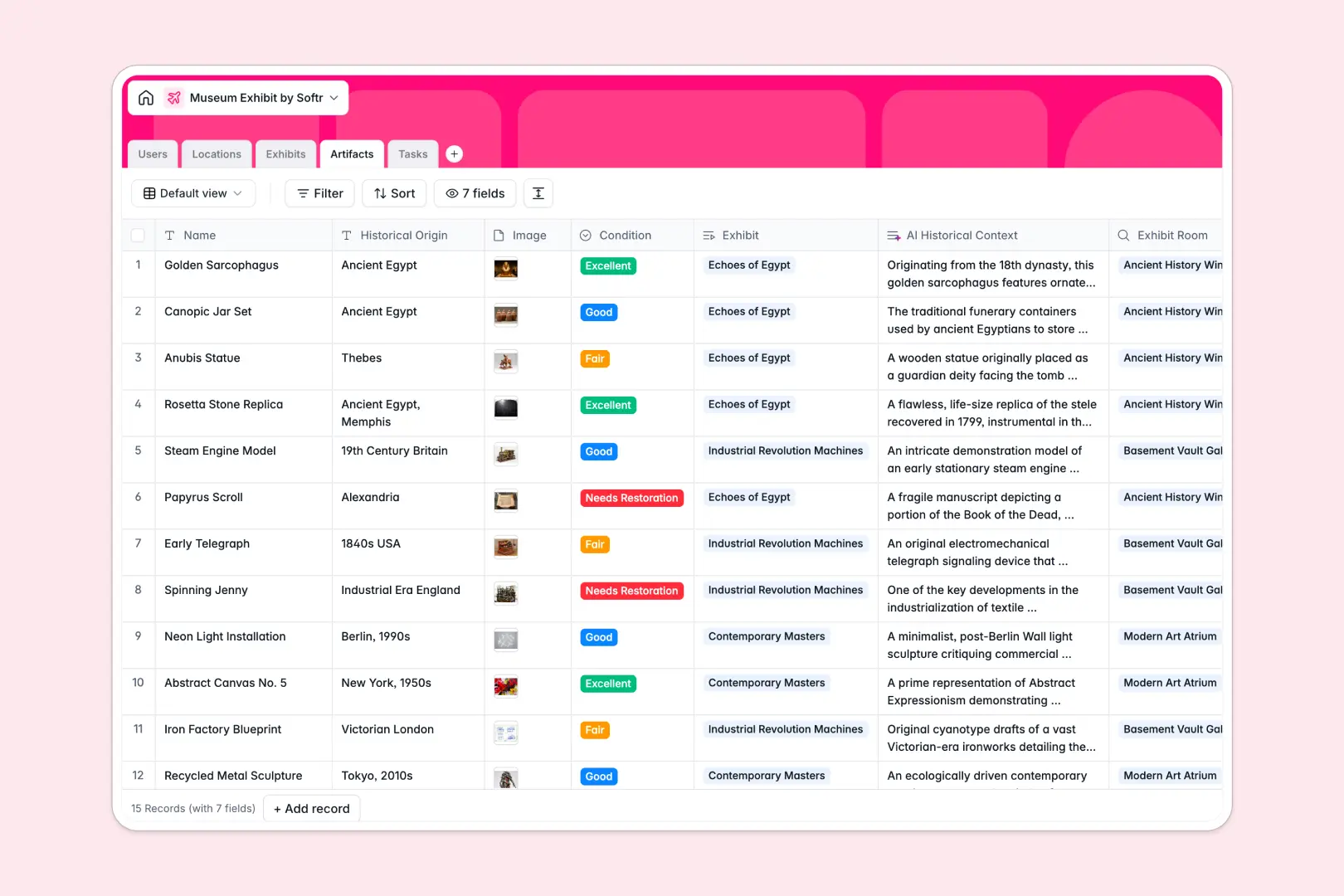
Your Museum Exhibit Database at a glance
Structure your museum setups and gallery events from initial planning stages all the way to opening night. Seamlessly connect exhibits to specific galleries, assigned curators, and individual artifacts, ensuring everyone knows precisely what goes where.
Automatically generate promotional summaries, intelligently categorize logistics tasks, and research historical context for requested artifacts using built-in AI tools.
Why managing museum collections in spreadsheets breaks down
Tracking fragile artifacts, dynamic gallery locations, and strict opening deadlines across scattered documents quickly leads to confusion and operational errors.
What a structured database changes
A structured system ensures gallery floors, staff members, and historical artifacts are perfectly linked without relying on fragile formulas. Every column has a strict data type to keep opening dates formatted properly and specific items permanently locked to their current exhibit room.
This robust, relational framework is exactly what Softr Databases are designed to provide out of the box.
What you can do with this template
Map out your entire museum floor plan, oversee artifact conditions, and assign maintenance workflow tasks to your team in a single, reliable view.
Built-in AI agents can actually search the live web to enrich your archive and supply missing historical context for artifacts. They also automatically write engaging promotional summaries for upcoming displays and classify daily operational tasks instantly.
-
Users
Manage museum staff roles, contact information, and assigned exhibit tasks
-
Locations
Organize physical museum wings and galleries including floor and capacity details
-
Exhibits
Coordinate public events using AI to generate engaging promotional summaries
-
Artifacts
Track historical items and leverage AI to provide deep historical context
-
Tasks
Handle exhibit logistics with AI-powered categorization of maintenance duties
Who is this Museum Exhibit database for
This centralized system is built specifically for cultural institutions and gallery teams who need to coordinate complex public displays collaboratively.
- Museum Curators: Plan active and archived exhibits while keeping artifact details permanently organized.
- Conservators: Monitor the exact condition of historical items and track their gallery locations effortlessly.
- Operations Managers: Oversee gallery capacities, room assignments, and maintenance workflows across multiple floors.
How to take it further
You can easily shape this template to fit your specific institution by tweaking exhibit statuses or adding custom artifact condition metrics. Because it operates as a native no-code database, editing structural components requires absolutely zero technical skills.
Bring your current museum catalogs to life immediately by importing CSV files or connecting an automated API. Bulk uploading data safely transitions your curation team to a single source of truth within minutes.
When your institution is ready to scale, you can transform this clean data foundation into a full-scale staff portal using an intuitive interface builder. Building a complete application allows you to assign specific users and permissions to different departments. This ensures a conservator only sees the artifacts requiring immediate restoration, while marketing teams access relevant promotional data securely.
-
1
-
2
-
3
-
4
Frequently asked questions
-
What is a museum exhibit database?
-
Why use a no-code database to build a museum exhibit tool?
-
How can AI help managing data for museum exhibits?
-
Can I build an app with this museum exhibit database?
-
Is this museum exhibit database free?
-
Why is a structured database better than spreadsheets for tracking historical artifacts?
Start building today. It's free!
Build and launch your first app in under 30 minutes.