


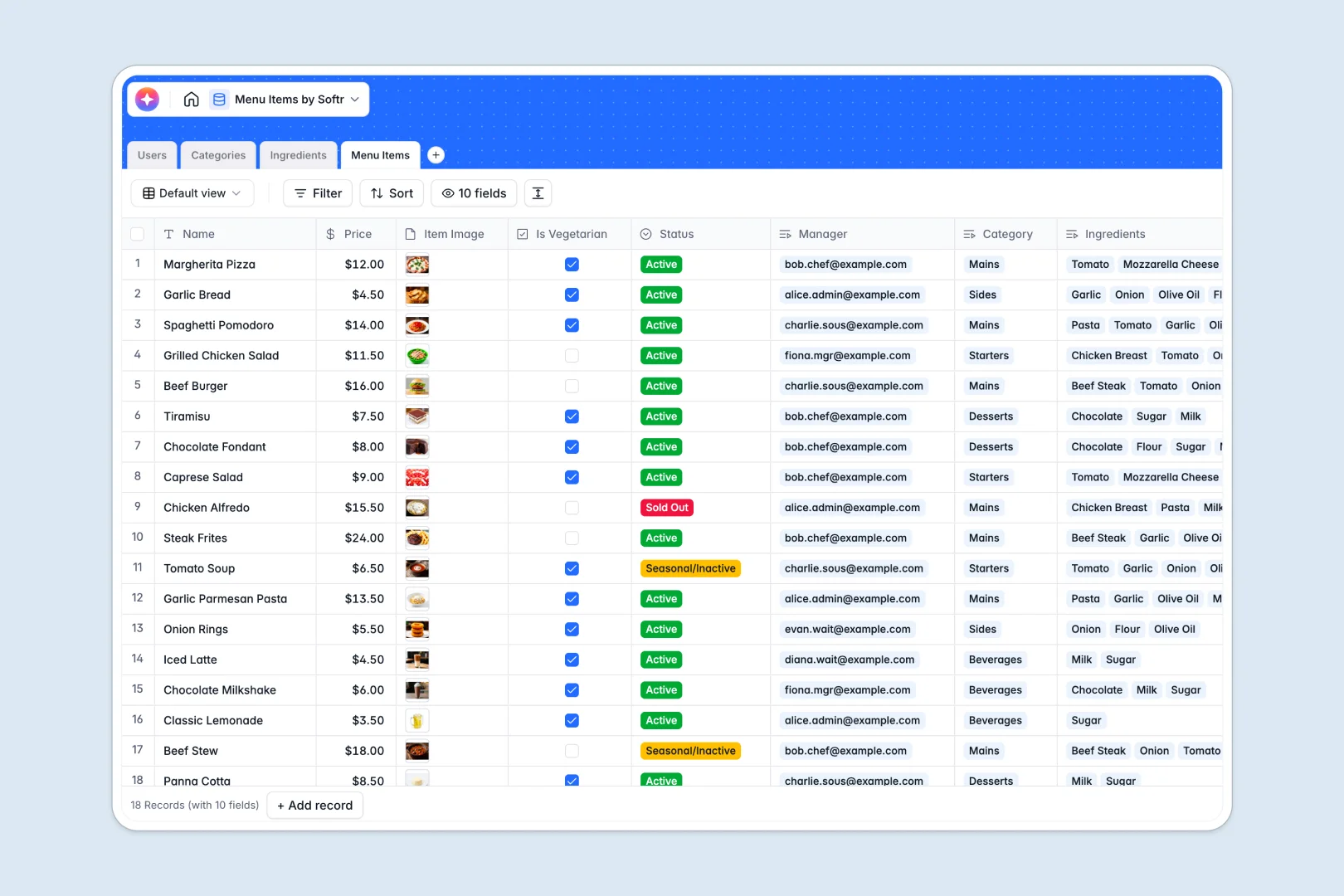
Your Menu Items database at a glance
This template organizes dishes, categories, and ingredients into one clean, interconnected system. It helps you track what's active, seasonal, or completely sold out without relying on manual updates.
Staff members, menu categories, raw ingredients, and final dishes are stored in securely linked tables. This means updating an ingredient's allergen profile instantly reflects across all related menu items in your operation.
It also features built-in AI that automatically browses the web to flag common allergens for your raw ingredients. Additionally, it auto-writes appetizing marketing descriptions for your dishes based purely on their connected components.
Why managing menu items in spreadsheets breaks down
Running a restaurant menu in standard spreadsheets often leads to scattered recipes, missing allergen warnings, and delayed price updates during service.
What a structured database changes
A structured system enforces deep organization so your kitchen's data stays highly accurate at scale. Prices remain perfectly formatted as true currency, and dish statuses cleanly toggle between active or sold out.
Instead of copying identical ingredient lists across multiple rows, you simply link tables deeply together. You can accurately tie specific dishes to overarching categories like Mains or Desserts with zero risk of formula breaks.
This built-in reliability is exactly what Softr Databases are engineered to deliver. They give you the flexibility of a spreadsheet but with the ironclad foundation of a real application back-end.
What you can do with this template
You can track every individual dish and ingredient while instantly seeing what items are managed by specific staff members. It keeps your front of house and back of house perfectly aligned during service hours.
Thanks to built-in Database AI agents, the template natively does the heavy lifting for your team. It automatically researches allergen warnings for ingredients and instantly generates catchy descriptions to place directly on your menu.
-
Users
Manage restaurant staff profiles with contact details, roles and permissions
-
Categories
Organize menu sections with descriptions and cover images to group items
-
Ingredients
Track stock and use web-powered AI to identify common allergen information
-
Menu Items
Manage dishes with prices and generate AI-powered marketing descriptions
Who is this Menu Items database for
This template provides a reliable, scalable foundation for food service teams of all sizes.
- Restaurant Managers: Keep the active menu entirely up to date and communicate sold-out items instantly to the floor.
- Head Chefs: Track raw stock quantities directly alongside final dishes and monitor vital dietary details confidently.
- Waitstaff: Quickly reference precise ingredient lists and allergen warnings for customers directly in real time.
- Marketing Teams: Grab AI-generated, appetizing dish descriptions instantly for social media blasts or digital menus.
How to take it further
You can easily customize the database directly to closely match your kitchen's exact workflow needs. Add a new status tag for limited-run specials or modify the assigned user roles for your freshly hired staff.
Bring your current menus over instantly via a quick CSV data upload so you don't have to start from scratch. You can also use the Softr API to sync ingredient stock quantities seamlessly with your existing physical inventory tools.
When your team is ready, you can powerfully transform this database into a custom staff portal or a live digital menu using our native interface builder. This makes it incredibly easy to share specific operating views securely with different departments.
This scalable setup allows you to grant precise users and permissions to your entire food service team. You can easily let waitstaff view the active menu while securely ensuring only the head chef is allowed to edit raw ingredient costs.
-
1
-
2
-
3
-
4
Frequently asked questions
-
What is a menu items database?
-
Why use a no-code database to build a restaurant menu system?
-
How can AI help managing data for menu items?
-
Can I build an app with this menu items database?
-
Is this menu items database template free?
-
How is a menu items database different from spreadsheets?
Start building today. It's free!
Build and launch your first app in under 30 minutes.