


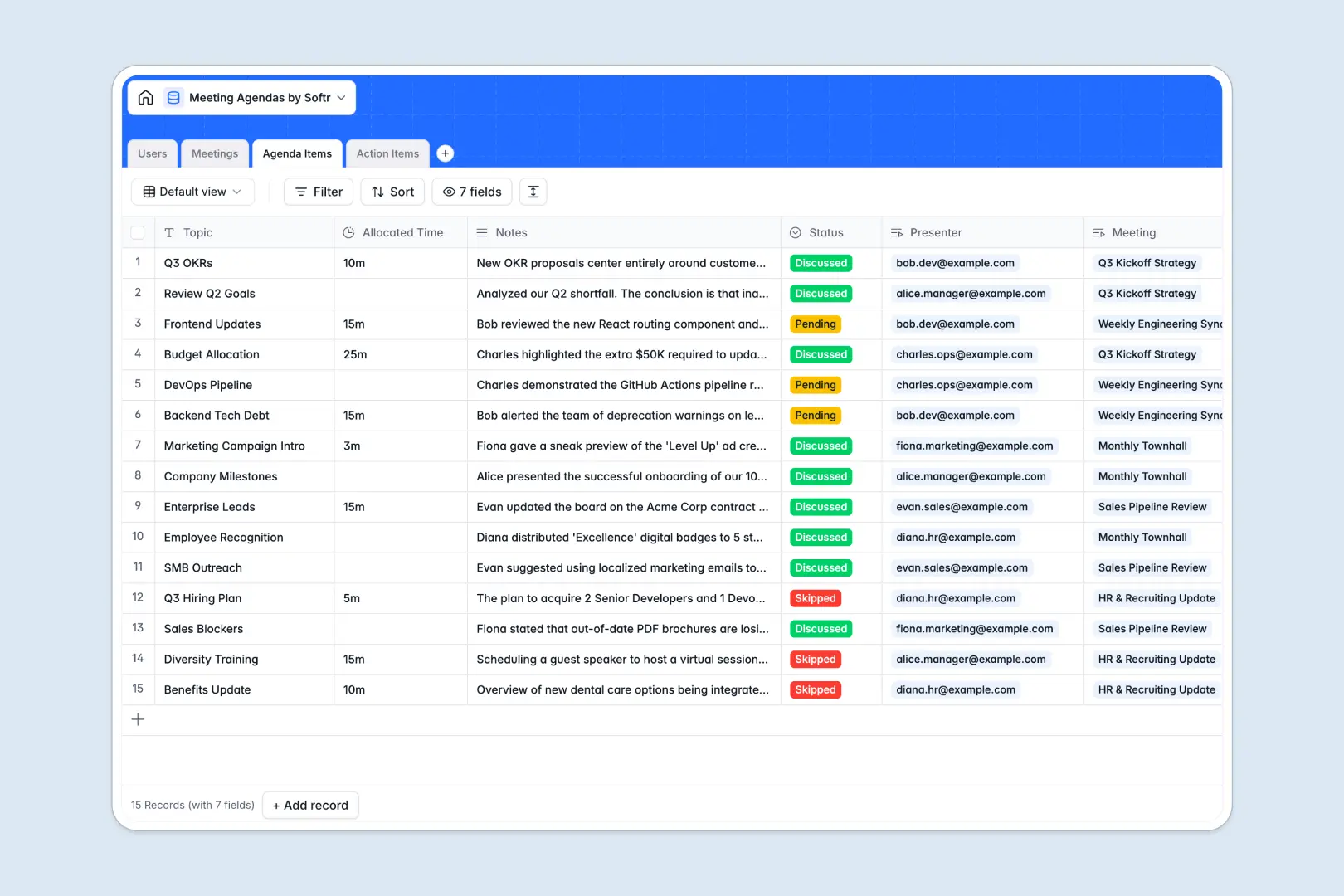
Your Meeting Agendas database at a glance
Run focused discussions, track decisions, and keep every team member accountable for follow-ups in one clear place.
This template links Meetings directly to specific Agenda Items, attendees in Users, and resulting Action Items so no takeaway gets lost.
Built-in AI fields automatically draft meeting minutes, summarize topic discussions, and prioritize new follow-up tasks as notes are added.
Why linking agenda items and action items beats blank rows
Meeting notes typed into unlinked documents quickly scatter across inboxes, leaving action items disconnected from the original discussion context.
What a structured database changes
In a structured database, every topic has an allocated duration, assigned presenter, and clear status, while dates and attendees remain strictly typed.
Connecting agenda topics directly to meetings and task assignees means everyone sees who owns what without manual re-entry.
This is exactly what Softr Databases are designed for, keeping conversations and deliverables aligned across your entire organization.
What you can do with this template
Track every stage of your meeting lifecycle from planning discussion topics to reviewing completed action items.
Use Database AI agents to turn raw agenda notes into polished meeting minutes and categorize task priorities automatically.
Share real-time visibility with team members so everyone stays aligned before, during, and after every session.
-
Users
Manage meeting participants, presenters, and assignees across all sessions
-
Meetings
Coordinate sessions, schedule agendas, and generate AI meeting minutes
-
Agenda Items
Track session topics, time slots, and synthesize notes with AI summaries
-
Action Items
Manage follow-up tasks, assignees, and evaluate urgency using AI priority
Who is this Meeting Agendas database for
This database gives teams a structured home for every discussion, decision, and post-meeting deliverable.
- Team leads: Run structured team syncs with clear time allocations and instant summaries.
- Project managers: Connect discussion topics directly to trackable action items and assignees.
- Department heads: Maintain visibility across recurring meetings, key decisions, and team accountability.
- Operations teams: Standardize meeting governance and maintain searchable minutes across departments.
How to take it further
Customize your schema in seconds by adding meeting categories, custom task statuses, or department tags to match your team workflows.
Import your existing contacts and past meeting records via CSV upload or synchronize ongoing data through the API.
When you are ready, use Softr to build an app on top of your data. You can configure granular users and permissions to let managers manage agendas while attendees only view and update their assigned tasks.
-
1
-
2
-
3
-
4
Frequently asked questions
-
What is a meeting agendas database?
-
Why use a no-code database to build a meeting agendas tool?
-
How can AI help managing data for meeting agendas?
-
Can I build an app with this meeting agendas database?
-
Is this Meeting Agendas template free?
-
Can I customize the fields in this template?
Start building today. It's free!
Build and launch your first app in under 30 minutes.