


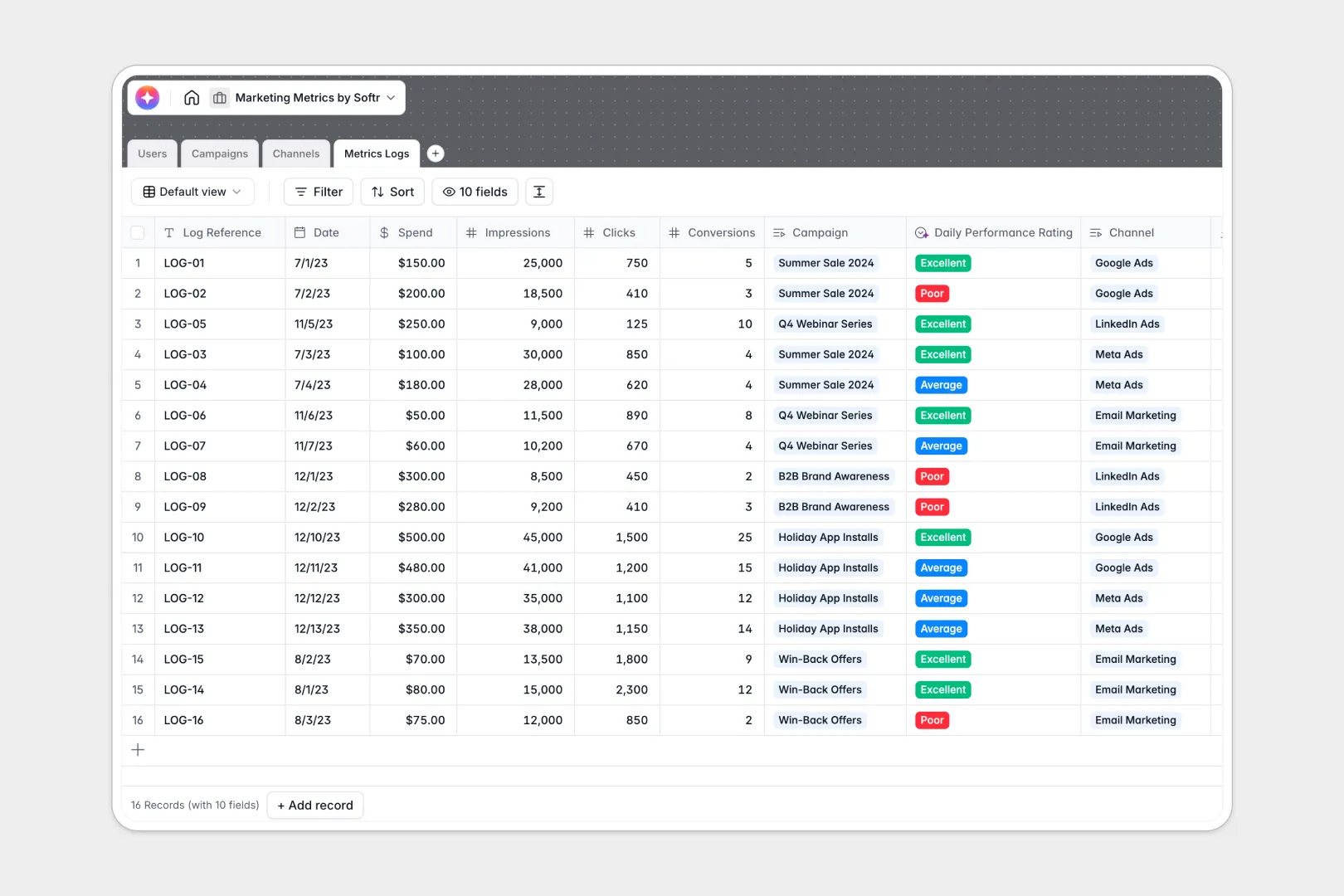
Your Marketing Metrics Database at a glance
Track all your marketing initiatives natively and monitor real-time spend across every platform. This template gives your team a clear, reliable source of truth for campaign performance.
The system connects your team members straight to the campaigns they manage and the channels you are running. Every daily or weekly performance log links directly back to specific initiatives, removing manual tracking errors.
It also includes built-in AI tools to automatically evaluate daily performance and summarize channel strategies. You can instantly generate campaign briefs or analyze overall health without leaving your tables.
Why managing marketing metrics in spreadsheets breaks down
Running marketing data in spreadsheets usually leads to messy rows, broken VLOOKUPs, and fragmented reporting across channels. When you are tracking daily spend and conversion rates, manual copy-pasting simply cannot keep up with the volume.
What a structured database changes
A proper structure means every piece of data has a strict, defined format. Your impressions stay strictly as numbers, and individual metric logs connect directly to campaigns without fragile formulas.
This means you can easily see all total conversions and spend rolling up in real time as new logs are added. This is exactly what Softr Databases are designed for, keeping your data clean as your team scales.
What you can do with this template
You can confidently map every daily metric to the exact campaign and channel it belongs to. By separating users, campaigns, and channel operations, your team gets complete visibility into where the marketing budget goes.
You can also use Database AI agents to enrich your workflow automatically. For example, the system will research channel best practices and accurately rate your daily log performance based on cost-per-conversion.
-
Users
Manage marketing team members, their roles, and assigned campaign responsibilities
-
Campaigns
Track initiatives with AI-powered brief expansion and performance health analysis
-
Channels
Organize marketing platforms with AI-researched strategy insights and best practices
-
Metrics Logs
Monitor daily performance with AI-driven ratings of spend and conversion efficiency
Who is this Marketing Metrics Database for
This template provides a robust tracking foundation for performance-driven teams.
- Marketing Managers: Track total spend and conversions across active campaigns in a single reliable view.
- Performance Analysts: Log daily impressions, clicks, and costs without fighting broken spreadsheet formulas.
- Growth Leads: Compare strategies across channels like Google Ads and Meta to optimize your marketing budget.
- Marketing Agencies: Organize client campaigns, channels, and performance logs systematically to streamline reporting.
How to take it further
It is incredibly simple to customize the database directly to your needs. You can easily add new fields to track different KPIs or update the channel options to match your exact marketing mix.
Once configured, quickly import your historical marketing data via CSV. You can also connect the API to automatically sync metric logs directly from your daily ad platform exports.
When your team is ready, building a complete internal app around this data is the ultimate next step. A well-structured database makes building this front-end interface natively within Softr completely seamless.
You can use powerful users and permissions to control exactly what people can view and edit. This lets analysts submit logs safely without ever accessing or breaking the underlying database structure.
-
1
-
2
-
3
-
4
Frequently asked questions
-
What is a marketing metrics database?
-
Why use a no-code database to build a marketing metrics tool?
-
How can AI help managing data for marketing metrics?
-
Can I build an app with this marketing metrics database?
-
Is this Marketing Metrics Database free?
-
How is a marketing metrics database different from Google Sheets or Excel?
Start building today. It's free!
Build and launch your first app in under 30 minutes.