


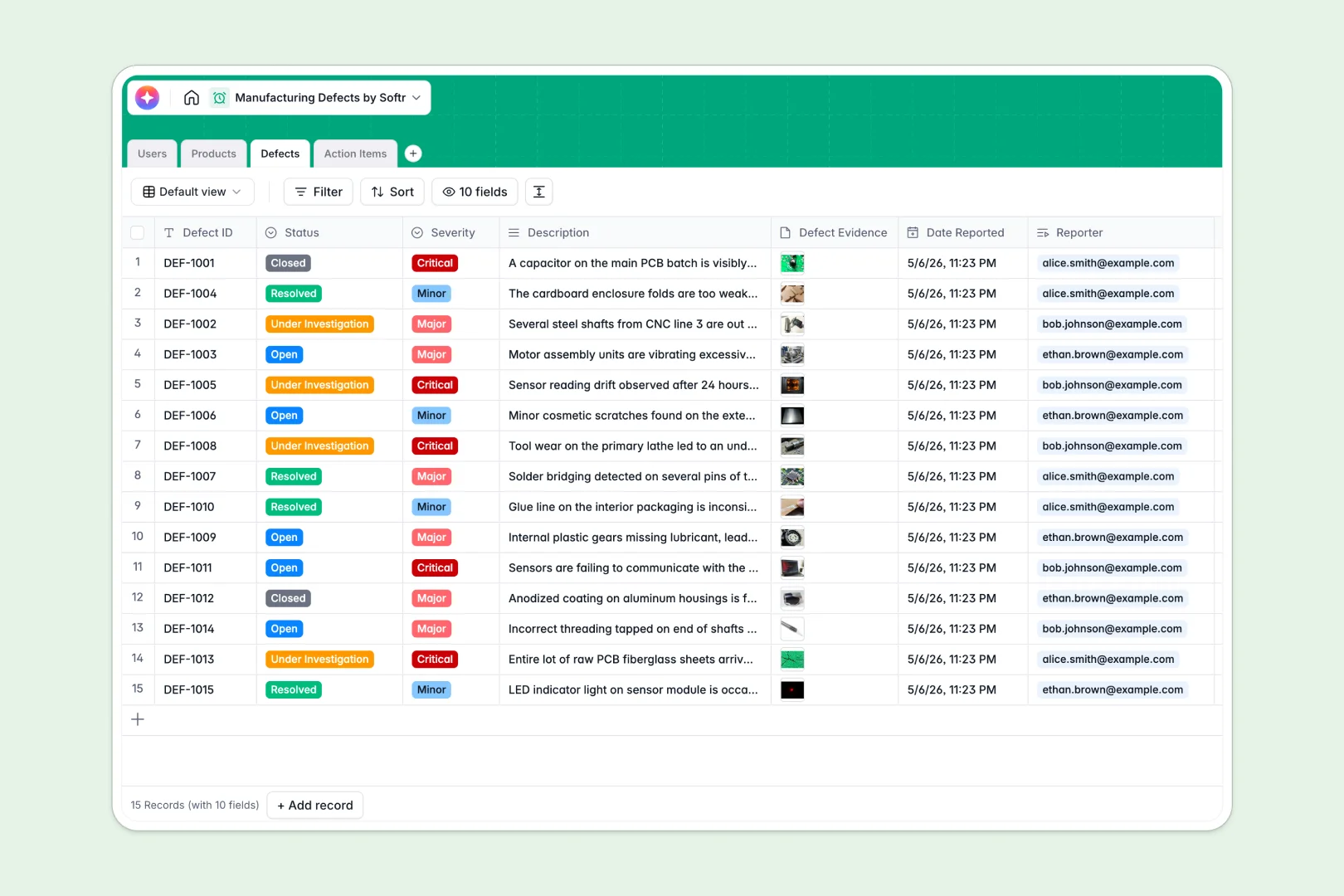
Your Manufacturing Defects Database at a glance
This template helps production teams log, track, and resolve quality issues efficiently. It keeps your products, defects, and corrective actions organized in one central view without the usual technical overhead.
The system links distinct tables together—like Products, Defects, and Action Items—so you can easily trace every problem back to its source. When a critical issue is flagged, managers can instantly assign tasks to specific users while retaining full context.
Built-in AI agents automatically generate root cause analyses based on defect descriptions and polish resolution notes into official reports. This saves your team hours of manual data entry and helps standardize your quality documentation.
Why managing manufacturing defects in spreadsheets breaks down
Tracking factory defects across scattered spreadsheets quickly leads to lost reports, disconnected action items, and missed production deadlines.
What a structured database changes
In a proper database, every column enforces strict data types, ensuring severity levels and status updates are formatted consistently. Instead of relying on fragile VLOOKUPs, you securely connect defect logs directly to your product catalogs and assigned staff.
This is exactly what Softr Databases are designed for. You get a reliable, scalable foundation where information flows seamlessly between connected tables without manual copying and pasting.
What you can do with this template
You can instantly log defects with attached photo evidence and assign corrective tasks directly to specific team members. The integrated Database AI agents automatically draft potential root causes based on the severity and issue description.
By replacing messy sheets with this ready-to-use system, your team can focus exclusively on improving product quality rather than hunting down disconnected tracking files.
-
Users
Manage manufacturing staff roles, contact info, and assigned quality tasks
-
Products
Inventory catalog including AI-generated product descriptions and defect stats
-
Defects
Track quality issues with AI-powered root cause analysis for better resolution
-
Action Items
Task management for defect remediation with AI-polished resolution logs
Who is this Manufacturing Defects Database for
This database is built for production teams needing tight control over their quality assurance process.
- QC Inspectors: Log issues directly from the factory floor with attached photo evidence and clear severity ratings.
- Production Managers: Monitor overall quality trends and assign corrective action items without losing oversight.
- Operations Executives: Track total defects per product category to identify systemic manufacturing bottlenecks.
- Quality Specialists: Review AI-generated resolution logs to ensure compliance and standardized reporting.
How to take it further
Start by customizing the database to perfectly fit your production lines. You can easily modify the dropdown choices for product categories or adjust defect severity levels to match your specific internal standards.
Once configured, import your existing product catalogs or historical defect logs via CSV. This instantly populates your tables and gives your team immediate value without any manual data entry.
When you are ready, you can deploy a custom interface builder to turn this database into a full manufacturing portal. This allows floor workers to submit defect forms securely from mobile devices without ever touching the backend database.
By setting up proper users and permissions, you can ensure QC inspectors only see their assigned action items while administrators maintain full visibility. Starting with a structured database makes building these custom applications incredibly fast and reliable.
-
1
-
2
-
3
-
4
Frequently asked questions
-
What is a manufacturing defects database?
-
Why use a no-code database to build a defect tracking system?
-
How can AI help managing data for manufacturing defects?
-
Can I build an app with this manufacturing defects database?
-
Is this Manufacturing Defects Database free?
-
How is this database different from Excel or Google Sheets?
Start building today. It's free!
Build and launch your first app in under 30 minutes.