


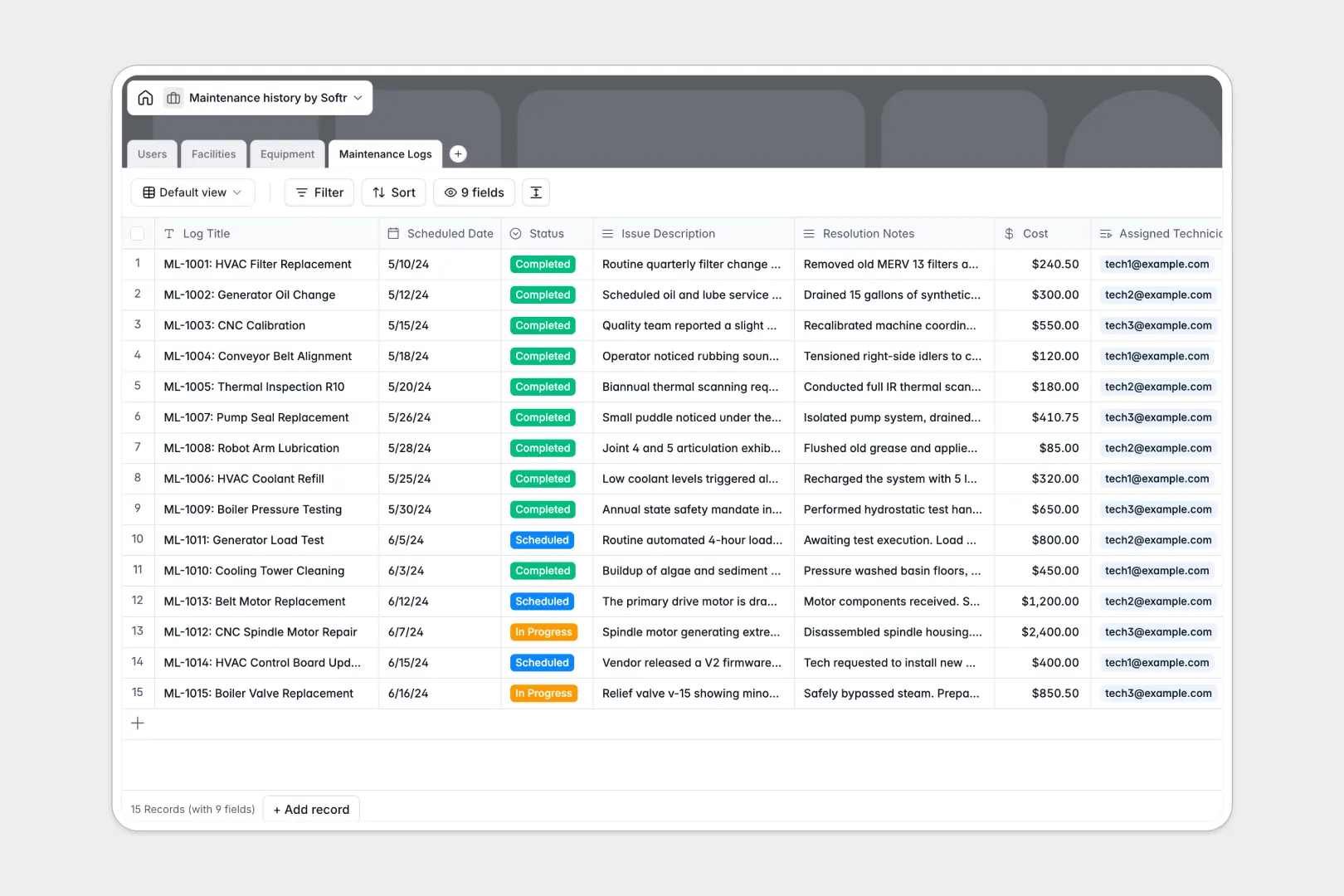
Your Maintenance History database at a glance
This template keeps your equipment assets, facility locations, and repair logs organized in one reliable place. It connects staff members to specific work orders and equipment items so every repair has clear ownership and status tracking.
Built-in AI fields automatically pull equipment specifications from the web and condense lengthy repair notes into quick bullet points. You get instant visibility into maintenance costs and equipment health without manual data collection.
What a structured database changes for repair tracking
Scattered spreadsheets and endless email chains make it difficult to know which machinery needs attention or who is handling a repair. Tracking serial numbers alongside active work orders requires a system built for relationships rather than isolated rows.
This is exactly what Softr Databases are designed for. Every record stays linked so you can view all maintenance logs for a specific equipment item instantly.
Typed columns ensure dates stay consistent, costs calculate accurately, and status dropdowns prevent spelling mistakes. You maintain a single source of truth for every facility your team manages.
What you can do with this template
Monitor equipment statuses from operational to under maintenance and review complete repair histories before scheduling new work orders.
Database AI agents automatically research manufacturer manuals and summarize technician notes the moment a repair log is completed.
Keep technicians, managers, and administrators aligned with clear role-based access to the exact records they need.
-
Users
Manage technicians and managers with contact details and work order assignments
-
Facilities
Organize building locations, assigned facility managers, and equipment counts
-
Equipment
Track asset inventory with operational status and AI-researched manuals
-
Maintenance Logs
Record repair history and costs with AI-generated summary bullet points
Who is this Maintenance History database for
- Facility Managers: Oversee multiple building locations, track total equipment counts, and monitor ongoing repairs.
- Maintenance Supervisors: Assign work orders to technicians and track repair costs across different asset types.
- Field Technicians: Log issue descriptions, update resolution notes, and view equipment specifications on the go.
How to take it further
Customize this database by adding new select options for asset statuses or modifying currency fields to track repair budgets. You can easily adapt every table and column to match your exact operational workflows.
Import your existing asset lists and past work orders via CSV upload or connect external tools to keep your maintenance records automatically synchronized.
When your team is ready to expand, you can build an app on top of this database in minutes using plain language. Softr combines your database, intuitive interfaces, and automated workflows into one secure platform. You can configure granular users and permissions so technicians only see assigned tasks while managers oversee facility-wide operations.
-
1
-
2
-
3
-
4
Frequently asked questions
-
What is a Maintenance History database?
-
Why use a no-code database to build a maintenance tracking system?
-
How can AI help managing data for maintenance history?
-
Can I build an app with this Maintenance History database?
-
Is this Maintenance History template free?
-
Can I customize the tables and fields in this template?
Start building today. It's free!
Build and launch your first app in under 30 minutes.