


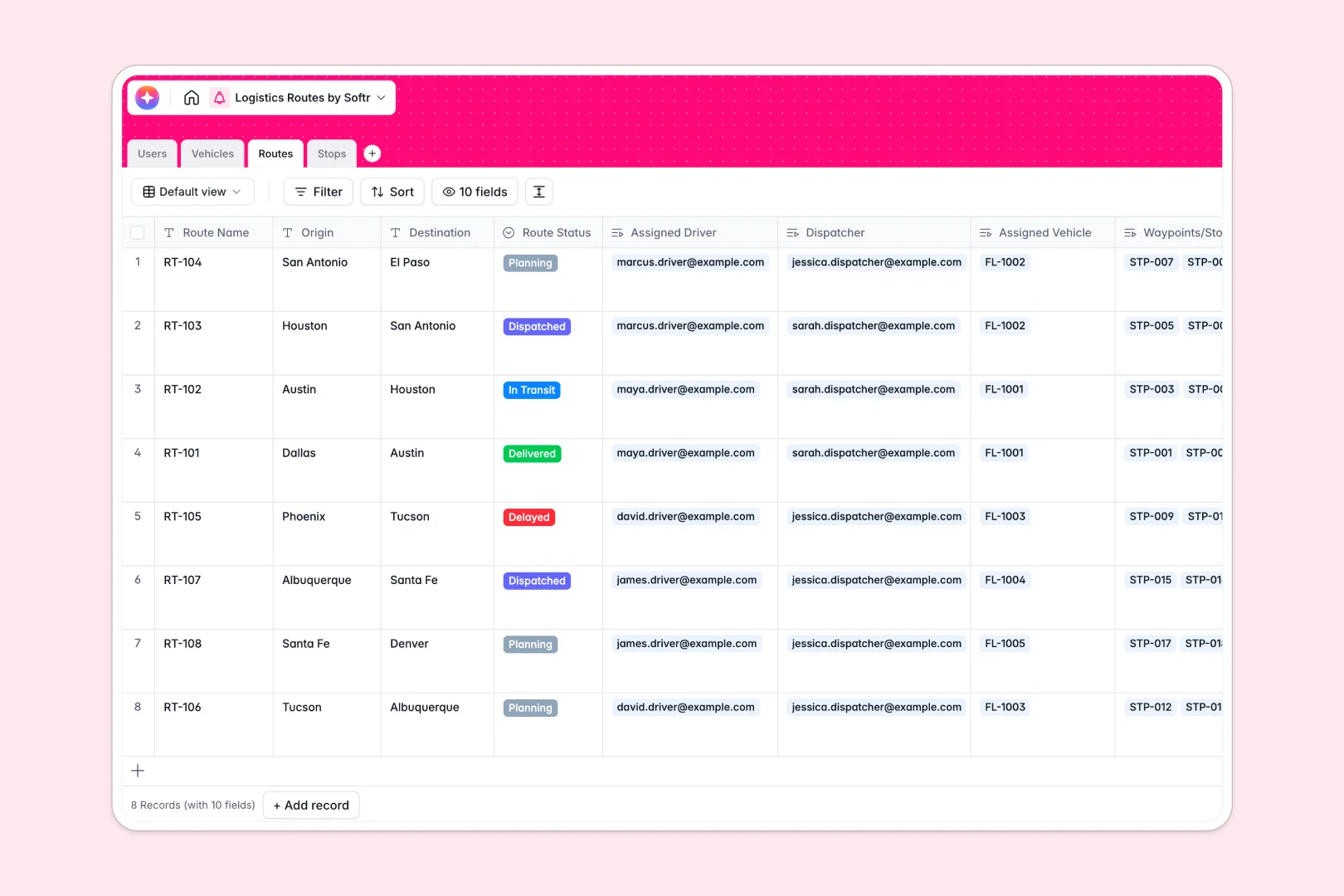
Your Logistics Routes database at a glance
This template centralizes your entire dispatch operation so you can coordinate drivers, vehicles, and deliveries without confusion. It gives your logistics team a perfect top-down view of daily movements.
It works by linking dedicated tables for Routes, Vehicles, Stops, and Users natively. When you assign a semi-trailer to a specific driver, that connection is updated instantly across the entire system.
Built-in AI automatically generates clear route briefs and classifies urban or rural delivery zones based on the waypoint addresses. This means dispatchers get instant geographic context without manually researching stops.
Why managing logistics routes in spreadsheets breaks down
When you track dispatches in spreadsheets, coordinating multi-stop routes, changing vehicle maintenance statuses, and managing driver shifts quickly turns into a messy guessing game.
What a structured database changes
In a true database, data types are strict and reliable. Vehicle capacities stay as numbers, and route statuses act as pre-defined selectable tags, preventing costly typos.
Instead of relying on fragile VLOOKUPs, tables connect cleanly. You can link a dozen distinct pickup stops to one main route without repeatedly copy-pasting client addresses across rows.
This is exactly what Softr Databases are designed for. As your fleet operations grow, your dispatch data remains perfectly organized and infinitely scalable.
What you can do with this template
You can track precise vehicle maintenance statuses, assign certified drivers to deliveries, and monitor routes from planning all the way through completion. Keeping track of delayed shipments or active transit status is effortless.
Integrated Database AI agents instantly summarize complex delivery paths and categorize route difficulties. This helps operators work faster and accurately evaluate transit loads on a daily basis.
-
Users
Manage logistics staff roles, contact details, and route assignments
-
Vehicles
Monitor fleet inventory, maintenance status, and specific weight capacities
-
Routes
Coordinate delivery journeys and generate AI-powered path summaries
-
Stops
Track delivery nodes and use AI to classify location zones automatically
Who is this Logistics Routes database for
This system is built for operations teams that need rigorous oversight over daily dispatches and fleet movements.
- Dispatchers: Assign the appropriate vehicle to the right route instantly while tracking real-time transit statuses.
- Fleet Managers: Monitor vehicle maintenance schedules and weight capacities closely to maintain safe daily operations.
- Drivers: Rely on a clear, single source of truth for upcoming delivery addresses, deadlines, and active stop sequences.
How to take it further
Start by customizing the database to fit your exact fleet operations. You can easily modify vehicle types, adjust route statuses to fit your lingo, and add custom fields to track fuel logs.
Next, bring your existing logistics data directly into the system. You can connect via API or easily upload CSV files to import current client addresses and vehicle registrations in bulk.
When your operations scale, you can transform this data into a secure web application. By using Softr's interface builder, you can create a custom driver portal where staff interact with dispatches on their mobile phones.
With strict users and permissions, drivers can update stops to "Completed" on the road without ever seeing admin-level vehicle tracking or global route assignments.
-
1
-
2
-
3
-
4
Frequently asked questions
-
What is a logistics routes database?
-
Why use a no-code database to build a logistics operations tool?
-
How can AI help managing data for logistics routes?
-
Can I build an app with this logistics routes database?
-
Is this Logistics Routes database free?
-
How does this template handle multi-stop routes?
Start building today. It's free!
Build and launch your first app in under 30 minutes.