


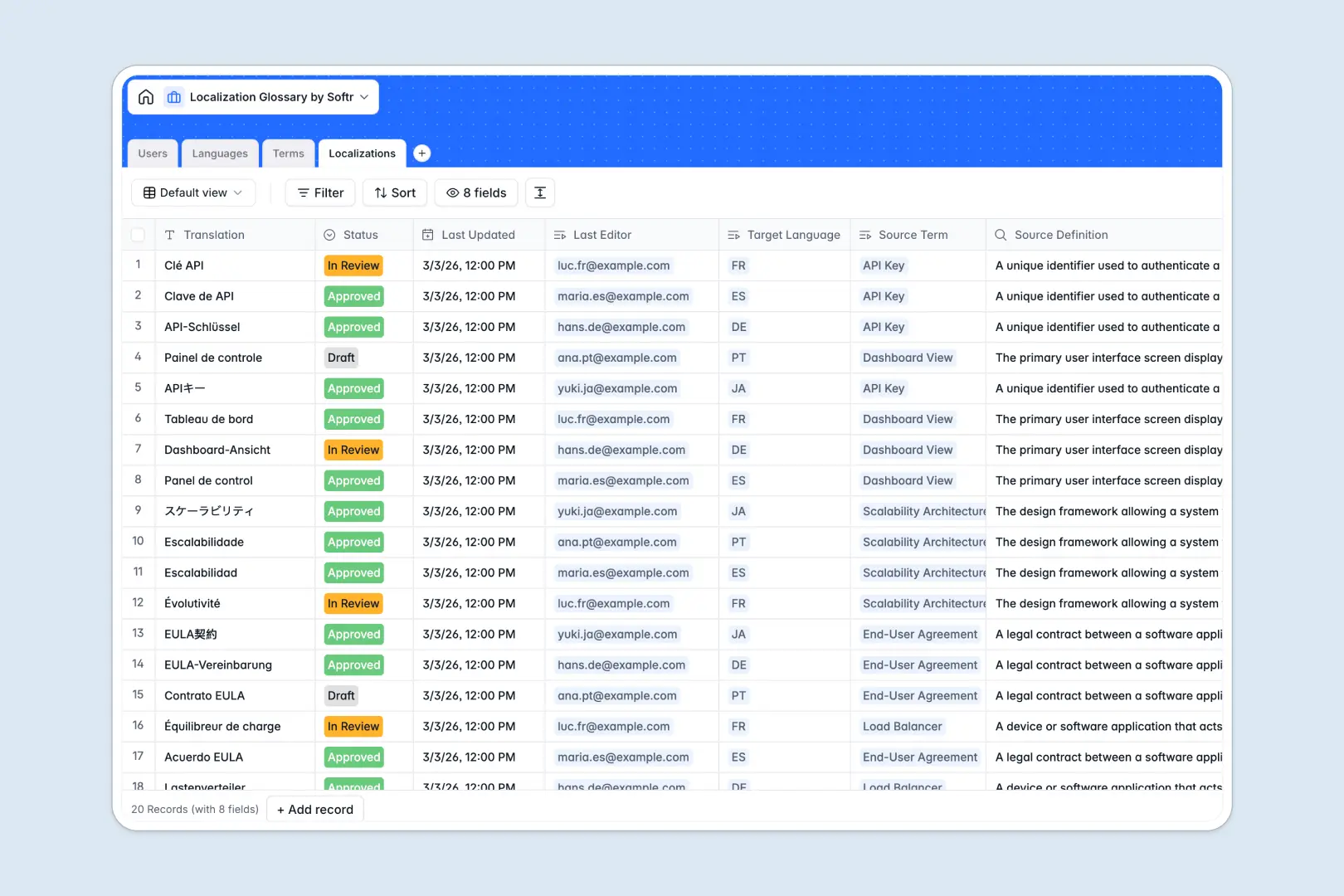
Your Localization Glossary database at a glance
Manage your master source terms and connected translations in one central hub to ensure absolute consistency across markets. This template keeps your global vocabulary strictly organized and easily accessible for entire translation teams.
The database neatly connects four key areas: Users, Languages, core Terms, and specific Localizations. This means every translation is directly tied to a specific target language and its original source definition seamlessly.
Built-in AI automatically generates realistic sentence examples for your technical terms and summarizes translation quality on the fly.
Why managing a localization glossary in spreadsheets breaks down
Translating marketing and technical terms across multiple languages quickly turns a spreadsheet into an unreadable maze of columns.
What a structured database changes
Instead of adding endless columns for new languages, a structured system keeps your master terms in one clear list. You link specific translations to those terms without duplicating rows or relying on fragile VLOOKUPs.
This predictable, scalable structure is exactly what Softr Databases are designed for. As you add more language pairs or team members, your data remains perfectly organized.
What you can do with this template
Organize terms by categories like Tech Specs, Legal, or UI Elements. Track the exact status of each translation easily from Draft to Approved.
Rely on native Database AI agents to automatically generate usage examples for new terms. Let the database automatically review translation quality based on the original source definition without manual intervention.
-
Users
Manage internal staff profiles, access roles, and localization activities
-
Languages
Maintain global language pairs and system-wide localization availability
-
Terms
Store technical source terms with AI-powered usage examples for clarity
-
Localizations
Manage translated strings with AI-driven quality and contextual summaries
Who is this Localization Glossary database for
This database is built for cross-functional teams that need precise control over global messaging.
- Localization Managers: Centralize your master vocabulary and track translation statuses securely.
- Translators: Access rich source definitions and AI-generated context to write accurate localizations.
- Product Teams: Ensure exact UI elements and technical specs are translated consistently globally.
How to take it further
Adjust the template to fit your specific workflow natively. Add new term categories or modify the review statuses directly in the database.
Easily bring in your existing data to get started instantly. Upload a CSV of your legacy glossary or use the API to sync new strings automatically.
When you are ready to scale, build an interface on top of this database to create a dedicated external translator portal.
Apply strict users and permissions to ensure external reviewers only see and edit the specific language pairs assigned to them. A well-structured database makes launching these custom apps effortless.
-
1
-
2
-
3
-
4
Frequently asked questions
-
What is a localization glossary database?
-
Why use a no-code database to build a localization glossary?
-
How can AI help managing data for a localization glossary?
-
Can I build an app with this localization glossary database?
-
Is this localization glossary database free?
-
How is a database better than spreadsheets for translation management?
Start building today. It's free!
Build and launch your first app in under 30 minutes.