


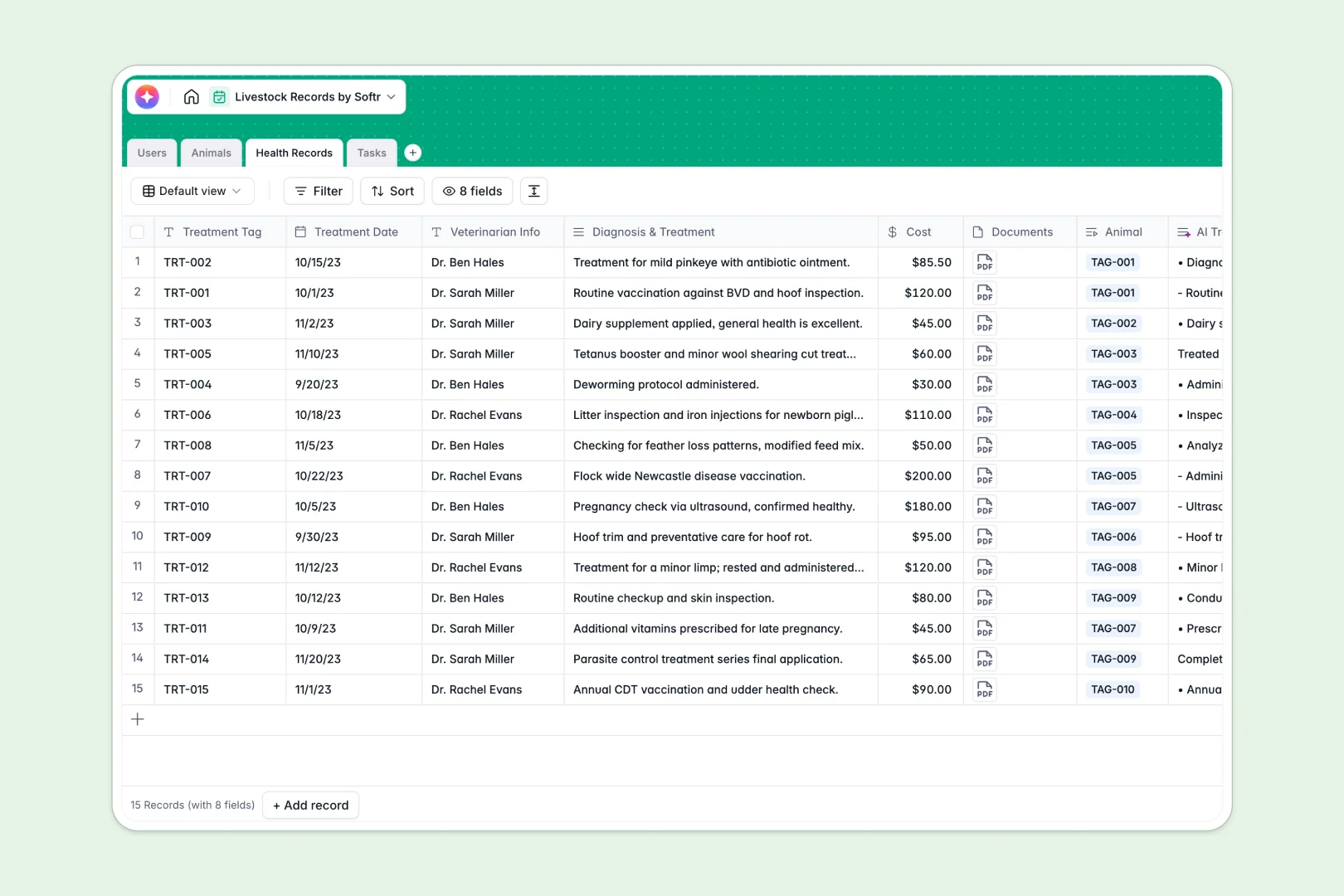
Your Livestock Records database at a glance
This template gives farm operators a unified system to manage animals, medical histories, and daily barn operations. You can track individual tag numbers, lineage, and health treatments while keeping your entire team on schedule.
Key tables link your Animals inventory directly to Health Records, Tasks, and team members in Users. Lineage tracking lets you connect parents and offspring automatically, so pedigrees remain clear without manual lookups.
Built-in AI fields auto-generate breed profiles using live web research, summarize complex veterinary treatment notes, and turn simple task titles into complete standard operating procedures.
When livestock tag updates get trapped in desktop workbooks
Managing a herd or flock with shared workbooks usually leads to fragmented files. When a farm manager updates treatment costs on an office machine while a hand notes a birth on a tablet, versions split, and vital medical history gets lost in transit.
What a structured database changes
In a structured setup, each animal exists as a single record linked directly to its treatments, lineage, and assigned caretakers. Field types enforce clean data, keeping dates, currency, and attachments reliable without broken formulas.
Instead of emailing workbooks back and forth, everyone works from a single live source. This is exactly what Softr Databases are designed for, providing structured data storage that updates instantly across devices.
Note that while Softr can connect an online Excel file as a data source, a dedicated database keeps your records safer and ready for automation.
What you can do with this template
Log vaccinations, vet visits, and medication expenses directly against specific tag numbers so you have a complete treatment audit trail. Assign chores and monitor completion status across farm hands in real time.
With native Database AI agents, you can automatically summarize medical diagnoses or research breed characteristics the moment a new animal is registered.
-
Users
Manage farm personnel roles, contact details, and livestock assignments
-
Animals
Track livestock inventory, lineages, and generate AI breed profiles
-
Health Records
Log veterinary treatments, costs, and generate AI medical summaries
-
Tasks
Organize farm duties and generate AI-powered detailed SOP instructions
Who is this Livestock Records database for
This system is built for agricultural operations that need reliable animal tracking and clear team coordination:
- Livestock Ranchers: Track pedigree, breed profiles, and breeding records across herds without messy spreadsheets.
- Farm Managers: Oversee daily barn chores, assign tasks to workers, and track operational costs in one place.
- Veterinary Teams: Maintain clear medical logs, attach lab documents, and generate instant treatment summaries.
- Dairy & Poultry Operators: Keep structured health histories and schedule recurring husbandry tasks across facilities.
How to take it further
1. Customize the database
Adjust the species dropdown choices to match your specific livestock mix, whether you raise alpacas or honeybees. You can also add custom fields for pasture locations, feed rations, or weight logs in seconds.
2. Import your existing data
Upload your current animal rosters and past medical records via CSV to populate the tables instantly. If you maintain external sensors or scales, connect them via API for continuous data syncing.
3. Build a full app around it
You can turn this database into a complete farm portal whenever you are ready. Use the AI app generator to describe your ideal field portal, and Softr will instantly build the interfaces and workflows on top of your schema.
Configure custom users and permissions so farm hands only see their daily tasks on mobile, while managers retain full access to financials, health logs, and admin settings.
-
1
-
2
-
3
-
4
Frequently asked questions
-
What is a Livestock Records database?
-
Why use a no-code database to build a livestock management tool?
-
How can AI help managing data for livestock records?
-
Can I build an app with this Livestock Records database?
-
Is this Livestock Records template free?
-
How is a livestock database different from an Excel workbook?
Start building today. It's free!
Build and launch your first app in under 30 minutes.