


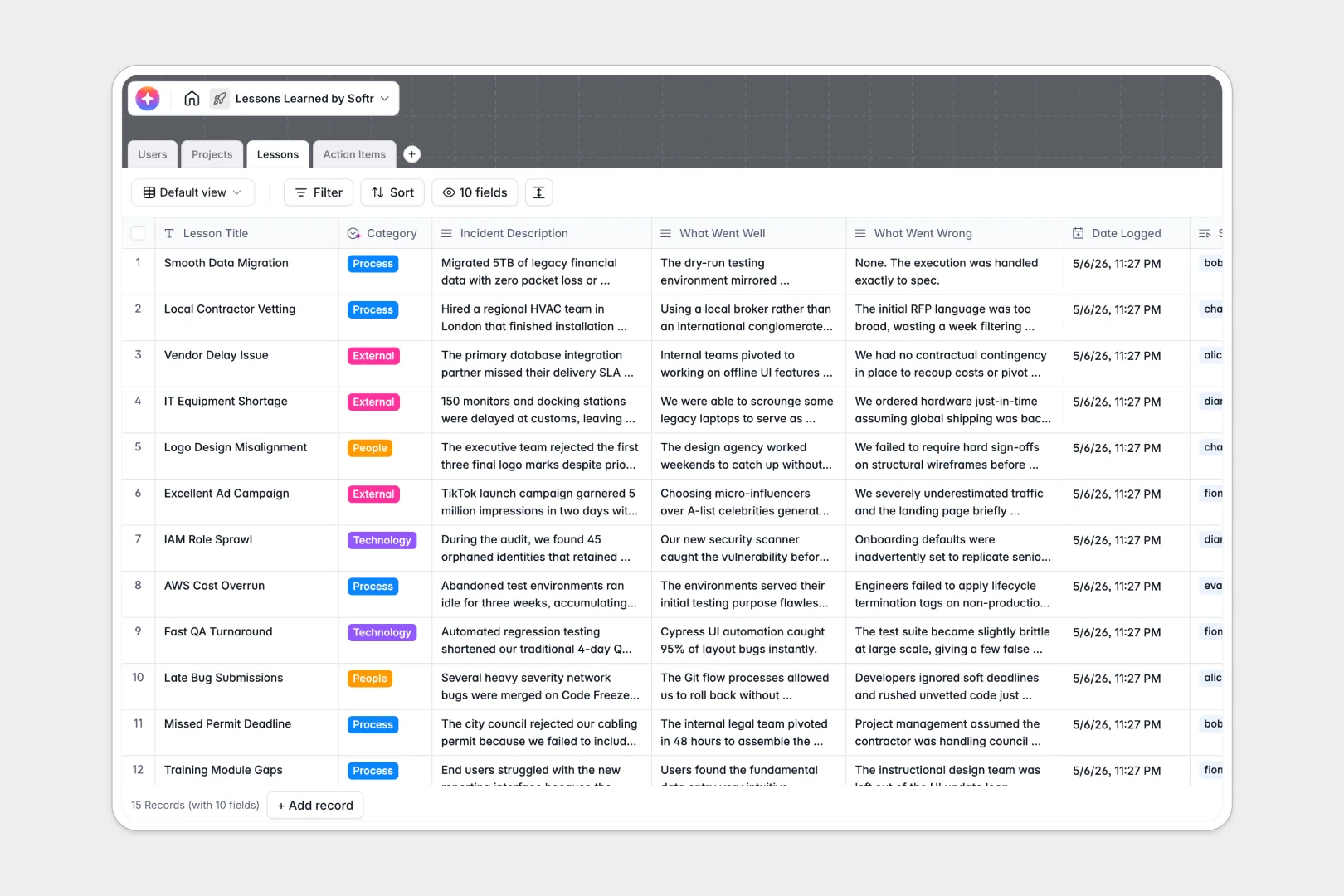
Your Lessons Learned database at a glance
This template gives your team a centralized, structured system to capture project reviews and turn retrospective feedback into clear action items. It replaces scattered notes with a highly functional tracking tool.
The database connects directly related tables for Projects, Lessons, Users, and Action Items. When an incident is logged, you can instantly link it to the responsible project manager and assign a follow-up task without duplicating data.
Built-in AI features automatically summarize what went right or wrong, categorize the lessons, and draft step-by-step implementation plans for your actionable takeaways.
Why managing lessons learned in spreadsheets breaks down
When you use a spreadsheet for retrospectives, qualitative feedback inevitably turns into an unreadable wall of text. Action items get lost in disconnected tabs, and valuable company knowledge vanishes over time.
What a structured database changes
In a structured system, columns enforce strict formatting so text strings stay organized and dates remain actual dates. You can easily link a specific incident directly to an ongoing project or assign it to a team member without relying on fragile formulas or copy-pasting.
This built-in reliability is exactly what Softr Databases are designed for. By establishing a single source of truth, your team can scale its knowledge base securely without creating chaotic, overlapping files.
What you can do with this template
You can immediately log incidents, assign custom categories like "Technology" or "Process", and automatically connect them to actionable next steps. Everything is fully functional and ready to use the moment you copy it.
You can leverage native Database AI agents to handle the heavy lifting of documentation. The template will automatically generate high-level executive summaries of your projects and draft execution plans so your team can focus on improving rather than typing.
-
Users
Manage system contributors with roles, contact data and lesson submissions
-
Projects
Monitor initiatives and use AI to synthesize retrospectives from lessons
-
Lessons
Log project events using AI for executive summaries and smart classification
-
Action Items
Track improvements with AI-generated implementation plans and due dates
Who is this Lessons Learned database for
This template is built for teams who want to build a culture of continuous improvement without getting bogged down in messy reporting.
- Project Managers: Easily track statuses, analyze historical project data, and ensure team alignment across initiatives.
- Operations Leads: Identify recurring process bottlenecks across the organization to drive operational efficiency.
- Product Teams: Log exact details on what went well or poorly immediately following a critical release.
- Department Heads: Gain instantly generated executive summaries covering all active initiatives and completed milestones.
How to take it further
It is incredibly easy to customize this database to strictly match your own review cycles. You can quickly add new options to the select fields, rename your columns, or tweak the AI prompts to align with your company's tone.
If you already have a history of retrospectives saved elsewhere, you can seamlessly import them via CSV or connect via API. This lets your team query historic insights immediately without having to start from absolute scratch.
When you are ready to expand, you can seamlessly turn this database into a complete internal app. You can connect a frontend portal where employees can safely submit new lessons or update the status of their assigned action items.
By configuring users and permissions, you guarantee that contributors only see the projects they are personally assigned to, while managers maintain a bird's-eye view of all operations. Because your data is already structured perfectly in a real database, building an app on top becomes effortless.
-
1
-
2
-
3
-
4
Frequently asked questions
-
What is a lessons learned database?
-
Why use a no-code database to build a lessons learned tool?
-
How can AI help managing data for lessons learned?
-
Can I build an app with this lessons learned database?
-
Is this lessons learned database free?
-
How does a lessons learned database beat spreadsheets?
Start building today. It's free!
Build and launch your first app in under 30 minutes.