


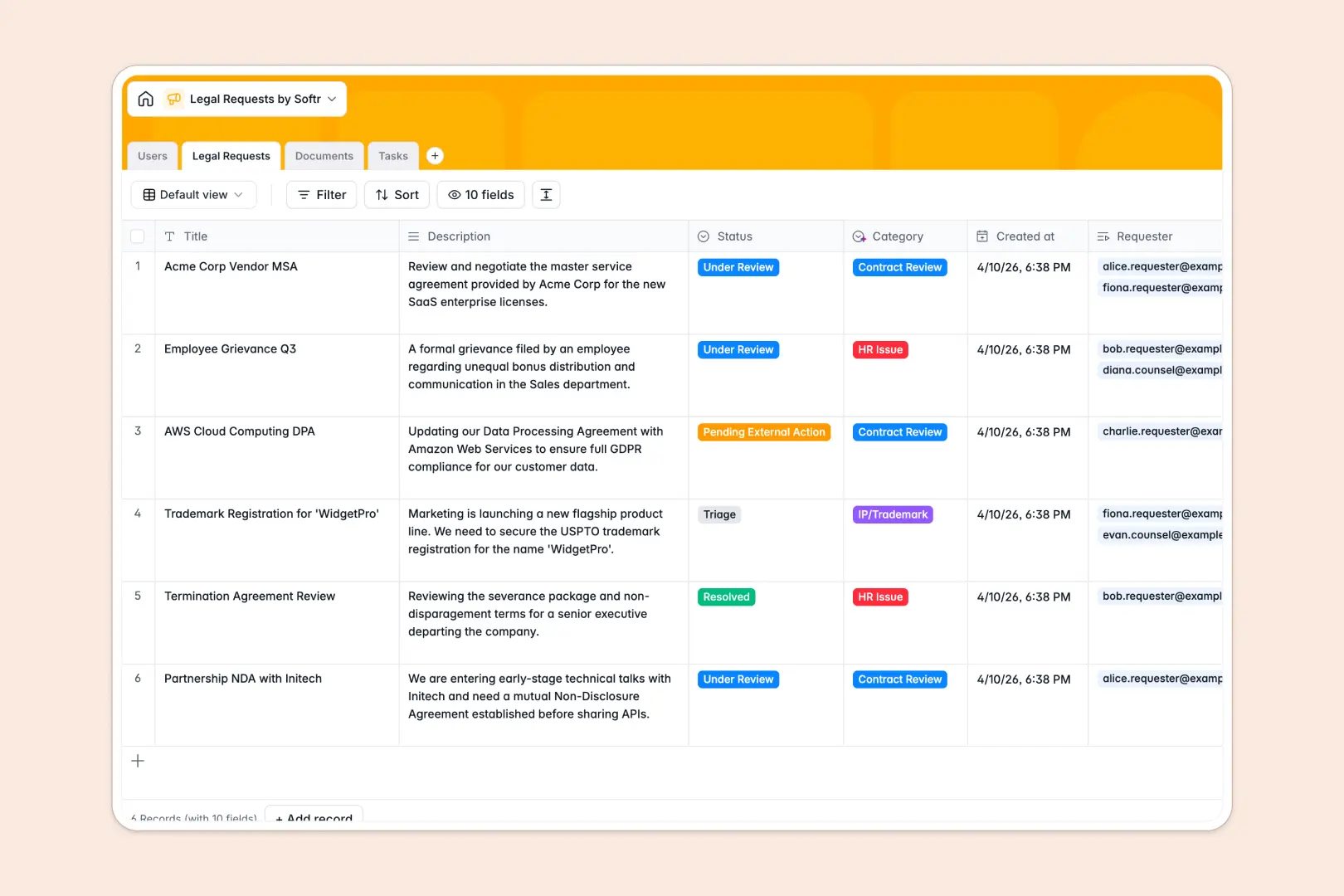
Your Legal Requests database at a glance
Manage intake, track contract reviews, and keep every stakeholder aligned without endless email threads. This template centralizes inquiries, documents, and tasks into connected tables so nothing falls through the cracks.
At the core, the Legal Requests table links directly to Users, Documents, and Tasks for complete visibility. Every status change, assignee, and related file lives in a single structured view.
Built-in Database AI agents automatically classify request categories, generate quick summaries, and translate complex clauses into plain language.
Why structured tables replace scattered logs for legal intake
Spreadsheets break down the moment multiple departments submit contracts, HR issues, and trademark inquiries at once. Information gets buried in separate tabs, dates lose their formatting, and nobody knows which reviewer owns the next step.
What a structured database changes
A structured database enforces typed columns so dates, emails, and attachments stay clean and reliable. Tables link natively, connecting a contract review to its supporting documents and tasks without fragile formulas.
This is exactly what Softr Databases are designed for, keeping your team organized as request volume grows.
What you can do with this template
Track every inquiry from initial triage to final resolution with clear ownership and status tracking. Automatically generate document summaries and categorize incoming tickets using AI fields.
Keep all relevant NDAs, MSAs, and policy files attached directly to their parent requests for instant retrieval.
-
Users
Manage employee and legal team profiles with roles and assignments
-
Legal Requests
Process intake inquiries and reviews with AI classification and summaries
-
Documents
Store legal files and contracts with AI-driven clause simplification
-
Tasks
Track actionable deliverables and resolution workflows across requests
Who is this Legal Requests database for
- Legal Teams: Centralize contract reviews, litigation files, and policy inquiries in one shared view.
- Department Heads: Submit requests quickly and track status without emailing counsel for updates.
- Operations Leads: Monitor team workload, assign tasks, and prevent bottlenecks across departments.
How to take it further
Customize the database
Rename fields, add new select options for custom categories, or adjust dropdown statuses to match your workflow. Because it is a native Softr Database, structural updates happen instantly.
Import your existing data
Upload historical request logs using CSV import to centralize past records. Connect external data sources via API to sync incoming tickets automatically.
Build a full app around it
Turn this database into an internal portal where employees submit requests and track progress. Describe your ideal layout to the AI app generator to build the interface automatically.
Configure users and permissions so requesters only see their own submissions while legal counsel views everything.
-
1
-
2
-
3
-
4
Frequently asked questions
-
What is a legal requests database?
-
Why use a no-code database to build a legal intake system?
-
How can AI help managing data for legal requests?
-
Can I build an app with this legal requests database?
-
Is this Legal Requests template free?
-
Can I attach documents directly to requests?
Start building today. It's free!
Build and launch your first app in under 30 minutes.