


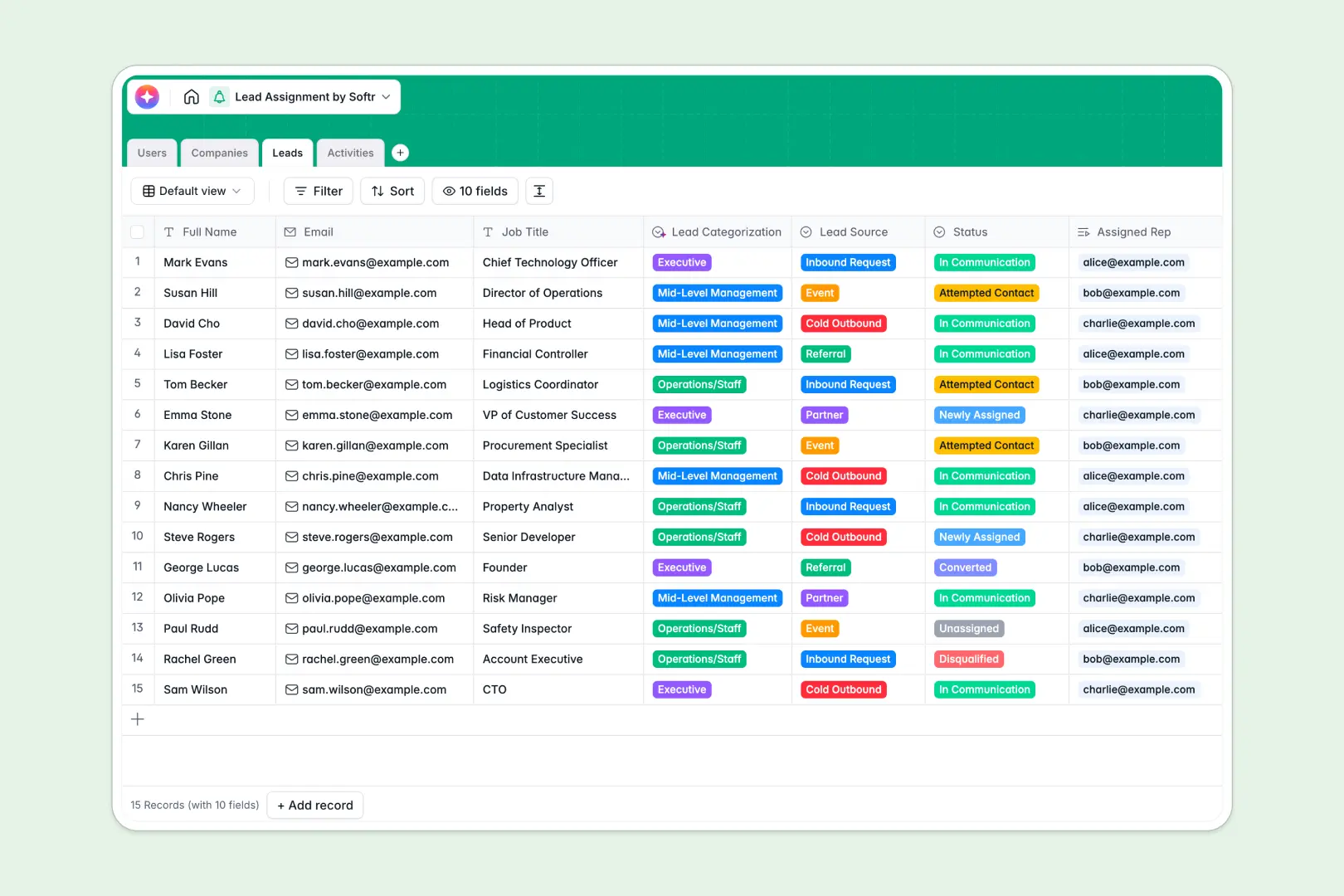
Your Lead Assignment database at a glance
This template helps your sales team capture, categorize, and distribute incoming prospects without manual bottlenecks. It ensures no opportunity slips through the cracks by keeping reps aligned on exact account ownership.
The system works by natively connecting four core tables: Users, Companies, Leads, and Activities. When a new prospect is added, you can instantly link them to a specific company and assign them to an available sales rep.
Built-in AI automatically categorizes leads by job title and enriches company profiles by searching the web. It even reads your reps' meeting notes to instantly generate actionable summaries.
Why managing lead assignments in spreadsheets breaks down
Tracking pipeline distributions in a spreadsheet quickly turns into a chaotic mess of overwritten rows and lost follow-ups. As your sales team grows, manually logging activities side-by-side relies on guesswork and becomes impossible to maintain.
What a structured database changes
In a relational system, every piece of information has a strict format. Email columns stay as emails, and dropdowns for prospect statuses do not break when a rep makes a typo.
Instead of fragile VLOOKUPs, you can link multiple activities or contacts directly to a single company naturally. This is exactly what Softr Databases are designed for—giving you scalable relationships without the headache.
What you can do with this template
You can track the entire prospect lifecycle from an unassigned inbound request directly to a converted deal. Every call, email, and meeting logged is perfectly tied back to the specific prospect and account owner.
With built-in Database AI agents, the system can instantly scrape a prospect's website to summarize their business and automatically assign their industry category. This eliminates manual research so your reps can focus entirely on selling.
-
Users
Manage sales team members and system admins with role-based access
-
Companies
Store client organizations utilizing AI for web data and industry tagging
-
Leads
Track individual prospects using AI for job title and lead categorization
-
Activities
Log interactions and generate AI summaries of notes and next steps
Who is this Lead Assignment database for
This foundation is built for sales operations and revenue teams looking to scale their outbound and inbound motions effortlessly.
- Sales Managers: Easily distribute new prospects and monitor the pipeline of assigned reps at a glance.
- Sales Representatives: See exactly which accounts you own, prioritize follow-ups, and log meeting notes effortlessly.
- Revenue Operations: Structure lead data accurately to ensure handoffs are clean and source tracking is deeply reliable.
How to take it further
Customizing this database to match your sales motion is entirely intuitive. You can easily add new 'Lead Source' dropdown options or tweak the AI prompts to extract specific competitor data from company websites.
When you are ready, you can instantly pull your existing prospect lists into the system via CSV upload. You can also connect an API to sync inbound requests directly from your marketing forms.
To give your team a better workspace, you can build a full app on top of this structured data. By setting up custom users and permissions, you can ensure sales reps only see the pipeline they own, while managers view the entire department's performance.
Having a solid, cleanly organized database foundation makes launching these custom operational tools incredibly fast and reliable.
-
1
-
2
-
3
-
4
Frequently asked questions
-
What is a lead assignment database?
-
Why use a no-code database to build a lead assignment tracker?
-
How can AI help managing data for lead assignment?
-
Can I build an app with this lead assignment database?
-
Is this Lead Assignment database free?
-
How is a lead database different from Google Sheets or Excel?
Start building today. It's free!
Build and launch your first app in under 30 minutes.