


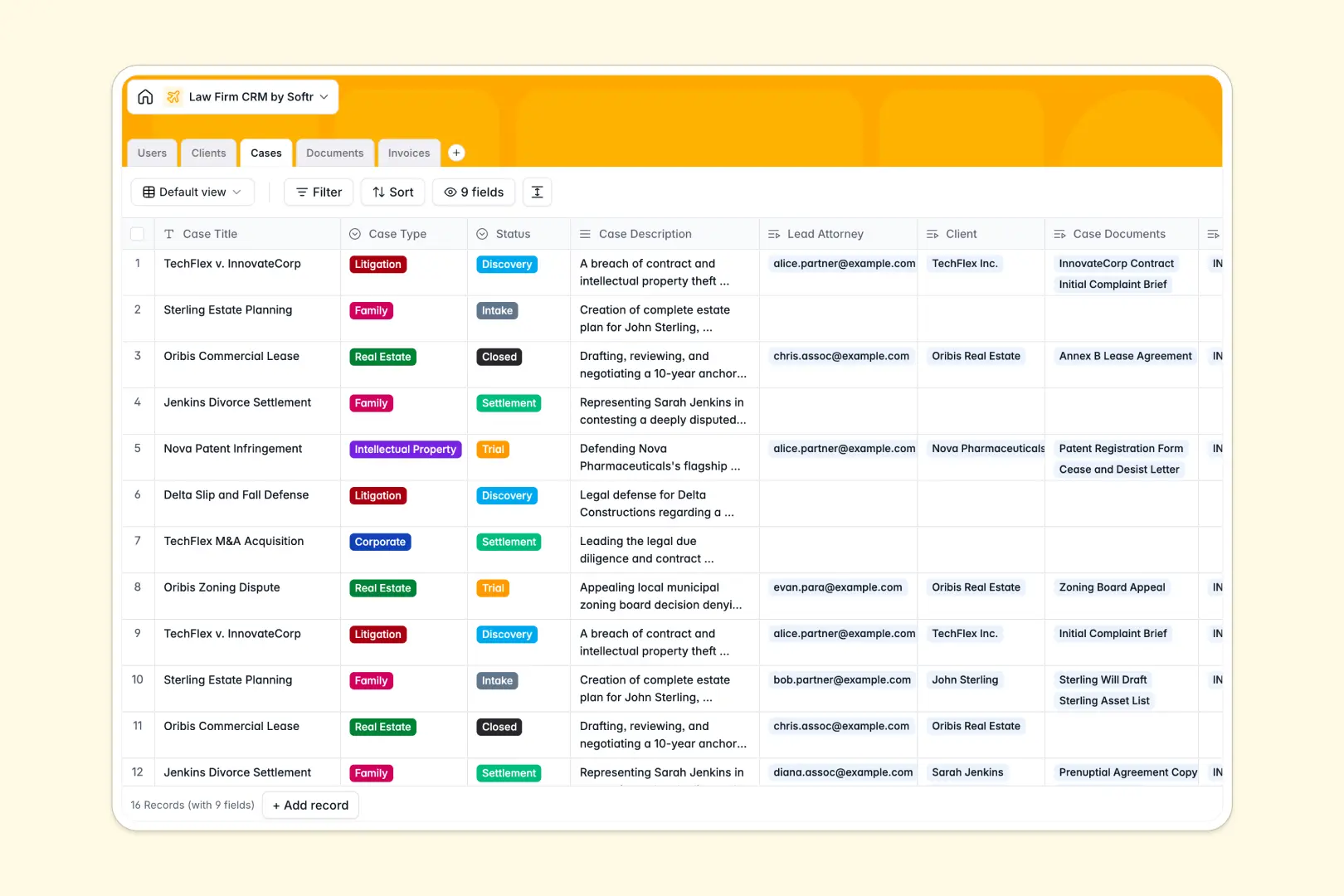
Your Law Firm CRM database at a glance
This template gives your legal practice a centralized workspace to manage client relationships, ongoing matters, court documents, and fee tracking. It replaces disconnected tools by linking every intake, active proceeding, and invoice to the right client record.
The database connects distinct tables for Clients, Cases, Documents, Invoices, and your firm's Users. When an attorney updates a matter in the Cases table, linked billing entries and evidence files update across the entire workspace automatically.
Built-in AI fields draft background summaries directly from client websites, condense lengthy case descriptions into three concise bullet points, and evaluate risk levels on uploaded legal documents.
Why legal matters and client billing collapse in flat spreadsheets
Legal practices juggle complex relationships: one corporate client often holds multiple active matters, dozens of court filings, and separate billing invoices. A flat spreadsheet forces attorneys to duplicate contact details across separate tabs or rows, inevitably causing mismatched addresses, lost billing entries, and outdated case notes.
What a structured database changes
A relational database assigns dedicated field types so court dates remain valid dates, billing amounts calculate reliably, and case documents stay attached to the exact record they belong to.
Instead of copy-pasting client names across rows, tables link together natively. This ensures any associate or partner can pull up a client and instantly review every linked matter, lead counsel, and outstanding invoice in one secure view.
This is exactly what Softr Databases are designed for, giving law firms a structured, relational backend ready for daily operations.
What you can do with this template
Track case lifecycles across distinct stages from Intake and Discovery to Trial, Settlement, and Closed with dedicated status workflows.
With native Database AI agents, your team can instantly classify document risk levels from extracted brief text and pull company background summaries automatically.
-
Users
Manage law firm staff, partner roles, contacts, and assigned legal cases
-
Clients
Store client contacts, active cases, billing, and AI web background summaries
-
Cases
Track legal proceedings, lead counsel, invoices, and AI matter summaries
-
Documents
Centralize case files, contracts, filings, and AI-powered risk evaluations
-
Invoices
Manage legal billing records, payment statuses, client charges, and cases
Who is this Law Firm CRM database for
This database is built for modern legal teams seeking an organized, scalable practice management system.
- Boutique Law Firms: Keep client communications, active matters, and hourly invoices aligned without heavy enterprise software.
- Solo Practitioners: Automate intake summaries and track filings without hiring extra administrative support.
- Managing Partners: Monitor firm-wide caseloads, lead attorney assignments, and outstanding receivables in real time.
- Paralegals & Legal Assistants: Organize case documents, track court filings, and review matter histories quickly.
How to take it further
Customize field properties in minutes by adding practice-specific case types, adjusting billing status options, or creating tailored intake checklists for your firm's specific practice areas.
Import your existing historical matter logs, client contact books, and fee sheets instantly using direct CSV upload or connect existing systems via API.
When your practice is ready, use the AI app generator to turn this database into a full legal portal. You can provide a secure client portal for external document uploads while configuring granular internal permissions so paralegals, associates, and partners only access the cases and financial records assigned to them.
-
1
-
2
-
3
-
4
Frequently asked questions
-
What is a law firm CRM database?
-
Why use a no-code database to build a law firm CRM?
-
How can AI help managing data for law firm CRM?
-
Can I build an app with this law firm CRM database?
-
Is this Law Firm CRM template free?
-
How do I import existing client and case records into this template?
Start building today. It's free!
Build and launch your first app in under 30 minutes.