


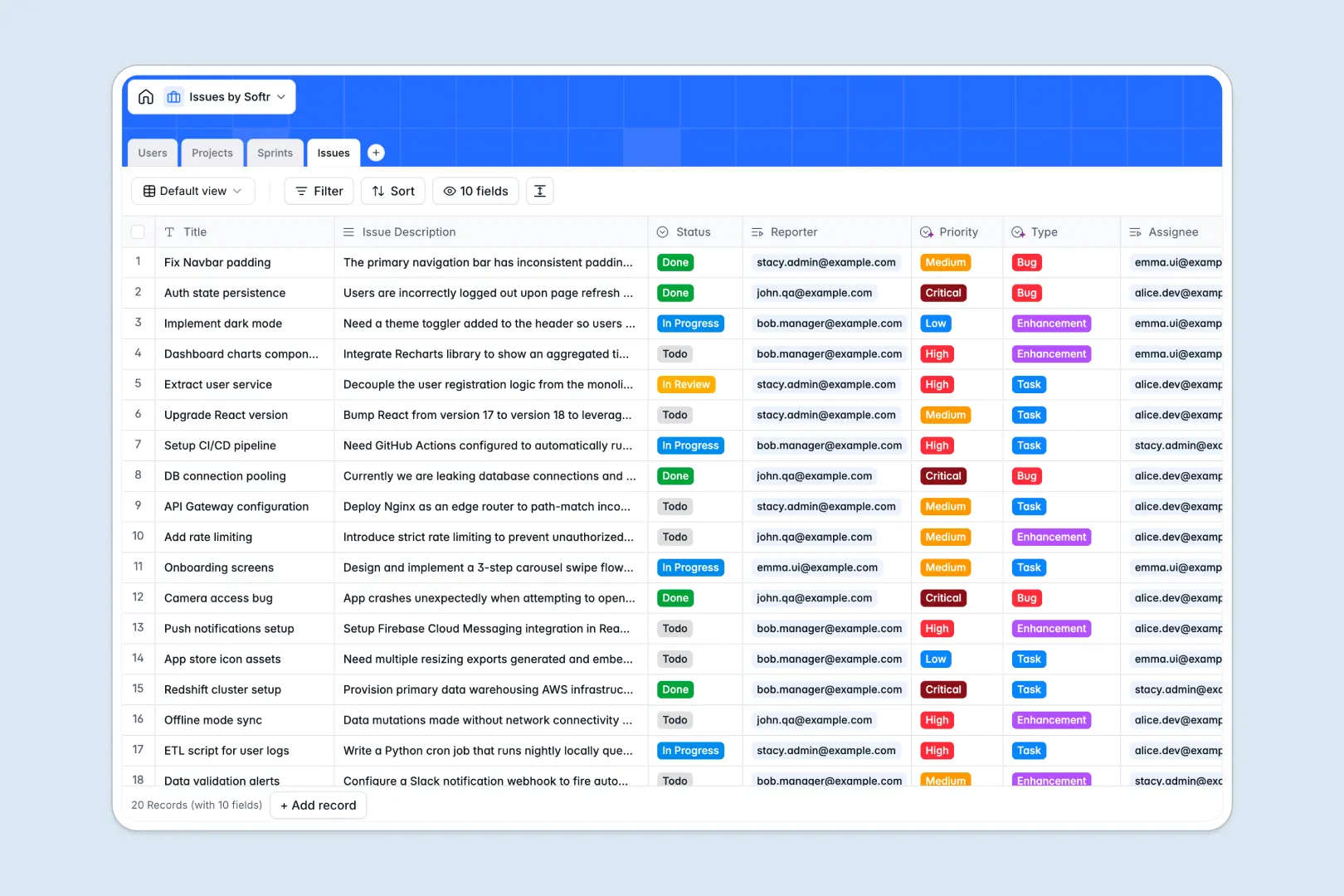
Your Issues Database at a glance
Track bugs, enhancements, and tasks seamlessly without the clutter. This template gives product and operations teams a single source of truth to manage assignments and monitor sprint progress.
It uses distinct, natively connected tables for Projects, Sprints, Issues, and Users to maintain perfect organization. You can easily assign team members to specific tickets and group those tickets into time-boxed sprints.
Built-in AI automatically categorizes issue types, assesses priority levels, and summarizes lengthy ticket descriptions. It can even search the web to enrich your active projects with external frameworks, completely hands-free.
Why managing issues in spreadsheets breaks down
Tracking bugs and feature requests in a spreadsheet quickly turns into chaos as rows multiply and statuses get outdated.
What a structured database changes
Instead of relying on fragile formulas or copy-pasting assignee names across tabs, a structured system connects data seamlessly. Every issue is directly linked to its reporter, project, and sprint with zero friction.
This ensures your priority levels stay consistent, dates format correctly, and no task falls through the cracks as your backlog grows. This clean, scalable structure is exactly what Softr Databases are designed for.
What you can do with this template
You can immediately log, assign, and track technical or operational tasks across multiple active sprints. High-level project views let managers easily monitor total issue counts and resolution progress at a glance.
Thanks to integrated Database AI agents, your database instantly analyzes new tickets to set the correct priority and type automatically. This eliminates manual triaging so your engineering team can focus immediately on shipping solutions.
-
Users
Manage internal team members with roles, avatars and issue assignments
-
Projects
Oversee project scopes with AI-powered framework insights and summaries
-
Sprints
Organize time-boxed delivery cycles linked to projects and specific goals
-
Issues
Track tickets using AI to summarize descriptions and predict urgency
Who is this Issues database for
This template provides instant structure for teams actively managing tasks, bugs, or development cycles.
- Product Managers: Plan sprints clearly and ensure feature enhancements are properly scoped and assigned.
- Engineering Leads: Triage bug reports automatically and track workload distribution among team members.
- Operations Teams: Log routine internal tasks, monitor status updates, and resolve service requests efficiently.
How to take it further
You can easily tailor this database to match your exact internal workflows. Modify the issue status options, add new priority levels, or adjust the roles in the Users table to fit your organization.
Pull in your existing backlog instantly by uploading a simple CSV file. You can also connect via API to sync tickets automatically from other support tools you already use.
When your team needs more control, you can transition this database into a secure internal tool. Using Softr's interface builder, you can create custom dashboards for different departments without writing code.
By setting up users and permissions, you can ensure external stakeholders only see their reported issues. Meanwhile, administrators get complete visibility over every active sprint and project.
-
1
-
2
-
3
-
4
Frequently asked questions
-
What is an issues database?
-
Why use a no-code database to build an issue tracking tool?
-
How can AI help managing data for issues?
-
Can I build an app with an issues database?
-
Is this issues database template free?
-
How is an issues database different from tracking tasks in Google Sheets?
Start building today. It's free!
Build and launch your first app in under 30 minutes.