


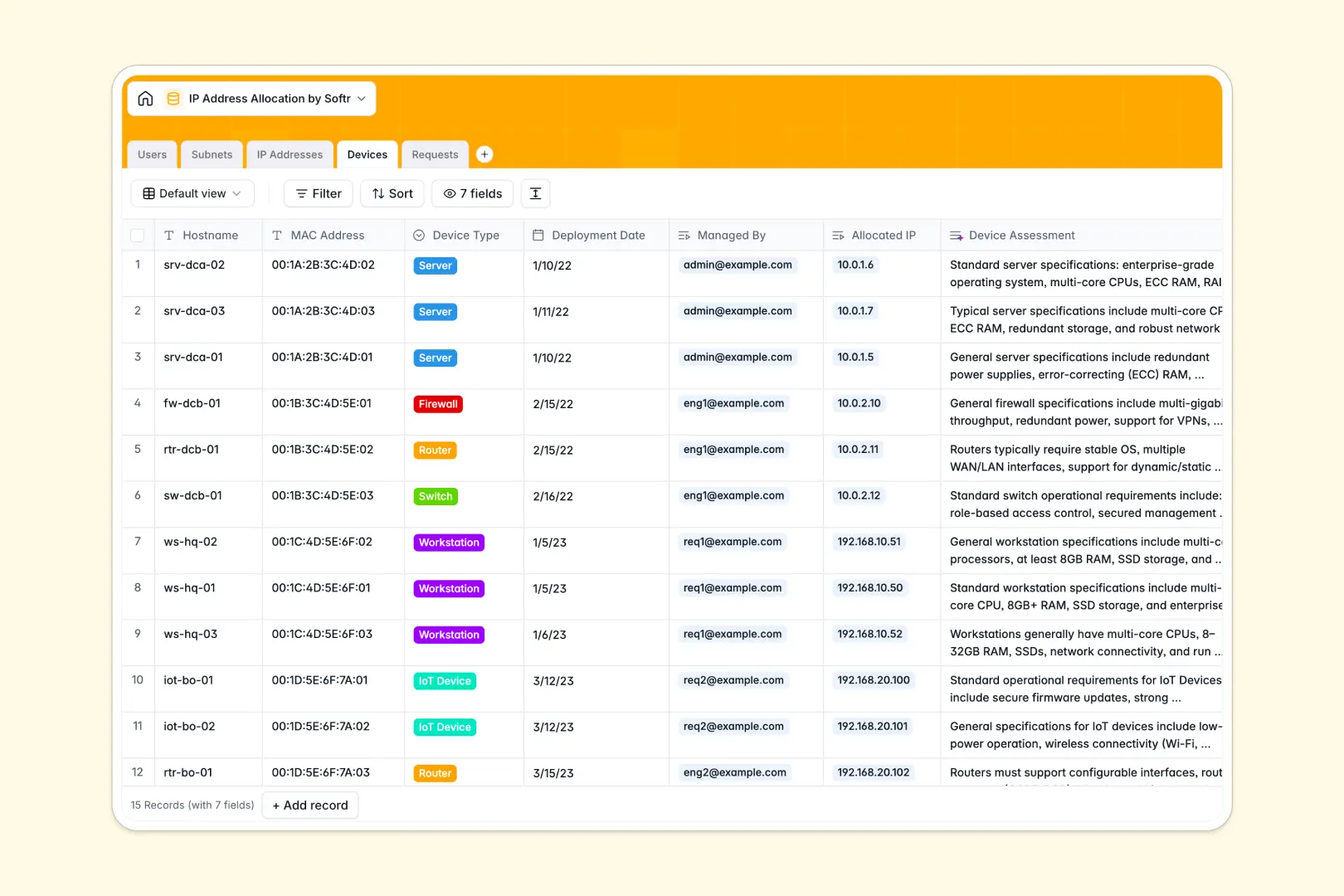
Your IP Address Allocation database at a glance
This template gives your IT team complete visibility over available, allocated, and reserved IPs. It perfectly connects subnets, devices, and approval workflows in one reliable system.
Manage incoming user requests natively while linking them directly to specific MAC addresses and CIDR blocks. You can instantly see which engineer manages which hardware without running complex system searches.
Built-in AI automatically summarizes lengthy request justifications and actively searches the web to provide technical specifications for connected devices.
Why managing IP tracking in spreadsheets breaks down
Tracking network blocks in flat spreadsheets quickly leads to duplicate IPs, missed offline statuses, and broken tracking between subnets and devices.
What a structured database changes
In a relational system, every subnet block is naturally linked to its individual IPs, preventing accidental double-assignments. When a device goes offline, its IP status updates without affecting the rest of the network structure.
This is exactly what Softr Databases are designed for. You get strict column types that ensure MAC addresses stay formatted correctly and deployment dates remain standardized as your inventory grows.
What you can do with this template
You can approve or deny allocation requests and immediately tie them to an available IP within the proper data center location.
Using built-in Database AI agents, the system automatically searches the web to generate security assessments for newly added devices. It also turns long request justifications into quick, readable bullet points, saving your admins valuable review time.
-
Users
Manage network staff and administrators with specific roles and access
-
Subnets
Organize network blocks with AI-generated summaries of subnet details
-
IP Addresses
Track individual IP availability, allocation status, and connectivity logs
-
Devices
Catalog hardware assets with AI-powered technical and security assessments
-
Requests
Manage IP workflows with AI-summarized justifications for new allocations
Who is this IP Address Allocation database for
This system is built for IT and network teams who need strict control over their infrastructure.
- Network Engineers: Keep track of subnets across different data centers and instantly spot available IPs.
- IT Administrators: Process allocation requests efficiently and assign IPs to specific workstations or servers.
- System Architects: Map out cloud vs. on-premise infrastructure without losing sight of individual device deployments.
How to take it further
First, customize the database to match your specific infrastructure. You can easily add new device types to the dropdown or create a specific location tag for your cloud provider.
Next, bring in your current network inventory. Import your existing CSV files to instantly populate your subnets, devices, and user directories.
Finally, you can build an app on top of this data to serve your entire organization. Instead of having users email you requests, give them a secure self-serve portal where they can submit IT requests and track their status natively.
Thanks to robust users and permissions, standard employees only see their own requests and devices, while admins get full access to manage the entire CIDR block. A well-structured backend makes building this custom portal incredibly fast.
-
1
-
2
-
3
-
4
Frequently asked questions
-
What is an IP address allocation database?
-
Why use a no-code database to build an IP tracking tool?
-
How can AI help managing data for network requests?
-
Can I build an app with this IP address allocation database?
-
Is this IP Address Allocation database free?
-
How is an IP database different from managing network blocks in Google Sheets?
Start building today. It's free!
Build and launch your first app in under 30 minutes.