


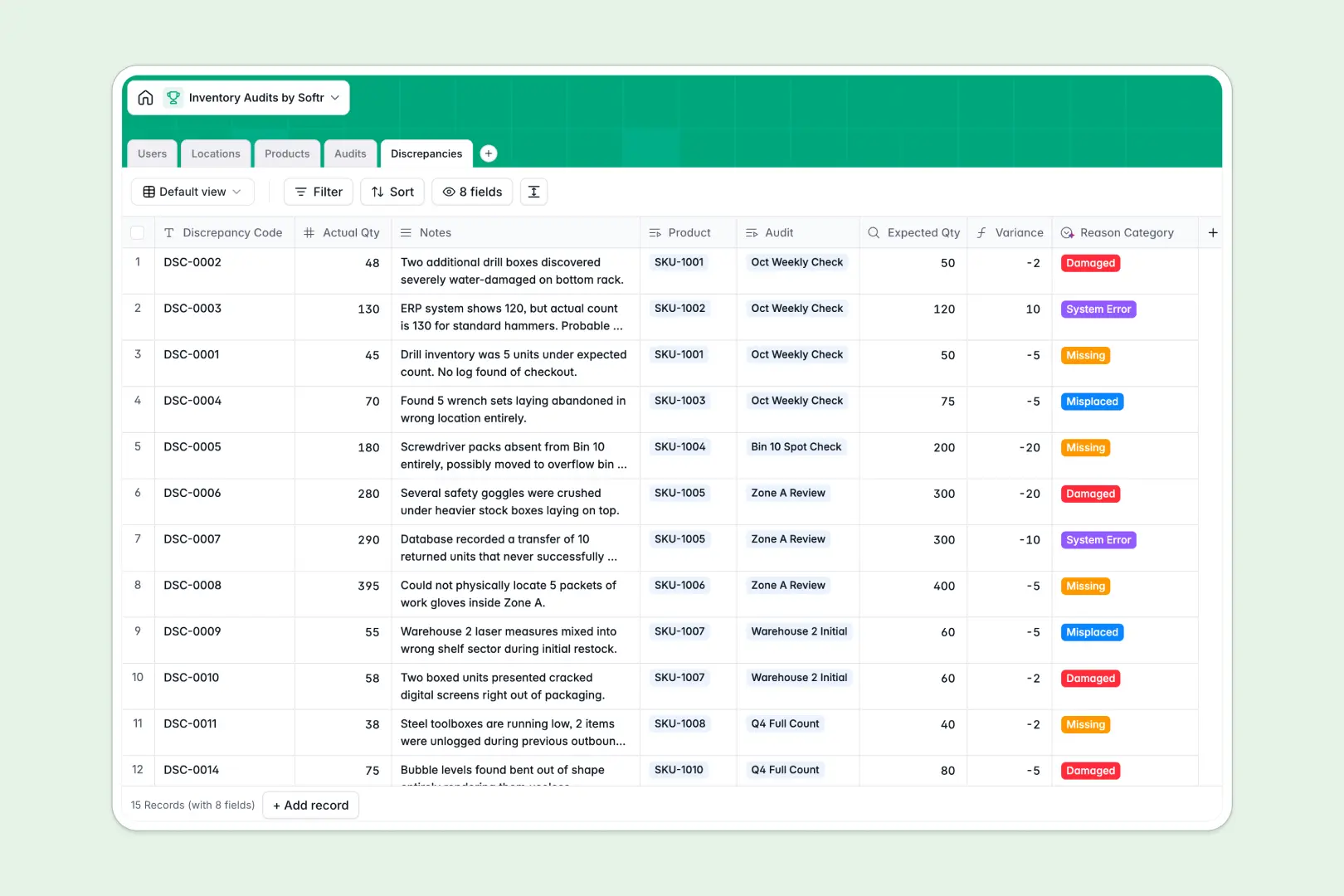
Your Inventory Audits database at a glance
This template gives your team a centralized system to track warehouse counting cycles, compare expected versus actual stock, and log discrepancies accurately. It eliminates guesswork and ensures total visibility over your physical inventory.
The database works by seamlessly linking your tables together. You can assign specific Users (auditors) to Audits, map those audits to physical Locations like aisles or bins, and tie every counted Product directly to a location.
It also does the heavy lifting for you automatically. Built-in AI auto-writes missing product descriptions, condenses rambling audit notes into three key action points, and instantly categorizes stock discrepancies as missing, damaged, or misplaced.
Why managing inventory audits in spreadsheets breaks down
Running warehouse counts in spreadsheets quickly leads to broken formulas, mixed-up SKUs, and untraceable stock variances. Once multiple auditors start editing shared rows simultaneously, data integrity drops immediately.
What a structured database changes
Unlike spreadsheets, a structured database enforces strict column types so data stays completely clean. You link actual product records to specific warehouse locations and discrepancies without relying on fragile VLOOKUPs.
This is exactly what Softr Databases are designed for. They provide a predictable, error-free foundation so your physical stock counts can scale effortlessly across teams and locations.
What you can do with this template
You can log specific audits, link them to exact warehouse zones, and let native formulas auto-calculate your stock variance the second an auditor inputs an actual quantity.
Thanks to native Database AI agents, this system also actively cleans your data. It will automatically categorize your discrepancies (like "System Error" or "Missing") purely based on the auditor's typed notes.
-
Users
Manage warehouse personnel and auditors with specific access permissions
-
Locations
Organize warehouse zones and physical bins for accurate audit tracking
-
Products
Catalog items and use AI to generate descriptions via web-powered lookup
-
Audits
Schedule audit events and leverage AI to summarize complex field notes
-
Discrepancies
Log stock gaps using AI to auto-classify reasons based on auditor notes
Who is this Inventory Audits database for
This template is built for operations teams that need to manage physical stock counts securely and accurately.
- Warehouse Managers: Schedule regular counts and monitor overall discrepancy trends across zones.
- Inventory Auditors: Log actual counts quickly and flag product variances accurately on the floor.
- Operations Leads: Keep real-time visibility into stock accuracy, expected values, and audit statuses.
How to take it further
Customize the database
You can easily tweak the structure to fit your exact warehouse layout. Modify the location type dropdowns to match your specific zones and bins, or adapt the user roles as your team changes.
Import your existing data
Jumpstart the system by uploading a CSV of your master product catalog. You can easily pull in your existing SKUs and expected stock values so auditors can begin counting immediately.
Build a full app around it
When your team is ready, you can turn this database into an internal portal. By utilizing an interface builder, you can give auditors a clean, mobile-friendly web app to log counts directly from the warehouse floor.
You can further streamline operations by configuring users and permissions. This ensures auditors only see the audits specifically assigned to them, while managers retain a bird's-eye view of the entire operation.
-
1
-
2
-
3
-
4
Frequently asked questions
-
What is an inventory audits database?
-
Why use a no-code database to build an inventory audit system?
-
How can AI help managing data for inventory audits?
-
Can I build an app with this inventory audits database?
-
Is this inventory audits database free?
-
How is an inventory audits database different from Excel or Google Sheets?
Start building today. It's free!
Build and launch your first app in under 30 minutes.