


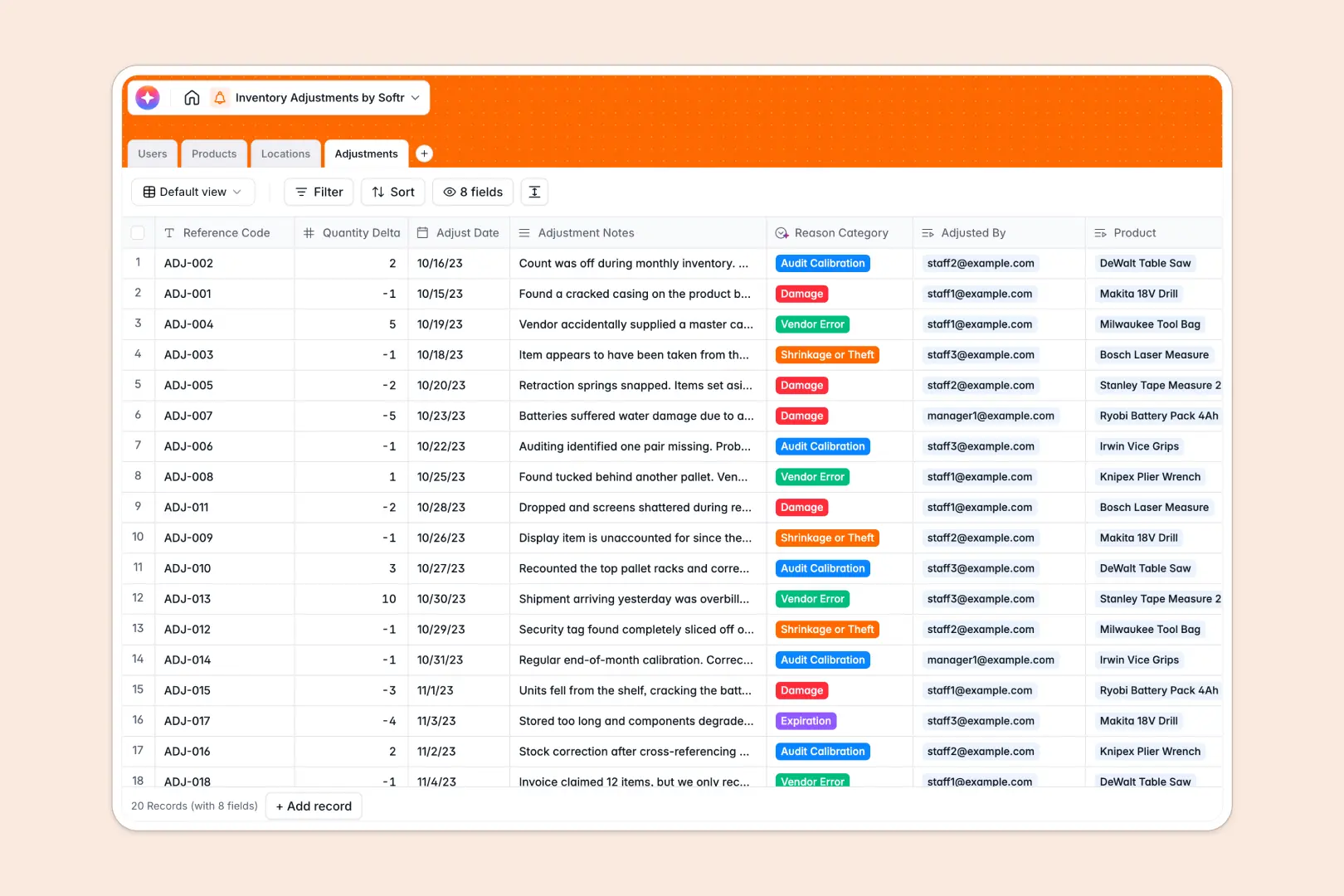
Your Inventory Adjustments database at a glance
This template gives warehouse teams a single place to record stock variances, reconcile cycle counts, and understand why discrepancies occur. Every adjustment automatically links to the right item, location, and staff member.
Four connected tables manage your Products, Locations, Adjustments, and Users. When a stock variance occurs, logging a delta automatically recalculates net inventory totals through native rollup fields without manual formulas.
Built-in AI automatically classifies adjustment reasons from staff notes into categories like damage, shrinkage, or audit calibration, while enriching product records with web-researched descriptions.
Why tracking stock variances needs structured tables over disconnected sheets
When stock discrepancies are logged across disparate spreadsheets, row counts drift, formulas break during cell inserts, and variance totals cannot be trusted for financial reconciliation.
What a structured database changes
A relational database keeps every adjustment linked directly to a master product catalog and specific storage zone. Typed columns ensure dates, currency costs, and quantity deltas stay valid rather than turning into unparseable text.
Native rollups sum quantity deltas across multiple adjustments in real time, giving an accurate count of on-hand inventory across every facility. This is exactly what Softr Databases are designed for.
What you can do with this template
Log stock increases or write-offs instantly while assigning responsibility to specific warehouse staff. Filter stock variances by zone type, including backrooms, front stores, or quarantine areas, to pinpoint operational issues quickly.
Use Database AI agents to read free-form staff notes, categorize adjustment reasons automatically, and search the live web to generate complete product descriptions.
-
Users
Manage warehouse personnel, assigned roles, and inventory adjustment history
-
Products
Track stock levels, costs, locations, and generate AI product descriptions
-
Locations
Organize storage facilities, warehouse zones, and stored product stock
-
Adjustments
Log inventory stock changes and auto-classify discrepancy reasons with AI
Who is this Inventory Adjustments database for
Designed for logistics and retail teams needing accurate stock tracking and audit-ready records.
- Warehouse Managers: Maintain accurate cycle counts and pinpoint zones with frequent inventory loss.
- Inventory Controllers: Reconcile physical inventory with balance sheets using verified adjustment logs.
- Retail Operations: Track shrinkage, supplier errors, and product damages across store locations.
- Logistics Leads: Standardize how floor staff record damaged goods and inventory write-offs.
How to take it further
Modify select choices in the Reason Category or Zone Type fields to match your company's operational codes. Add custom fields like batch numbers, expiration dates, or vendor reference codes directly in the visual editor.
Import your active SKU list and current stock counts via CSV in seconds, or sync adjustment logs with your existing ERP using the database API.
When ready, you can build an app on top of your database by simply describing what you need to Softr's AI Co-Builder. Configure users and permissions so floor staff can only log adjustments while warehouse managers access financial unit costs and inventory reports.
-
1
-
2
-
3
-
4
Frequently asked questions
-
What is an inventory adjustments database?
-
Why use a no-code database to build an inventory adjustments system?
-
How can AI help managing data for inventory adjustments?
-
Can I build an app with this inventory adjustments database?
-
Is this Inventory Adjustments template free?
-
How do I import existing inventory data into this template?
Start building today. It's free!
Build and launch your first app in under 30 minutes.