


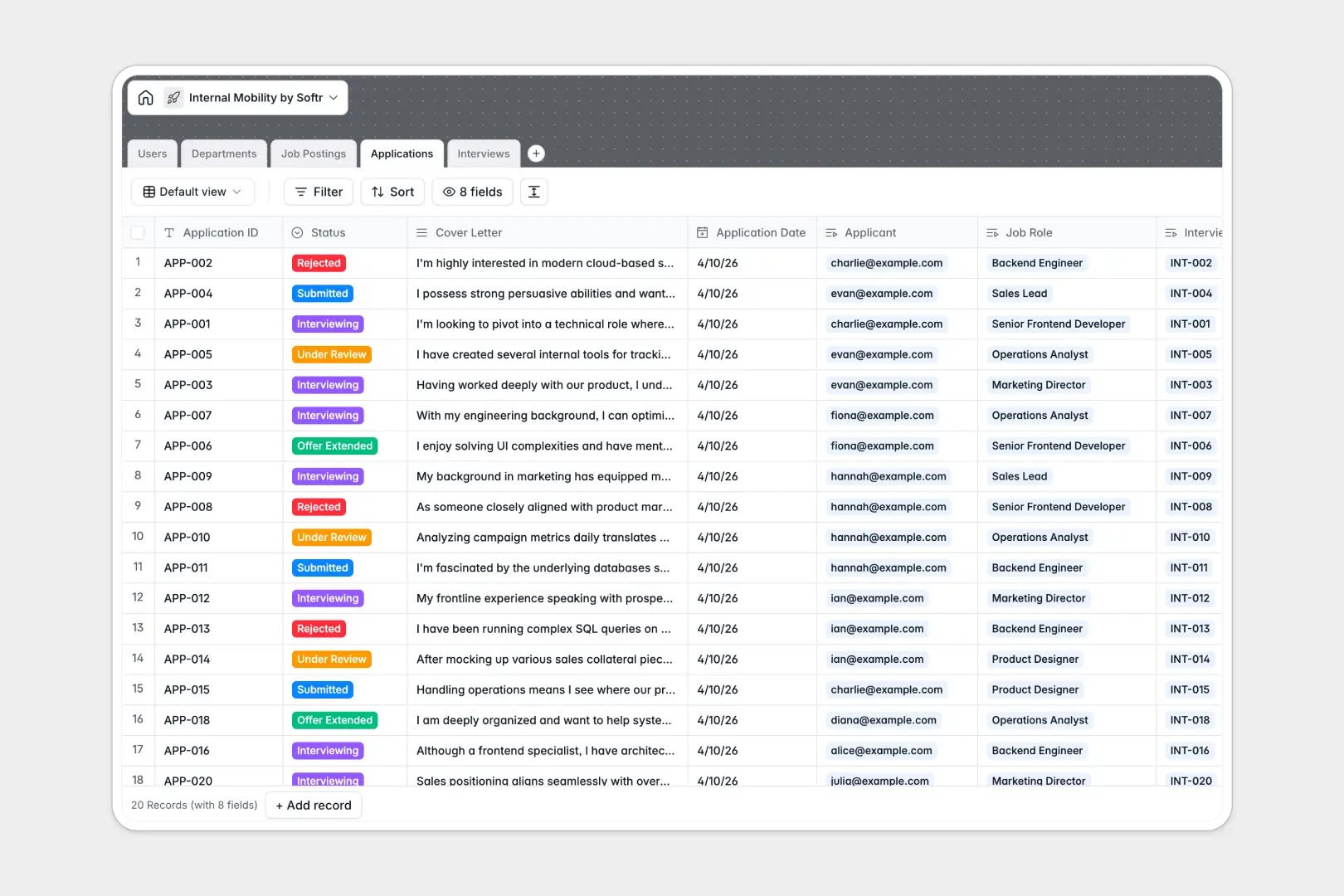
Your Internal Mobility database at a glance
This template gives People teams and hiring managers a centralized system to post internal openings, collect staff applications, and run structured interview rounds. It keeps talent retention high by making career growth paths visible and organized across the company.
Five relational tables connect everything seamlessly: Users link to their Departments, Job Postings link to internal Applications, and each application ties directly to scheduled Interviews and feedback notes.
Built-in AI fields draft tailored job descriptions from core requirements and automatically generate concise summaries of applicant cover letters for quick review.
Why internal job postings outgrow basic sheets
Managing internal career transfers across multiple tabs or static rows quickly leads to broken candidate histories, missed interview feedback, and confused hiring managers.
What a structured database changes
In a relational system, data stays clean because every attribute has a designated field type. Status updates, interview dates, and employee profiles remain consistent across the entire organization.
Instead of copy-pasting employee details across multiple rows, candidate profiles link directly to live job requisitions and interview stages. This is exactly what Softr Databases are designed for.
Departments can instantly roll up their count of open positions, ensuring leadership always sees real-time hiring metrics without manual calculations.
What you can do with this template
Run your entire internal transfer process from initial posting to final offer. Hiring managers can review candidate pipelines, record interview recommendations, and view department headcounts at a glance.
With native Database AI agents, hiring teams can summarize long employee statements and turn rough requirements into full job pitches instantly.
You can use this template immediately as a ready-to-use backend for your company's talent marketplace.
-
Users
Manage employee profiles, internal roles, and interview assignments
-
Departments
Organize business units with assigned team members and open role counts
-
Job Postings
Track internal openings with AI-generated role descriptions and pitches
-
Applications
Handle job submissions with AI-powered cover letter summarization
-
Interviews
Schedule interview rounds, log interviewer notes, and track outcomes
Who is this Internal Mobility database for
This template is designed for organizations that want to retain top talent and simplify internal hiring.
- People Operations: Streamline career mobility programs and keep applicant histories organized across departments.
- Hiring Managers: Review internal applicants, read quick AI cover letter summaries, and log interview feedback.
- Talent Acquisition: Track open internal requisitions and monitor interview pipelines in real time.
- Team Leads: Help direct reports find new growth opportunities within the company.
How to take it further
Customize this database by adding new interview stages, adjusting hiring recommendations, or adding custom application fields like target salary and start dates.
Import your current employee directory and open roles in seconds using standard CSV files or direct API connections to keep records synchronized.
When you are ready to give employees a self-service career portal, you can build an app on top of this database. Softr's AI Co-Builder can generate dedicated interfaces for employees, managers, and HR in a single prompt. From there, set granular users and permissions to ensure employees only see their own applications while hiring managers review their specific job openings.
-
1
-
2
-
3
-
4
Frequently asked questions
-
What is an internal mobility database?
-
Why use a no-code database to build an internal mobility tool?
-
How can AI help managing data for internal mobility?
-
Can I build an app with an internal mobility database?
-
Is this Internal Mobility database free?
-
Can I import existing employee data into this template?
Start building today. It's free!
Build and launch your first app in under 30 minutes.