


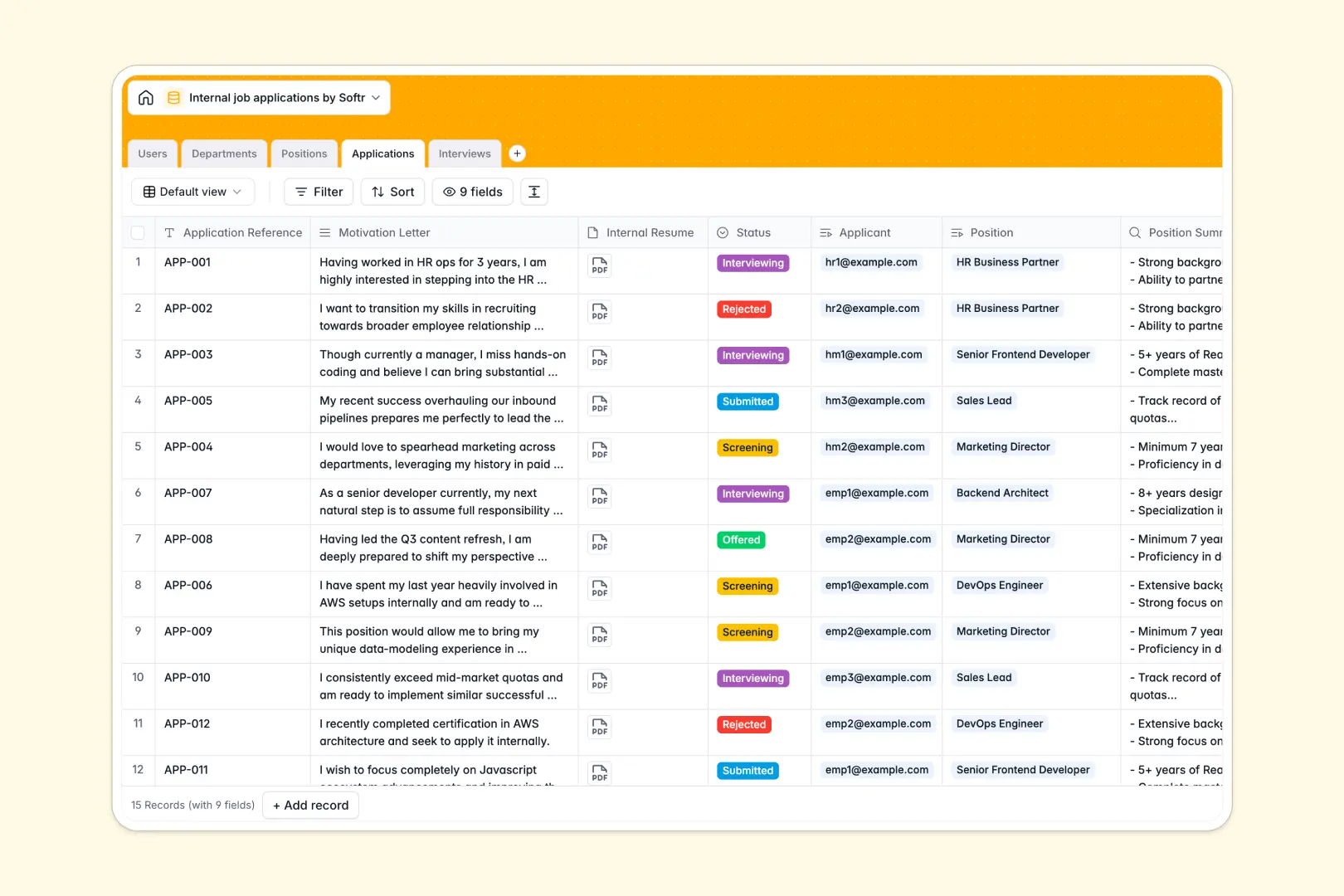
Your Internal Job Applications database at a glance
Centralize internal hiring by connecting open positions, employee profiles, applications, and interview feedback seamlessly.
Departments and Positions link directly to Applications and Users. This ensures every internal mobility request is tracked without duplicate data entry.
Built-in AI automatically evaluates motivation letters against job requirements to score candidate alignment. It also synthesizes raw interview feedback to help you make faster hiring decisions.
Why managing internal job applications in spreadsheets breaks down
Tracking internal candidates across standard spreadsheets quickly becomes a mess. You end up with disjointed tabs, lost resumes, and scattered interview notes.
What a structured database changes
A structured system keeps everything natively connected. When an employee applies, their application links securely to the open position and their profile without fragile VLOOKUPs.
Every piece of data has a strict format, from dynamically updating application statuses to safely attached resumes. This is exactly what Softr Databases are designed for, keeping your pipeline clean as internal mobility grows.
What you can do with this template
Instantly track applications from submission to offer while maintaining a clean catalog of open roles grouped by department.
Leverage built-in Database AI agents to automatically evaluate candidate alignment. You can also use AI to summarize position descriptions and synthesize messy interview notes into clear takeaways.
-
Users
Manage employee profiles, departmental roles, and hiring participation levels
-
Departments
Organize company structural units and their associated staff and job openings
-
Positions
Track open roles with AI-powered summaries to streamline job requirements
-
Applications
Monitor employee submissions using AI to evaluate candidate profile matching
-
Interviews
Schedule candidate meetings and use AI to synthesize interviewer feedback notes
Who is this Internal Job Applications database for
This template is designed for teams wanting a structured, automated approach to internal mobility operations.
- HR Admins: Track all internal movement, manage open positions, and keep candidate data safely centralized.
- Hiring Managers: Review AI-generated profile matches and synthesized interview feedback to make objective, faster decisions.
- Employees: Apply seamlessly for open positions and maintain a clear record of their internal mobility history.
How to take it further
Adapt this database instantly to fit your specific internal hiring workflows. You can simply modify the application status choices or add new columns to track salary bands and starting dates.
Bring your existing hiring records into the system in minutes. Bulk import a CSV of your current open positions or ongoing applications to get immediate visibility.
When your team is ready, transform this database into a full internal careers portal using Softr's interface builder. You can create specialized job boards where employees browse and apply for roles directly.
By leveraging users and permissions, you can ensure that hiring managers only see applications and feedback relevant to their specific departments.
-
1
-
2
-
3
-
4
Frequently asked questions
-
What is an internal job applications database?
-
Why use a no-code database to build an internal hiring tool?
-
How can AI help managing data for internal job applications?
-
Can I build an app with an internal job applications database?
-
Is this internal job applications database template free?
Start building today. It's free!
Build and launch your first app in under 30 minutes.