


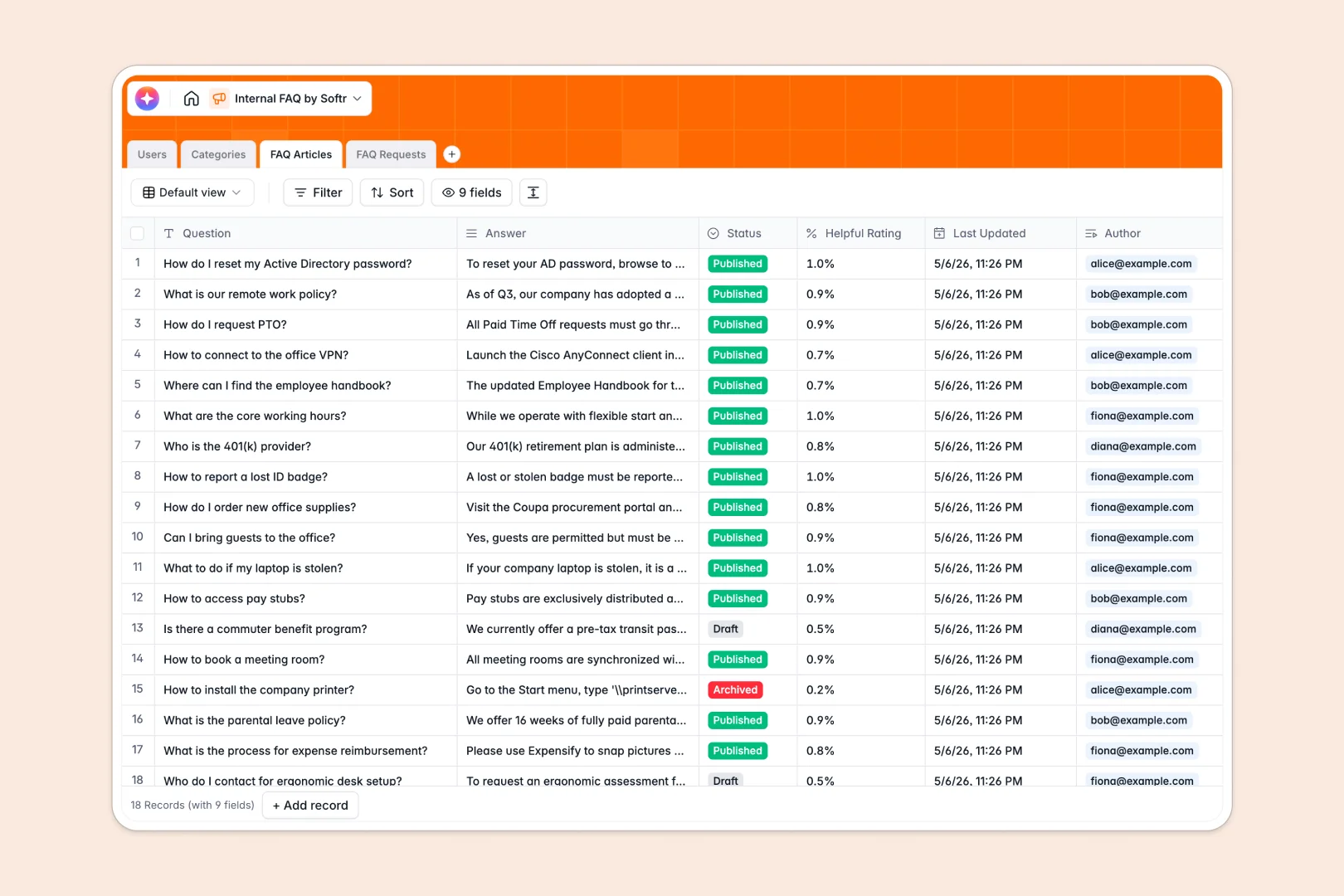
Your internal FAQ database at a glance
This internal FAQ database centralizes your company knowledge into a single, searchable repository. It helps your team find accurate answers instantly and reduces the endless stream of repetitive questions via Slack or email.
The template uses natively connected tables to keep everything clean and easily accessible. You can group FAQ Articles under dedicated Categories like HR or IT, while tracking which Users authored the content or requested new articles.
Built-in AI features elevate this template into an automated system. AI agents automatically write two-sentence summaries for long articles and instantly classify incoming employee requests into the correct department category.
Why managing internal knowledge in spreadsheets breaks down
Companies often try to write internal FAQs in shared documents or spreadsheets, but these quickly become outdated, hard to navigate, and impossible to scale.
What a structured database changes
A structured system enforces strict organization as your library grows. Instead of endless scrolling and broken links, every article, category, and employee request lives exactly where it belongs.
Questions link directly to the right category without copying and pasting rows across sheets. This is exactly what Softr Databases are designed for, giving you a robust foundation that stays perfectly organized over time.
What you can do with this template
You can establish a definitive source of truth for company policies, IT troubleshooting, and general onboarding. The template includes a built-in request log that lets employees submit new questions when they can't find an answer.
You can also rely on native Database AI agents to handle the heavy lifting. The minute a new request comes in, the database instantly categorizes it as an IT issue or an HR policy, saving your admins hours of manual sorting.
-
Users
Manage employee profiles with roles, contact info, and activity tracking
-
Categories
Organize knowledge base topics and group articles by functional departments
-
FAQ Articles
Store knowledge base content with AI-powered summaries for quick reading
-
FAQ Requests
Track feedback and new inquiries using AI to auto-classify categories
Who is this internal FAQ database for
This template provides a reliable knowledge base foundation for growing departments and cross-functional teams.
- HR Managers: Centralize onboarding documents, benefits policies, and standard procedures in one clear view.
- IT Administrators: Build a quick-reference library for common tech issues and track incoming support requests effortlessly.
- Operations Leads: Keep the entire organization aligned with a single source of truth for standard operating procedures.
How to take it further
This template is ready right out of the box, but completely yours to shape. You can easily modify the dropdown statuses to match your company's review process or add a new expiration date column for time-sensitive policies.
Moving your existing knowledge over is completely effortless. You can run a simple CSV import to bulk upload your current answers straight into the FAQ Articles table and start seeing immediate value.
When your team expands, this database perfectly powers a full-stack internal portal. By setting up robust users and permissions, you can ensure admins can edit knowledge base articles while regular team members can only view records and submit requests.
-
1
-
2
-
3
-
4
Frequently asked questions
-
What is an internal FAQ database?
-
Why use a no-code database to build an internal knowledge tool?
-
How can AI help managing data for internal FAQs?
-
Can I build an app with this internal FAQ database?
-
Is this internal FAQ database free?
-
How do I import existing knowledge into this template?
Start building today. It's free!
Build and launch your first app in under 30 minutes.