


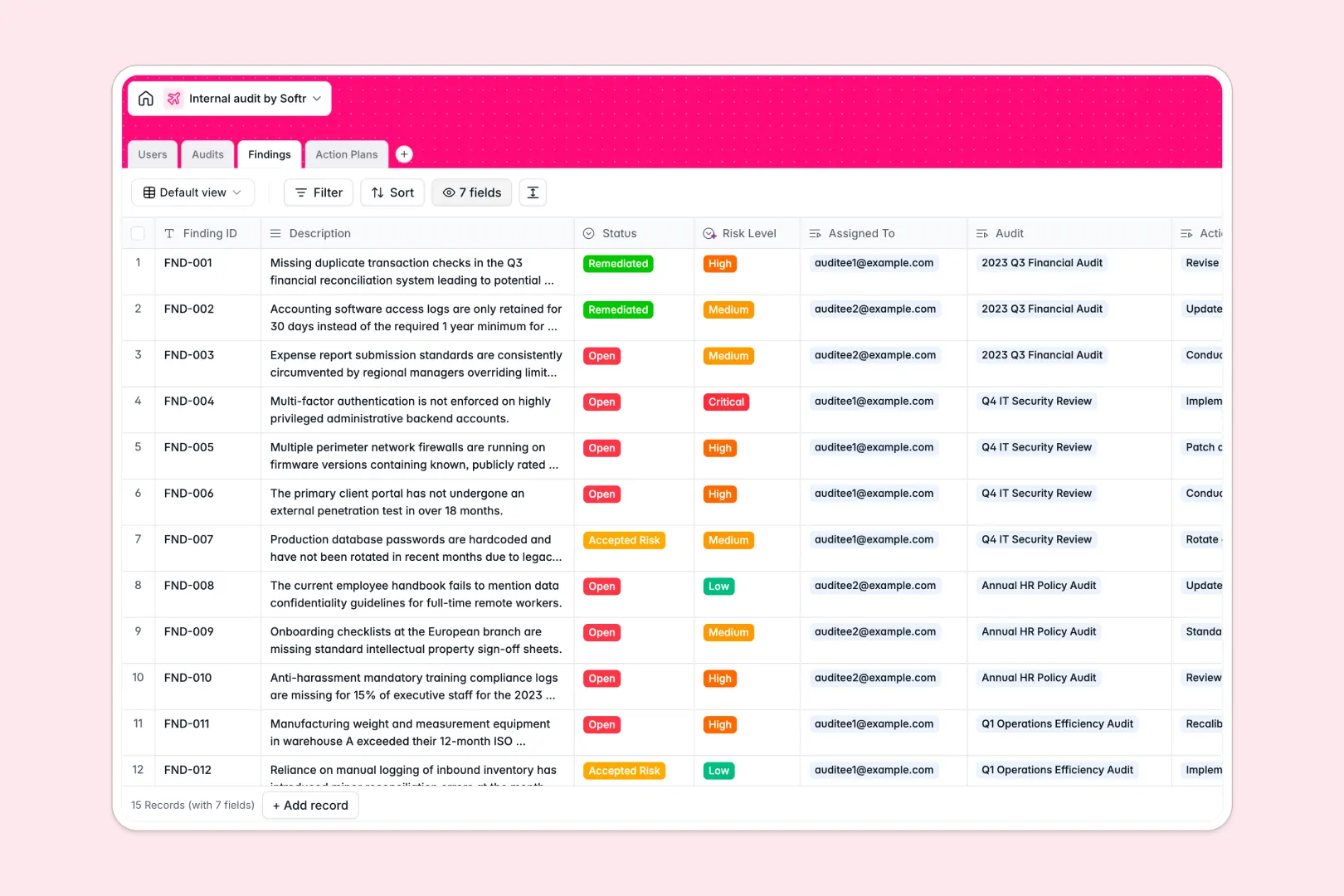
Your Internal Audit database at a glance
This ready-to-use template helps risk and compliance teams track engagements, record critical findings, and oversee remediation across departments.
Connected tables link Audits directly to specific Findings, Action Plans, and assigned Users, giving you a single source of truth without copy-pasting.
Built-in AI fields automatically draft executive summaries from audit scopes and classify finding risk levels to keep reviews consistent.
Why audit engagements and finding trackers outgrow static sheets
Audit engagements involve complex relationships between scopes, departmental stakeholders, severity ratings, and proof of remediation. Tracking these across disconnected rows leads to missed deadlines and outdated status reports.
What a structured database changes
In a relational database, every column enforces strict data types, keeping audit dates, risk ratings, and attached evidence consistent across your team.
Instead of maintaining fragile lookup formulas, findings natively connect to action items and department owners, so finding counts and resolution statuses update automatically.
This is exactly what Softr Databases are designed for, giving you a structured foundation ready to scale.
What you can do with this template
Track every engagement from planning to closure while giving auditors and auditees clear visibility into open corrective actions.
Native Database AI agents analyze finding descriptions to assign risk levels and generate concise titles for remediation tasks.
All tables and fields are fully customizable, allowing you to tailor risk categories, departments, and review stages in minutes.
-
Users
Manage audit team members, roles, contact details and task assignments
-
Audits
Plan audit engagements and generate executive summaries automatically with AI
-
Findings
Log identified issues and classify risk severity levels using AI analysis
-
Action Plans
Track remediation tasks, assign owners and generate plan titles via AI
Who is this Internal Audit database for
Designed for compliance, risk, and operations teams managing internal controls:
- Internal Auditors: Plan multi-department audit engagements and document findings systematically.
- Compliance Officers: Monitor open corrective action plans and verify attached remediation evidence.
- Risk Managers: Evaluate risk severity trends across departments with automated classification.
- Department Leads: Track assigned remediation tasks and submit resolution updates without friction.
How to take it further
Customize fields to match your internal control frameworks by adding custom compliance categories or modifying audit status stages.
Import your historical findings, ongoing audits, and user lists via CSV upload or connect existing systems through the API.
When your team needs dedicated interfaces, you can build an app on top of your database using Softr's AI Co-Builder. Granular users and permissions ensure department auditees only see their assigned action plans while auditors maintain global oversight.
-
1
-
2
-
3
-
4
Frequently asked questions
-
What is an internal audit database?
-
Why use a no-code database to build an internal audit system?
-
How can AI help managing data for internal audits?
-
Can I build an app with this internal audit database?
-
Is this Internal Audit database free?
Start building today. It's free!
Build and launch your first app in under 30 minutes.