


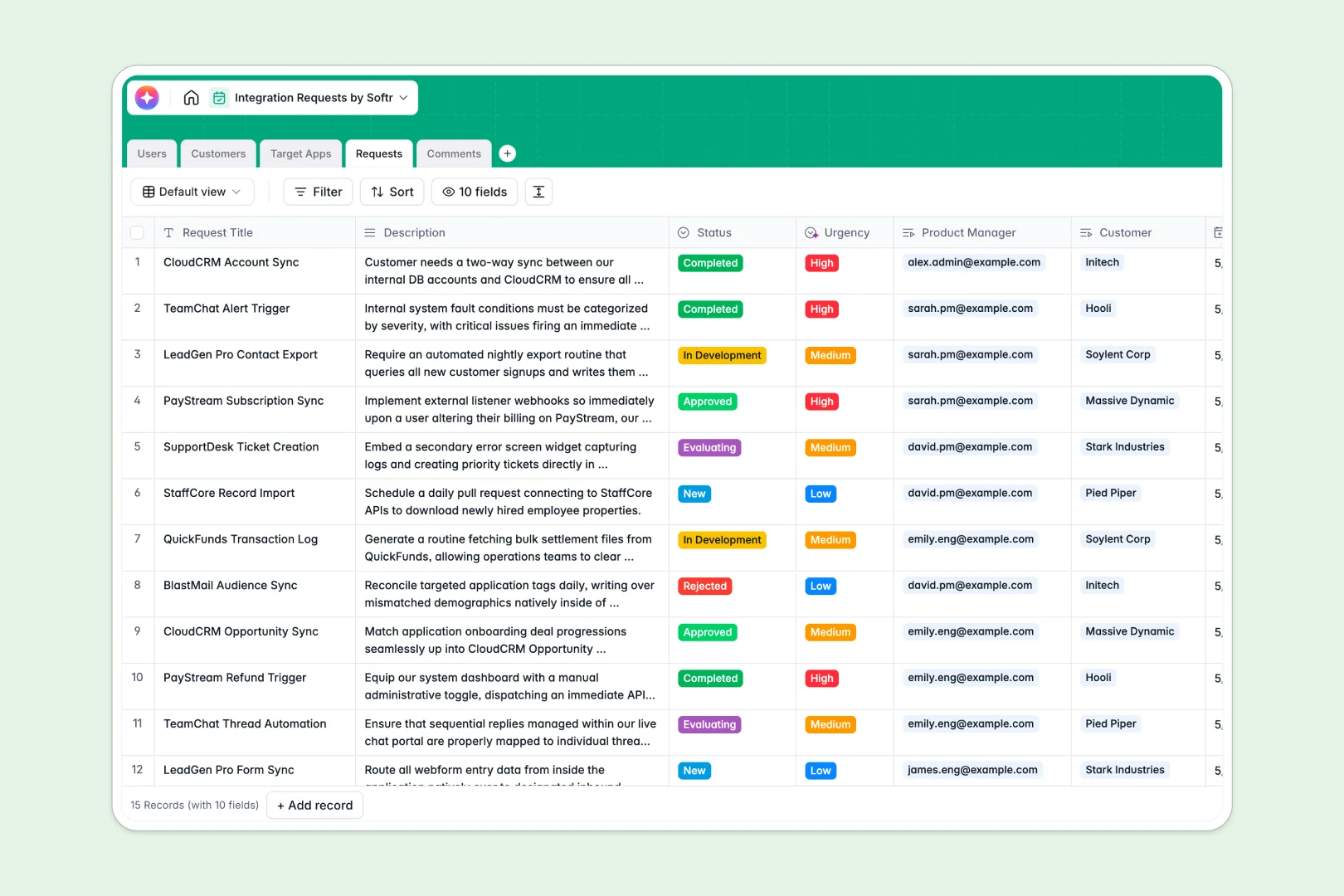
Your Integration Requests Database at a glance
This Integration Requests Database centralizes every third-party app idea your customers ask for. It helps product teams categorize demands and prioritize development without losing context.
At its core, the database connects your `Customers` automatically to the `Requests` they submit. You can easily view internal `Comments` and assign specific internal `Users` to oversee the evaluation or development progress.
Built-in AI agents instantly search the web to write accurate descriptions for new `Target Apps`. They also automatically summarize long request descriptions and categorize them by urgency, saving you hours of manual review.
Why managing integration requests in spreadsheets breaks down
Tracking app requests across disconnected Google Sheets quickly turns into a chaotic mess. As submissions pile up, it becomes nearly impossible to connect specific customers to the tools they want without copy-pasting data over and over.
What a structured database changes
In a structured system, data stays perfectly organized because every column has a strict purpose. You can securely link a customer directly to multiple requests instead of relying on fragile formula lookups.
This is exactly what Softr Databases are designed for. They give product teams a clean, scalable foundation where relationships between users, clients, and requested applications just work seamlessly.
What you can do with this template
Start logging feature demands immediately with clean status pipelines and built-in timestamping. You can accurately track how many times a specific target app has been requested simply by checking the automated rollups.
With Database AI agents enabled, your database practically researches itself in real time. As soon as a request comes in, the system assesses its urgency level and summarizes the text automatically so your engineering team can act faster.
-
Users
Manage internal team members with roles and linked project assignments
-
Customers
Track client companies and their total volume of integration requests
-
Target Apps
Catalog third-party software with AI-generated professional descriptions
-
Requests
Monitor the integration pipeline using AI for urgency and summary tasks
-
Comments
Centralize team discussions and timestamped updates for specific requests
Who is this Integration Requests Database for
This system is built for teams that regularly field product feedback and need a reliable way to manage it.
- Product Managers: Prioritize your product roadmap based on real volume metrics and automated urgency scoring.
- Customer Success Teams: Easily log the third-party tools your clients need without navigating complex developer tools.
- Engineering Leads: Review clear AI-generated summaries and structured categories before evaluating technical scope.
- Partnership Teams: Track highly requested software to identify valuable potential API alliances.
How to take it further
Customize the database
You can easily rename columns or add new options to the request status dropdown. Native editing allows you to adjust user roles or add new target app categories on the fly.
Import your existing data
Bring in your current backlog instantly via simple CSV upload. You can also connect via API to sync incoming feature requests straight from your CRM or customer support desk.
Build a full app around it
When you are ready to collaborate more broadly, you can build an app directly on top of this structure. This allows you to create a secure internal portal for your team or even a public-facing roadmap for customers to upvote ideas.
Because users and permissions are tightly integrated out of the box, you control exactly who can view, submit, or edit requests. Starting with a clean data foundation makes scaling into a fully functional product workflow incredibly fast.
-
1
-
2
-
3
-
4
Frequently asked questions
-
What is an integration requests database?
-
Why use a no-code database to track feature requests?
-
How can AI help managing data for integration requests?
-
Can I build an app with this integration requests database?
-
Is this Integration Requests Database free?
-
How is this structured database different from Google Sheets?
Start building today. It's free!
Build and launch your first app in under 30 minutes.