


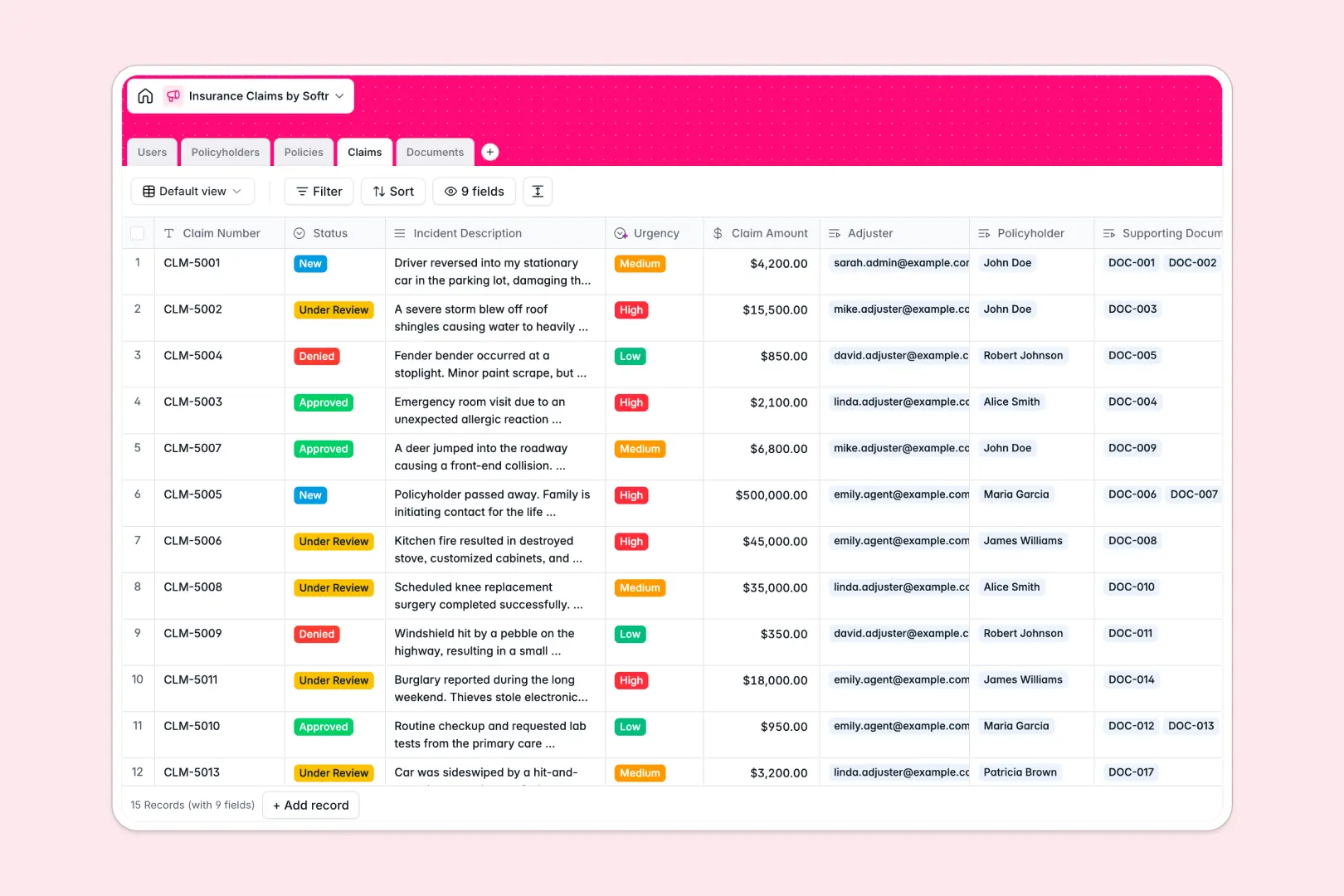
Your Insurance Claims Database at a glance
Track every claim from submission to approval while keeping your policyholder data perfectly organized. This template gives adjusters and agents a single source of truth for all incident reports, coverage limits, and supporting evidence.
Built as a fully relational system, it automatically links policyholders to their active policies and filed claims. Instead of digging through folders, you can see every police report, medical record, and repair estimate directly tied to the specific claim.
It also features built-in AI that summarizes uploaded documents into neat bullet points and automatically grades the urgency of new claims based on the incident description.
Why managing insurance claims in spreadsheets breaks down
Tracking active policies and incident reports across scattered spreadsheet tabs quickly leads to expensive mistakes. When you try to match a claimant to their specific coverage limit or organize dozens of photos and police reports in tiny spreadsheet cells, the system falls apart.
What a structured database changes
A true database ensures every piece of information lives exactly where it belongs. Claim amounts stay formatted as currency, uploaded evidence maps securely to specific incidents, and policy summaries remain clean.
You can instantly link a single policyholder to their home, auto, or health policies without relying on fragile formulas. This is exactly what Softr Databases are designed for, keeping your data connected and scalable as your firm grows.
What you can do with this template
Start immediately by tracking active claims, reviewing supporting documents, and managing adjuster workloads in one clean view.
Because it leverages Database AI agents, the system instantly classifies the urgency of new incidents and automatically generates helpful summaries of uploaded case files, saving your team hours of manual reading.
-
Users
Manage claims adjusters and staff with roles, contact info, and avatars
-
Policyholders
Maintain customer records including contact details, addresses, and policies
-
Policies
Track insurance coverage details, limits, and statuses for policyholders
-
Claims
Process loss reports using AI to classify urgency based on descriptions
-
Documents
Store claim evidence alongside AI-generated summaries of files and notes
Who is this Insurance Claims database for
This system is built for insurance teams and agencies that need to process claims quickly and accurately.
- Claims Adjusters: Review incident details, assess evidence, and update approval statuses in one unified workspace.
- Insurance Agents: Quickly access a client's policy history and coverage limits when answering urgent claim inquiries.
- Agency Admins: Monitor total claim volumes, track high-urgency incidents, and ensure nothing falls through the cracks.
How to take it further
Customizing this database to match your exact agency workflows is seamless. You can easily add new coverage types, update the claim status options, or introduce new fields to track deductible amounts.
If you are currently tracking policyholders elsewhere, you can import your existing client list via CSV or connect an API to sync active policies automatically.
When your team is ready, you can transform this data into a fully customized internal portal without writing any code. By adding an interface builder, you can create specific dashboard views for your adjusters.
You can also configure users and permissions to ensure agents only see the claims assigned to them, keeping sensitive client data secure. A well-structured database makes building these operational apps incredibly fast.
-
1
-
2
-
3
-
4
Frequently asked questions
-
What is an insurance claims database?
-
Why use a no-code database to build a claims management system?
-
How can AI help managing data for insurance claims?
-
Can I build an app with this insurance claims database?
-
Is this Insurance Claims database free?
-
How is a claims database different from Excel or Google Sheets?
Start building today. It's free!
Build and launch your first app in under 30 minutes.